Creating a Procedure or Function
Only in DbVisualizer Pro
This feature is only available in the DbVisualizer Pro edition.
To create a procedure, function or package:
- In the Databases tab, right-click the node for the object type, such as Procedures, Functions or Packages, and select Create Procedure, Create Function or Create Package.
- Enter the name of the object.
- For a function, enter the return data type.
- For a procedure or function, add the parameters in the Parameters list. For each parameter, enter the name and the data type. For some databases, you can also choose the direction, such as
IN,OUTorIN OUT, and enter a default value. - Click Execute.
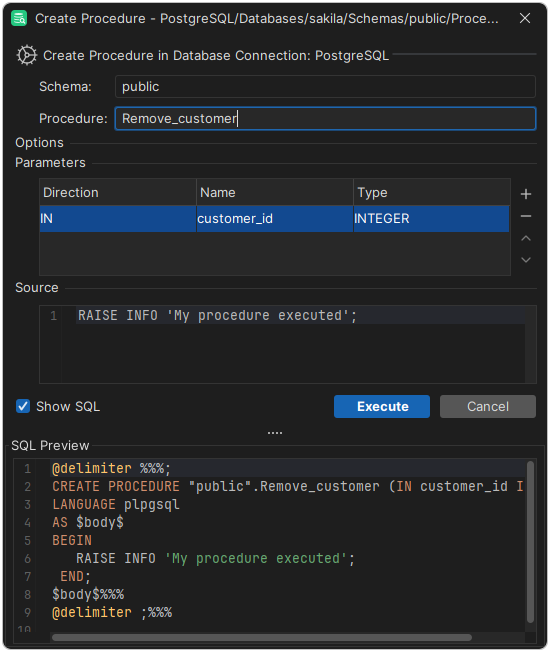
The dialog depends on the database. For many databases, the dialog creates the object with a short sample body, which you can't change in the dialog. You then write the real code in the code editor. For some databases, such as PostgreSQL, you can write the body in the dialog, and for some, you must.
Creating a package
In Oracle and MariaDB, a package has two parts, which you create separately: the specification, which declares the procedures and functions of the package, and the body, which has their code. First create the package, which creates the specification. Then right-click the package and select Create Package Body.