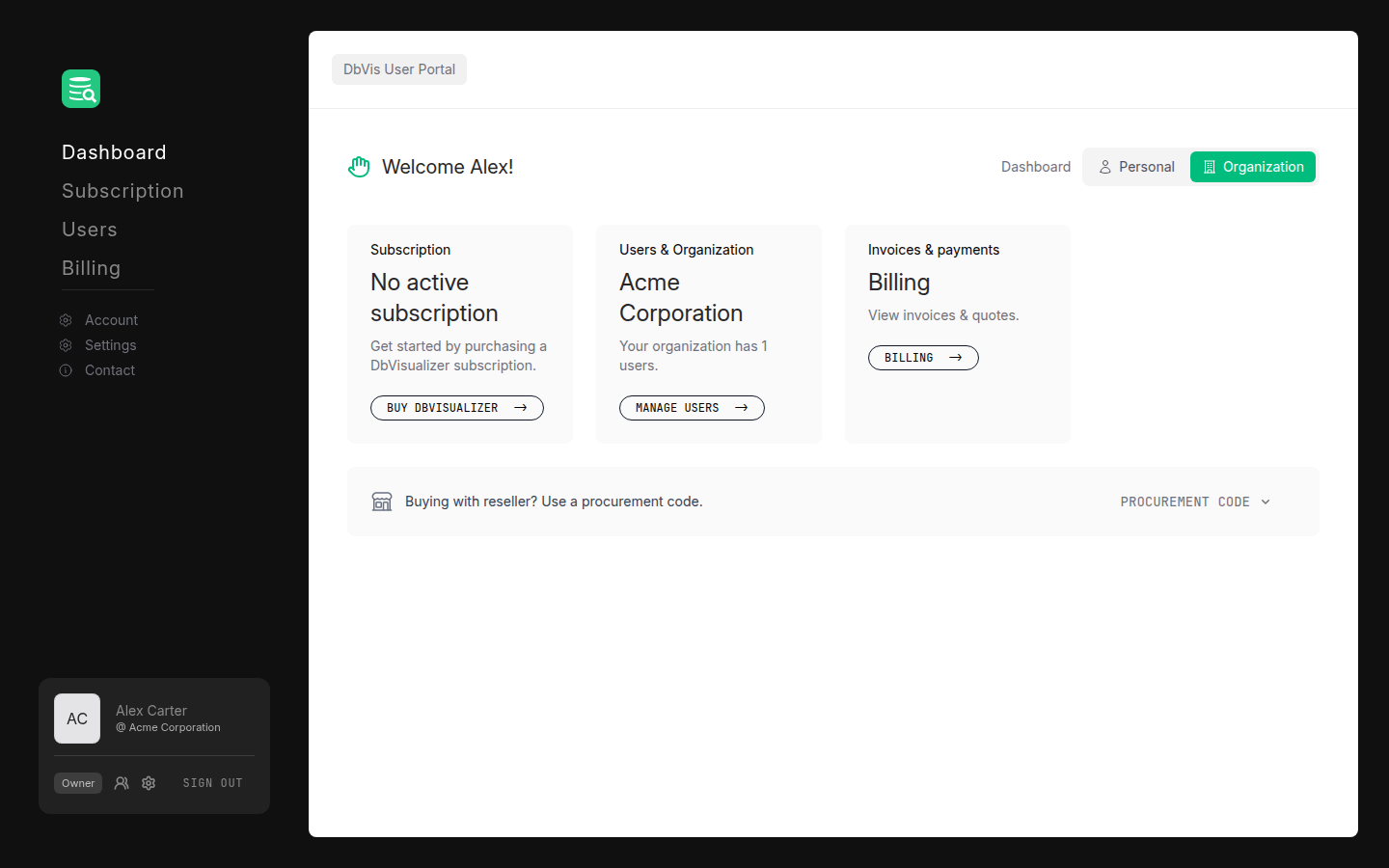
User Portal
The User Portal is where you manage your organization's subscriptions, users, and licenses for DbVisualizer.
Who this guide is for
This documentation is primarily for organization owners and admins: the people responsible for setting up the organization, buying subscriptions, inviting team members, and assigning licenses. It walks you through the full lifecycle, from creating your account to managing and sharing licenses with your team.
If you are not an admin, see Using a license in DbVisualizer. That is likely all you need.
What's in this guide
The portal is organized around five areas, mirrored by the sections of this guide:
- Getting started: create your account, set up your organization, and (if eligible) request academic, start-up, or non-profit verification.
- Subscriptions: buy a subscription, renew a subscription, configure orders, and choose a payment method.
- Users and licenses: invite users, assign and unassign seats, and activate licenses in DbVisualizer.
- Billing: view invoices, accept open quotes, and check your billing summary.
- Account and settings: manage your profile, change your password, set up two-factor authentication, and choose which email notifications your organization receives.
The portal navigation
After signing in, you land on the Dashboard. The left sidebar is your main navigation. As an owner or admin you will see:
- Dashboard: an overview of your organization's subscription and seat usage
- Subscription: manage your plan, seats, and renewal settings
- Users: invite people and manage their roles
- Billing: invoices and payment methods
- Account: your personal profile settings
- Settings: organization-level settings
- Contact: reach the DbVisualizer support team