Changing Date and Number Formats
DbVisualizer shows dates, times, timestamps and numbers in grids and forms using formats that you can choose. The same formats are used when you enter values.
- In Tools → Tool Properties, select the General / Data Formats category.
- For each kind of value, select a format in the list, or type your own.
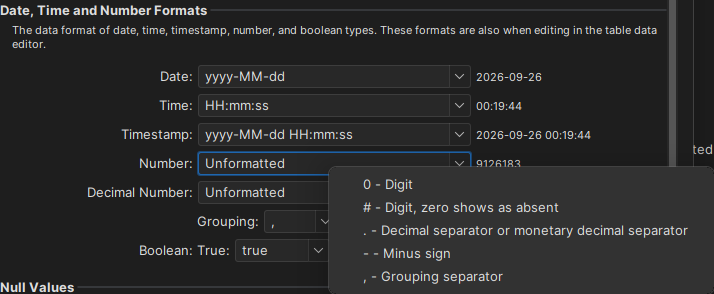
When you type your own format, right-click the field to see the letters and symbols you can use. For dates and times, a sample of the format is shown next to the field.
The formats follow Java's rules. For all the details, see SimpleDateFormat for dates and times, and DecimalFormat for numbers.
The Unformatted number format has no grouping character, such as a thousands separator, and uses a dot (.) as the decimal separator.