



intro
Welcome to DbVisualizer 26.2. This version includes a more integrated AI experience, visualization for geospatial data, improved grid filtering and database connection search, support for tab groups, and more. Let’s take a closer look.
AI
Expanded AI Assistant capabilities
The AI Assistant is now more deeply integrated into SQL Commander, bringing you faster ways to fix, improve and create your queries. This release also expands compatibility by adding support for leading LLM providers.
Contextual AI actions
You can now trigger AI actions directly from the editor, reducing the need for context switching. These actions allow you to quickly resolve syntax errors, optimize existing queries, or develop new logic while staying in the context of your script.
The standalone AI Assistant panel remains available for multi-turn chats and broad brainstorming, while the new contextual actions are optimized for immediate, inline editing.
Execute queries from the AI Assistant
Generated queries and suggested code changes can now be executed directly from the AI Assistant panel. This allows you to quickly test an idea, inspect results, and iterate on your queries without copying and pasting into the editor.
Choose AI provider and model
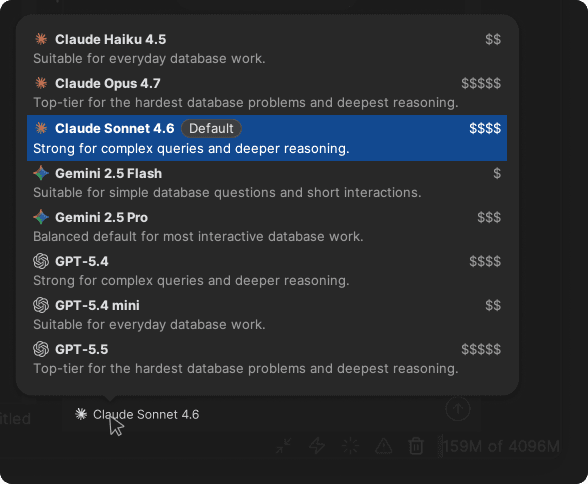
You can now customize your setup by selecting which AI vendor and model powers the AI Assistant. Support has been added for a variety of models from Anthropic, Google, and OpenAI. This allows you to align the feature with your organization's compliance requirements or switch between models based on the complexity of the database task at hand.
Opt-in and data privacy
As before, all AI features are strictly opt-in. If you choose not to enable the AI Assistant, DbVisualizer continues to operate entirely without server-side AI processing.
DATABASE CONNECTIONS
Search database connections
Managing environments with a large number of database connections is now more efficient. New search capabilities allow you to locate and navigate between connections quickly across the application.
Quick search in the Databases tab
The Databases tab now features integrated quick search functionality. You can filter connections by entering any substring to instantly find the relevant entry. The search navigates seamlessly through your connection list, regardless of whether your connections are organized inside nested folders or stored at the top level.
Enhanced connection selector in SQL Commander
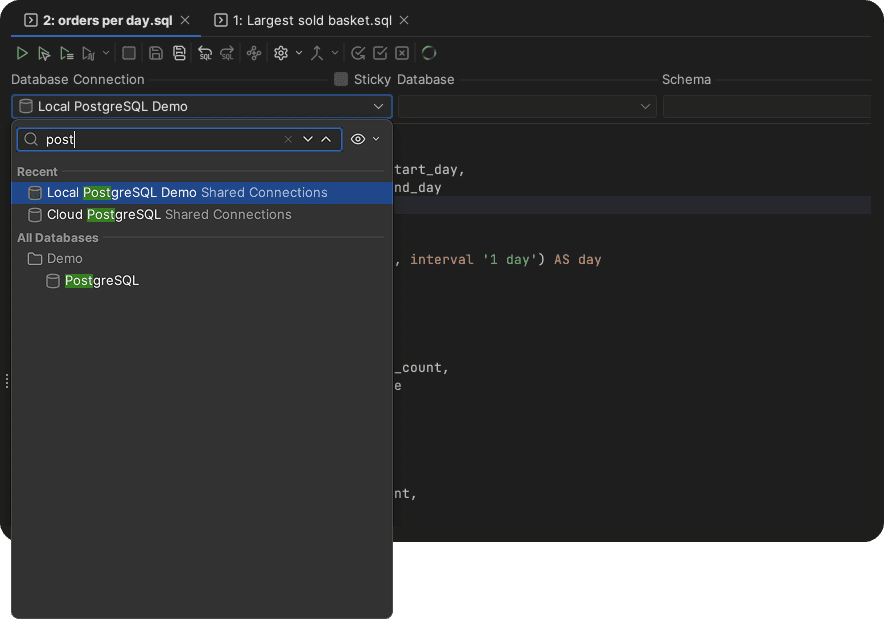
The database connection selector within SQL Commander has been upgraded to support both search and hierarchical views. This makes it easy to switch the target connection, even in environments with hundreds of databases. The search field preserves your folder structures, allowing you to maintain context while filtering.
Map viewer
Map visualization for geospatial data
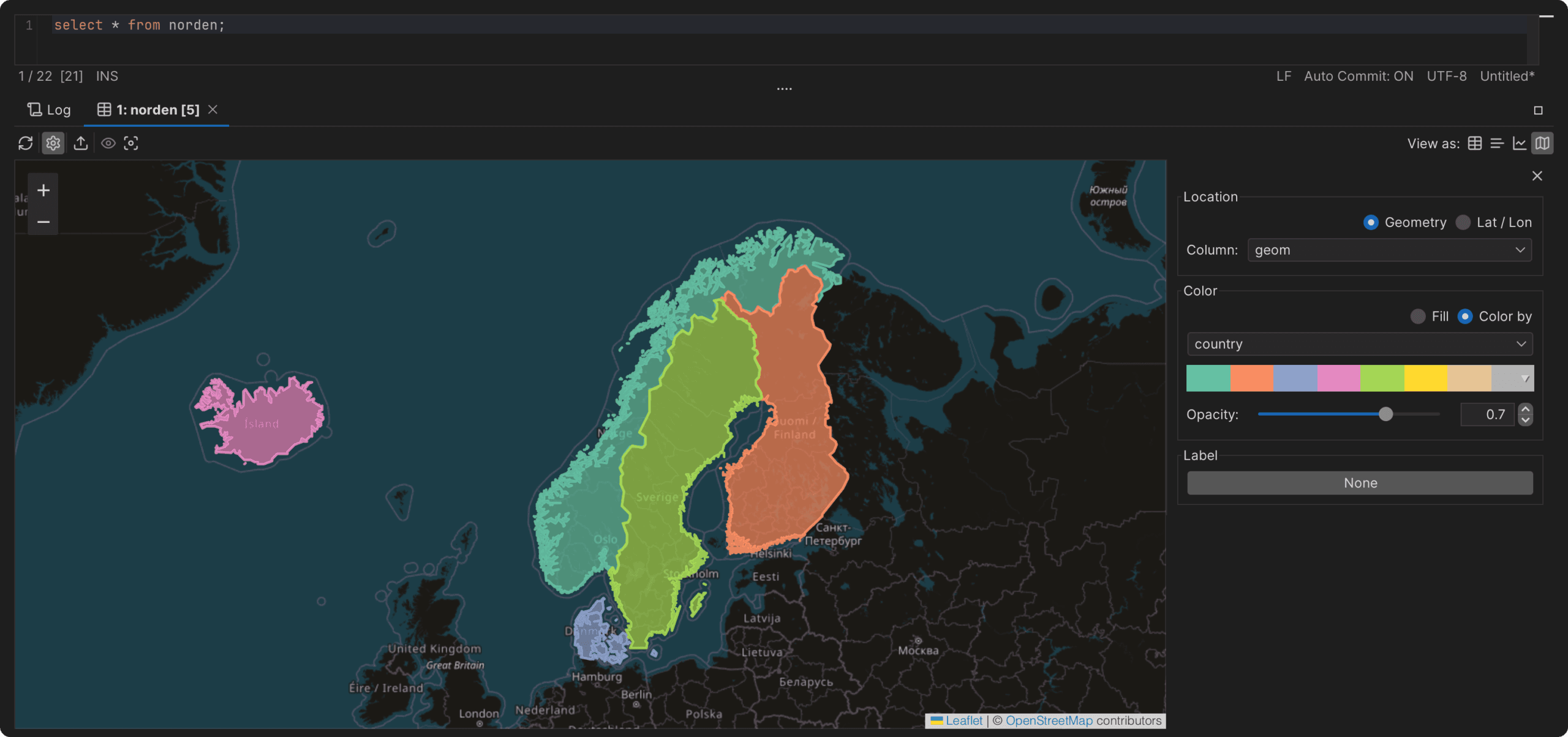
The result set area now includes an integrated map viewer for query results that contain geodata. This allows you to visually inspect and verify location-based datasets directly within DbVisualizer, eliminating the need to export data to external GIS software.
Editor Tabs
Tab groups in SQL Commander
Support for tab groups has been added to SQL Commander, providing a more structured way to manage complex workspaces. You can now organize editor tabs into distinct groups based on task, environment, or project context.

This feature works in tandem with Quick File Open, which helps quickly navigate between open tabs and recent scripts. Tab groups allow you to visually segregate and categorize your scripts, making it easier to maintain focus when managing numerous concurrent files and database connections.
Data grid
Improved search and filtering in data grids
The quick filter functionality in all grids has been redesigned to improve performance, precision, and user experience.
The search input field now expands when activated, and toggles for case-sensitive search and regular expressions are accessible directly within the interface. You can also choose whether to filter out non-matching rows entirely or display all rows with precise, text-level highlighting. Additionally, columns containing matching values are visually flagged, making it easier to locate relevant data across large datasets.
App Logging
Audit logging for executed SQL statements
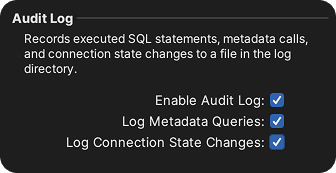
This release introduces client-side audit logging to track and record executed SQL statements, database metadata calls, and connection state changes. The generated log files are structured to allow for easy collection and aggregation into a central repository, supporting organizational needs for compliance auditing, post-incident investigation and traceability.
Database-specific improvements
Support for Amazon Athena and InfluxDB
This release adds basic support for Amazon Athena and InfluxDB, with predefined entries in the driver manager that make it easy to create a connection and get started.
Extract view DDL in Db2 for z/OS
Support for extracting view DDL has been added for Db2 for z/OS. The generated DDL is now accessible both within the DDL tab and when executing the @ddl client-side command.
Offline status indicators for SQL Server
Databases that are not in the ONLINE state are now clearly identified in the object tree, providing immediate visual feedback regarding the database’s current availability.

AND MORE
And more improvements across the board
Enhanced JSON editing and syntax highlighting
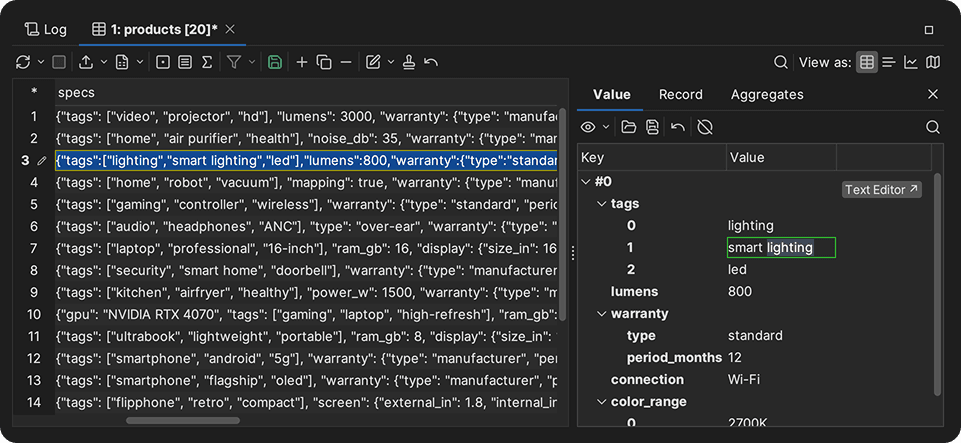
JSON values can now be edited visually in the Value tab. Additionally, switching to the text editor view enables JSON syntax highlighting for improved readability. The highlighting colors and styles can be customized under Editor Styles in Tool Properties.
Vim mode in SQL Commander
SQL Commander can now be used in Vim mode, enabling modal editing directly in DbVisualizer. This allows users to leverage standard Vim commands when writing and editing scripts.
In-app notifications
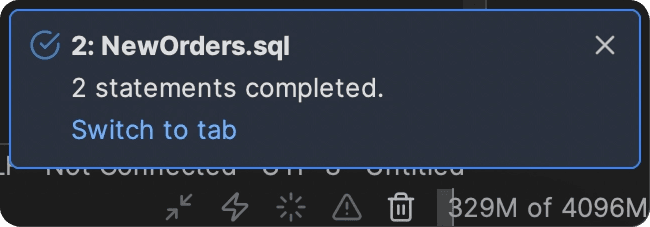
The new notifications engine introduces a streamlined framework for in-app messages and status updates, keeping you informed about key application events.
Additionally, this release adds the @notify client-side command, enabling you to trigger custom application notifications directly from your SQL scripts (for example, to alert you when a long-running script has finished executing).
Trust any certificate within a validation chain
When encountering an untrusted SSL/TLS certificate, the warning dialog now allows you to select and trust a specific certificate within the chain. This provides greater control and flexibility, particularly in enterprise environments that utilize internal or intermediate certificate authorities.
Security and driver updates
As part of our ongoing security maintenance, this release upgrades third-party dependencies and template database drivers to their latest versions. These updates patch known vulnerabilities and ensure the application remains compliant with current security standards.
And that’s not all…
There are a total of 30 improvements and fixes that you can read about in the release notes.
OTHER RELEASES