

VALKEY Client
The Valkey client to manage your NoSQL data
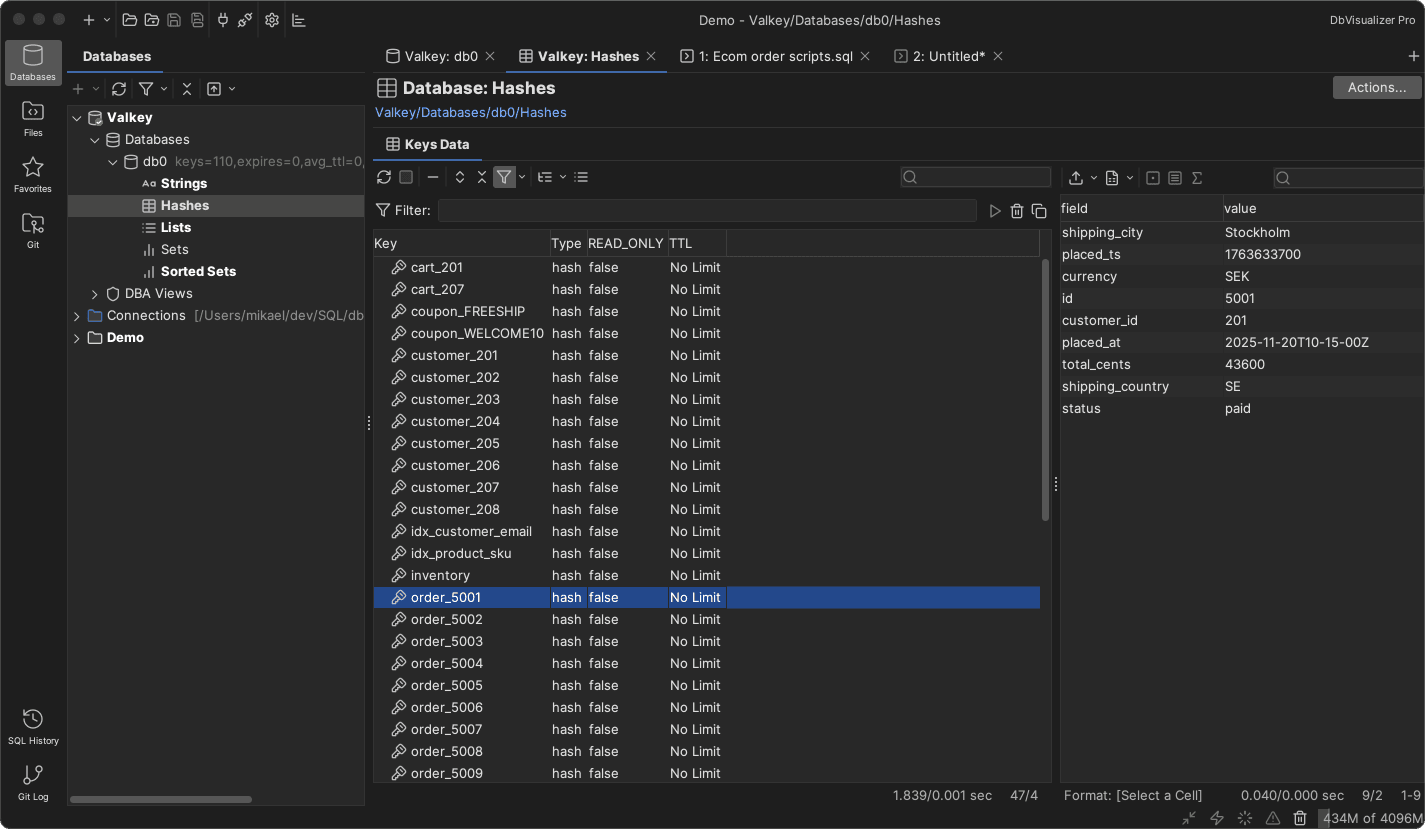

A TOP-PERFORMING Valkey Editor
A reliable Valkey editor



DbVisualizer has a long history of being a top-performing database editor.
It allows users to connect to Redis and run commands seamlessly within the SQL Commander. The functionality supports viewing keys in both flat and hierarchical views for greater flexibility.
MAVEN
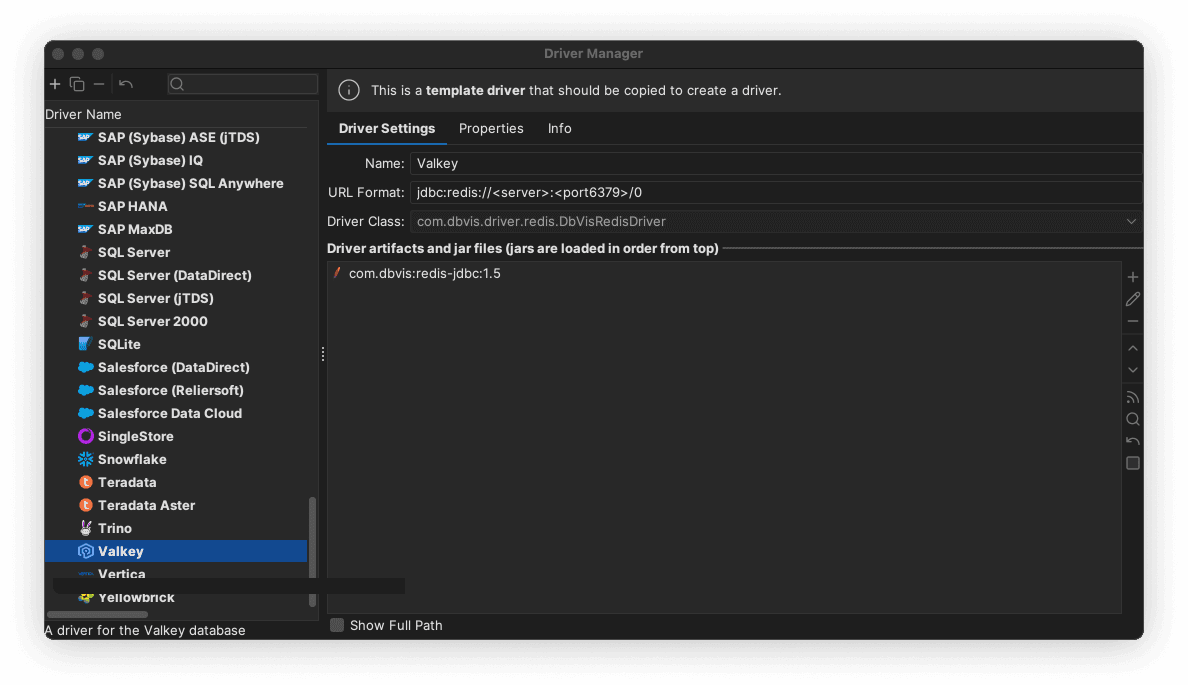
Driver management via Maven
DbVisualizer always offers the most up-to-date driver for Valkey. Using the driver manager, you can effortlessly connect to your data sources using drivers hosted on Maven, with various versions available.


AWARDS
Used and rated
by the best
Recognized by industry leaders and honored
across top review platforms!





FAQs
Valkey is an open-source, community-driven fork of Redis, designed as a high-performance in-memory key-value store. It supports familiar data structures such as strings, lists, sets, hashes, and more, and is focused on long-term open governance and stability.
A Valkey client is a tool or library used to connect to a Valkey server and execute commands to read, write, and manage in-memory data.
A Valkey client lets you interact with your Valkey data store — adding, retrieving, updating and managing key-value data in real time.
DbVisualizer includes a driver manager that you can configure to connect to Valkey using the compatible Redis protocol.
DbVisualizer offers a visual query builder for SQL databases and a direct command interface for Valkey. Since Valkey uses command-based operations rather than SQL, you execute Valkey commands directly via the SQL Commander for fast inspection and manipulation of in-memory data.
Download DbVisualizer and connect it to your Valkey instance. You can try the Pro version for 21 days or use the free version with limited functionality.
Yes! DbVisualizer can connect to Valkey and a wide variety of other data sources for browsing and managing data.
DbVisualizer supports Valkey key types such as strings, lists, sets, sorted sets, hashes, and other structures compatible with the Redis protocol.
DbVisualizer provides a customizable interface for browsing keys, inspecting values, running commands, and managing Valkey data. It is built to optimize workflow efficiency.
These terms generally overlap. A client connects to the server; a GUI focuses on the visual interface; an IDE is a broader development environment; an editor is where commands are written; and a workbench refers to the development workflow. In practice, they often refer to the same tool used for interacting with Valkey.
Yes. For all connected data sources, including Valkey, DbVisualizer provides a browser where you can inspect keys, structures, and metadata.