Account and settings
Your settings are on two pages:
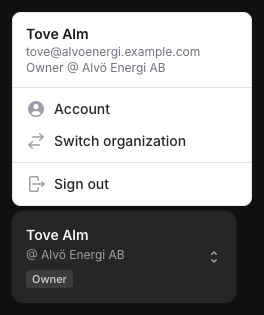
- Account is about you: your name, your email address, your password and two-factor authentication. Everyone has it. Click your name at the bottom of the left sidebar and choose Account. Owners and admins also find the organization's details there: its name, organization number, VAT number, currency and address.
- Settings is about your organization: who uses the portal, how you buy through resellers, the rules DbVis has set for you, and who gets which emails. Only owners and admins have it, under Settings in the left sidebar.
Quick guide
| If you want to… | Go to |
|---|---|
| Change your name | Your profile |
| Change your password or turn on two-factor authentication | Sign-in and security |
| Change the organization's name, numbers, currency or address | Editing organization details later |
| Turn user management on or off, or choose how you buy through resellers | Organization settings |
| Give a reseller a purchase access code | Purchase access codes |
| See the rules DbVis has set for your organization | Set by DbVis |
| Choose who gets DbVis's emails | Email notifications |
What's in this section
- Your profile: your name and email address, at the top of the Account page.
- Sign-in and security: change your password and turn two-factor authentication on or off.
- Organization settings: Users and buying and Set by DbVis on the Settings page.
- Email notifications: the Email card on the Settings page.
The organization card on the Account page, with Edit details and Edit address, is described in Setting up your organization.