Managing licenses
A license key is used to unlock all features of DbVisualizer for users. Users get a license by being assigned a seat within a subscription from the Users page in the portal.
The User Summary
At the top of the Users page a User Summary section shows four cards:
- Total users: how many users are in your organization, and how many of them have a seat assigned.
- Unassigned users: how many users do not yet have a seat, and how many seats you have available to give out.
- User requests: pending seat requests from users.
- Admin contact: the primary contact shown to users in your organization.
In the User Summary you'll find buttons to Invite users, Assign seats, and Manage subscription.
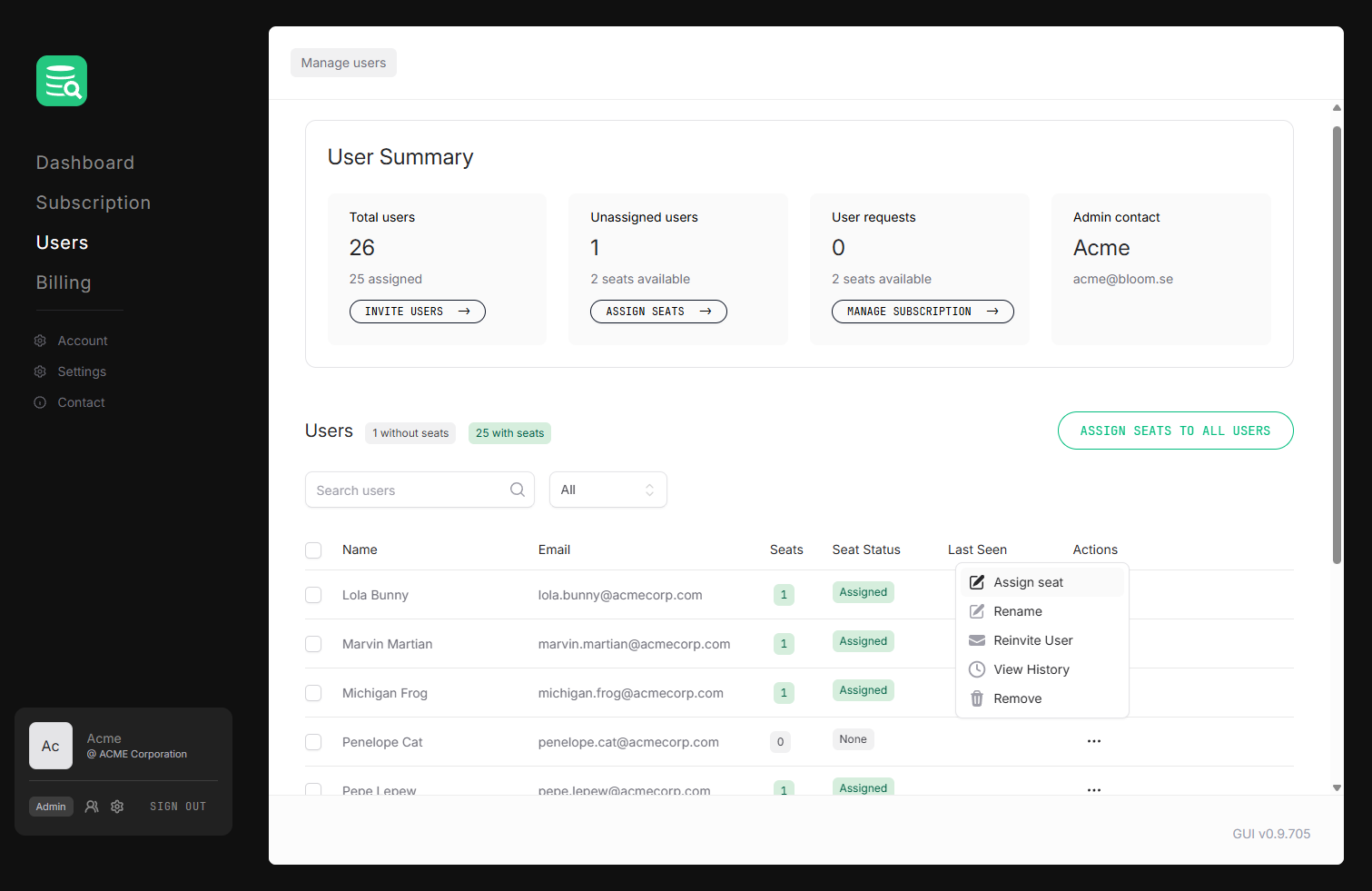
Assigning a seat
- Go to Users in the left sidebar.
- Filter the list to show users without seats (or just look for users with no seat status badge).
- Click Assign seat in the user's row. The user gets an email with instructions on how to claim their seat.
The user immediately gets a seat and can now use their license in DbVisualizer. See Using a license in DbVisualizer for activation steps.
Missing user?
A user must already be in your organization before you can assign them a seat. See Adding users to your organization if someone is missing from the list.
Filtering the users list
Below the summary, the Users table lists every member of your organization with their seat status. Above the table you can filter the view to show users with seats or users without seats, and you can search by name or email. Each row shows a status badge and an actions menu.
License statuses
Each user row shows a seat status badge:
| Status | Meaning |
|---|---|
| Active | The user has activated the license in DbVisualizer. |
| Assigned | A seat is assigned but the user has not yet activated or downloaded it. |
| Downloaded | The user has downloaded the license file. |
| Expired | The subscription period has ended for this seat. |
| Processing | The seat is being provisioned: wait a moment and refresh. |
| Revoked | The seat has been administratively revoked and is no longer valid. |