intro
Time to explore the best SQL Server clients to help you query, manage, and deliver your work faster.

If you work with Microsoft SQL Server or Azure SQL, your client shapes everything from ad-hoc analysis to production changes. Below is a complete comparison of the best SQL Server clients of the year, starting with DbVisualizer for its cross-platform reach, then Azure Data Studio, SSMS, and other strong options.
Explore and evaluate the top SQL Server client tools available on the market!
What is an SQL Server Client?
An SQL Server client is a desktop, web app, or CLI tool that connects to SQL Server (and, usually, Azure SQL). In particular, it helps you write T-SQL, browse schemas, edit data safely, view plans, and move data in and out.
Good SQL Server database clients make common tasks fast and safe for developers, analysts, and DBAs by offering capabilities like:
How to Evaluate SQL Server Database Clients
Online, you will find many database clients that support SQL Server. The easiest way to choose the right one is to compare them across common criteria such as:
Discover the top SQL database client tools of the year, selected and ranked according to these evaluation factors!
DbVisualizer
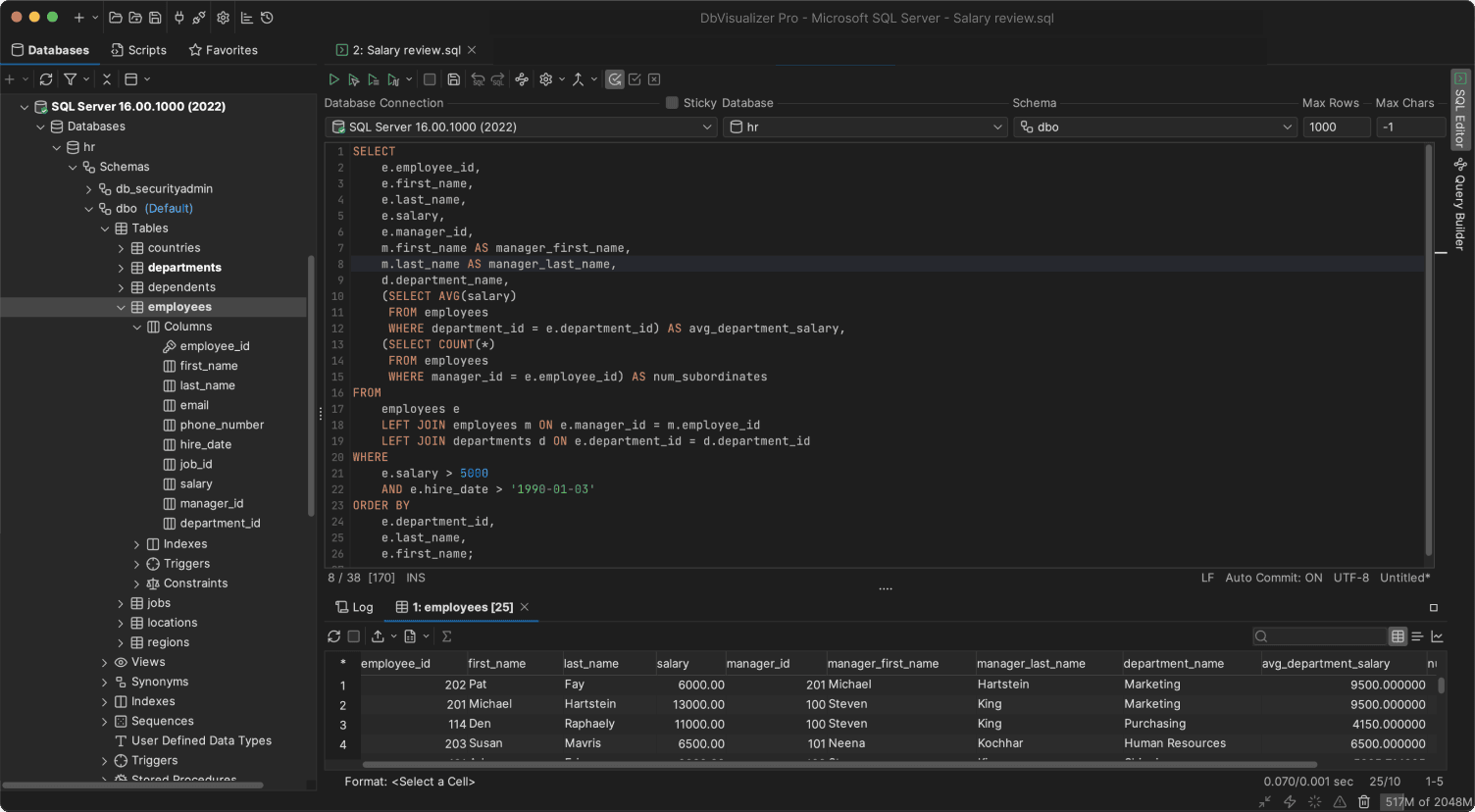
📌 Quick facts:
| Nature | Proprietary, with free and paid editions |
|---|---|
| Founded | 1999, Sweden |
| Developed by | DbVis Software |
| SQL Server focus | JDBC connection, schema browser, ER-style relationship views, explain plan output, CLI and scheduling |
| Platforms | Windows, macOS, Linux |
| Free option | Yes |
| Pricing | Free + Commercial licenses |
DbVisualizer is a versatile, cross-platform SQL client supporting SQL Server and multiple other databases. It combines powerful query tools, ER diagrams, visual data editing, export capabilities, and many other features.
It allows you to manage multi-database workflows in one interface, run parallel queries, compare results side by side, and automate tasks via scripting or command-line options. Its multi-database support, strong editor ergonomics, and broad export capabilities make it ideal for teams handling hybrid database environments, from development to production.
DbVisualizer is considered one of the best SQL Server database clients. Note that it also supports Microsoft Access, as well as Azure SQL Database, Azure Synapse (both Dedicated and Serverless).
🥇 Why SQL Server users pick it first:
⚠️ Tradeoffs:
SQL Server Management Studio
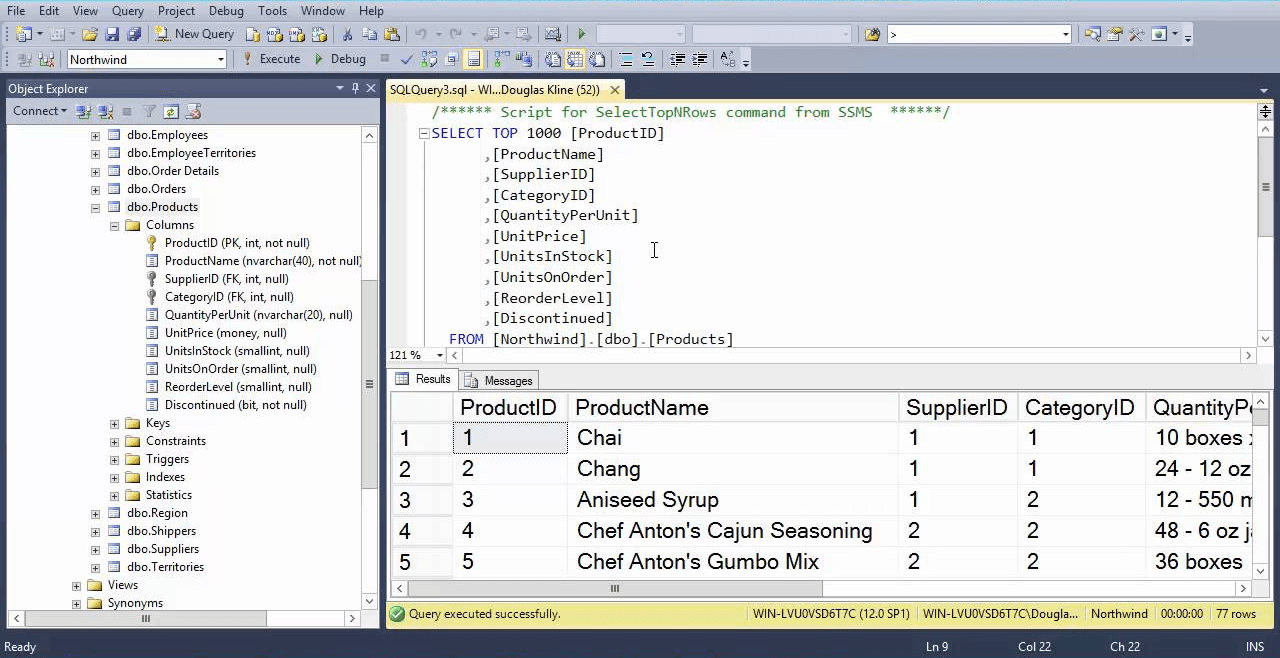
📌 Quick facts:
| Nature | Free and official |
|---|---|
| Founded | 2005, United States |
| Developed by | Microsoft |
| SQL Server focus | Full administration, graphical plans, SQL Agent, backups, security, wizards |
| Platforms | Windows |
| Free option | Yes |
| Pricing | Free |
SSMS, short for SQL Server Management Studio, is Microsoft’s SQL Server tool, ideal for administration, query execution, and database management, with full support for maintenance and configuration tasks.
👍 Why SQL Server users keep it installed:
⚠️ Tradeoffs:
Azure Data Studio
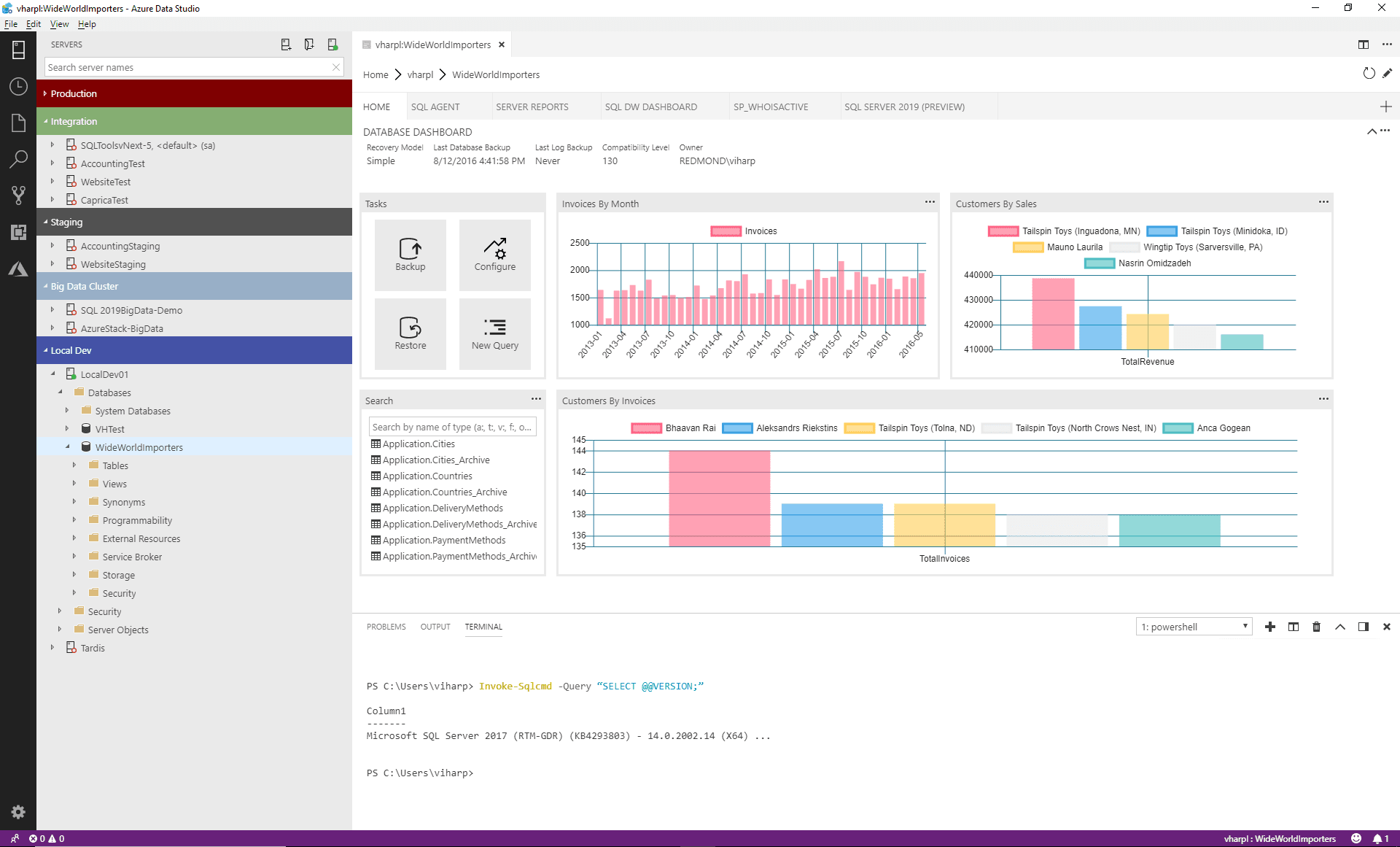
📌 Quick facts:
| Nature | Free and open-source |
|---|---|
| Founded | 2018, United States |
| Developed By | Microsoft |
| SQL Server Focus | Modern T-SQL editor, notebooks, simple charts, extensions, Azure integration |
| Platforms | Windows, macOS, Linux (but no longer maintained) |
| Free Option | Yes |
| Pricing | Free |
Azure Data Studio is a lightweight, cross-platform, open-source client with notebooks, scheduling, and cloud-focused features, excellent for modern SQL Server and Azure workflows. As of February 28, 2026, it is no longer supported.
👍 Why SQL Server users like it:
⚠️ Tradeoffs:
DBeaver

📌 Quick facts:
| Nature | Open-source core, with free and paid editions |
|---|---|
| Founded | 2011, Russia |
| Developed by | DBeaver Corporation + Community |
| SQL Server focus | JDBC connection, ER diagrams, data grid with inline edit, exports and imports |
| Platforms | Windows, macOS, Linux |
| Free option | Yes, via a free Community Edition |
| Pricing | Commercial tiers add features and support |
DBeaver is a universal database client with SQL Server support, providing you with a simple interface, query editor, result grids, and ER diagrams.
👍 Why SQL Server users like it:
⚠️ Tradeoffs:
DataGrip

📌 Quick facts:
| Nature | Proprietary |
|---|---|
| Founded | 2015, Czech Republic |
| Developed by | JetBrains |
| SQL Server focus | Smart editor, inspections, refactoring options, multiple consoles, VCS integration |
| Platforms | Windows, macOS, Linux |
| Free option | Free for non-commercial use |
| Pricing | Subscription for commercial use |
DataGrip is an advanced IDE-style SQL client with refactoring, version control, and intelligent code-assistance for SQL Server and other databases.
👍 Why SQL Server users like it:
⚠️ Tradeoffs:
Best SQL Server Clients: Comparison Table
Compare the best SQL Server database clients explored in this article using the summary table below:
| Client | Nature | Founded | Developed By | SQL Server Focus | Platforms | Free Option | Pricing |
|---|---|---|---|---|---|---|---|
| DbVisualizer | Proprietary, with free and paid editions | 1999, Sweden | DbVis Software | JDBC connection, schema browser, ER-style views, explain output, CLI and scheduling | Windows, macOS, Linux | Yes | Free + Commercial licenses |
| SQL Server Management Studio | Free and official | 2005, United States | Microsoft | Full administration, graphical plans, SQL Agent, backups, security | Windows | Yes | Free |
| Azure Data Studio | Free and open-source | 2018, United States | Microsoft | Modern editor, notebooks, extensions, Azure integration | Windows, macOS, Linux (but no longer maintained) | Yes | Free |
| DBeaver | Open-source core, with free and paid editions | 2011, Russia | DBeaver Corporation + Community | JDBC connection, ER diagrams, grid editing, exports | Windows, macOS, Linux | Yes | Commercial tiers add features |
| DataGrip | Proprietary | 2015, Czech Republic | JetBrains | Smart editor, inspections, refactoring options, VCS | Windows, macOS, Linux | Free for non-commercial use | Subscription for commercial use |
| Workflow / Focus | Recommended Tool |
|---|---|
| Cross-platform and mixed databases | DbVisualizer or DBeaver |
| Windows-only full administration | SQL Server Management Studio (SSMS) |
| Modern editor with notebooks and Azure integration | Azure Data Studio |
| IDE-grade editing and version control | DataGrip |
Summary
If you want a single tool that looks and behaves the same on Windows, macOS, and Linux, DbVisualizer is a solid starting point. Keep SSMS around for tasks that require full SQL Server administration. Azure Data Studio offered a lightweight, notebook-style workflow for cross-platform querying, but it’s no longer maintained.
DBeaver is a strong free option in mixed environments, while DataGrip is ideal when code quality, inspections, and VCS workflows matter most.
Keep in mind that these tools complement each other. Thus, many teams keep SSMS for administration and use DbVisualizer or ADS for everyday querying. Choose the combination that fits your platform, your stack, and the way you work!
FAQ
Is Azure Data Studio a replacement for SSMS?
Not entirely! Azure Data Studio (ADS) is great for queries, lightweight administration, and cross-platform use. On the other hand, SQL Server Management Studio (SSMS) still offers full maintenance plan editors, wizards, and advanced DBA tools. Many developers and analysts use ADS day-to-day, while SSMS handles specific administrative tasks. At the same time, ADS is now discontinued.
Q: Can I manage Azure SQL Database with these clients?
Yes! SSMS, Azure Data Studio, DBeaver, and DbVisualizer can connect to Azure SQL Database and Managed Instances. Everyday tasks like querying and creating tables work the same. Some Azure-specific features, such as AD authentication or firewall rules, may require extra setup or the Azure Portal, but all these clients handle typical database operations effectively.
Are there good SQL Server GUIs for Mac?
Yes! DBeaver, DbVisualizer, and DataGrip are excellent cross-platform alternatives. ADS gives a first-party, SSMS-like experience, while DBeaver/DbVisualizer/DataGrip appeal to analysts or developers who prefer multi-database workflows and advanced SQL features on Mac.
Can I run queries on multiple databases at once with these tools?
Partially, as DBeaver, DbVisualizer, and DataGrip allow simultaneous connections to multiple databases. Running a single query across servers requires Linked Servers, PolyBase, or custom scripting. Multi-console and parallel query execution are possible, letting you work on several servers in different tabs.
Is there a web-based SQL Server client?
Not fully, as most professionals stick to desktop clients like SSMS, DBeaver, or DbVisualizer for full functionality. Web-based alternatives exist but lack advanced features.