Updating DbVisualizer
New versions of DbVisualizer add features and database support, and fix bugs and security issues. We recommend that you keep DbVisualizer up to date.
Automatic updates
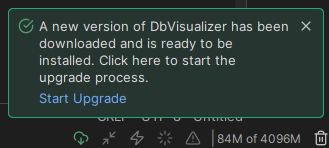
By default, DbVisualizer checks for updates once a week. When a new version is available, it is downloaded, and a notification is shown in the status bar. Click the notification to see the details, and click Start Upgrade to install the new version.
Checking for updates manually
To check for updates at any time, select Help → Check for Updates and click Check Now.
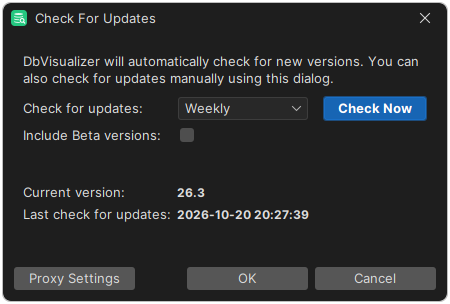
If a new version is available, a dialog is shown where you can install it and read the release notes. If your license has expired, you can open the purchase page from the dialog.
Configuring Check for Updates
Only in DbVisualizer Pro
This feature is only available in the DbVisualizer Pro edition.
Changing the update interval
To change how often DbVisualizer checks for updates, select Help → Check for Updates and choose Every Start-Up, Daily, Weekly, Monthly or Never.
Disabling updates
In some organizations, software updates are managed centrally. To disable the update check for all users of an installation, add the following line to the dbvis-custom.prefs file:
dbvis.url.clientapi.checkforupdate=
Getting Beta versions
To be notified about Beta versions, with early access to new features, select Include Beta versions in the Check for Updates dialog.