Installing the Demo Database
The quickest way to explore DbVisualizer is to install the demo database. It is based on the Sakila sample database, adapted for the H2 database engine and adjusted to show DbVisualizer features. It represents a DVD rental store with fictitious actors, films and customers, and it has tables, views, triggers and functions.
Some DbVisualizer features depend on the database, so H2 doesn't support all of them. To see everything that DbVisualizer can do for your database, connect to it.
Installing and uninstalling
To install the demo database, click Install Demo Database in the welcome panel, which is shown when all tabs are closed, or select Help → Install Demo DB and Samples. The dialog lists what will be installed.
You can use the database as you like. If you want to start over with the original data, open the dialog again and click Reinstall. To remove the database and its files, click Uninstall.
What is installed
- The connection DbVisualizer Demo DB, to the demo database.
- The DbVisualizer Demo Driver. It is a standard H2 driver, kept separate from other H2 drivers so that its version matches the demo database. It includes
sakila-dbvis.jarwith the triggers and functions of the database. - Sample scripts, in the Files tab under Bookmarks / DbVisualizer Demo Scripts. Most of them are based on the demo database and are used for the examples in this guide. See Managing Frequently Used SQL.
- The Sakila database for other databases, in the Sakila subfolder of the sample scripts, for you to install on your own database. Only the H2 version is maintained by the DbVisualizer team; the others come from open source repositories.
- The database file and source code, in the
.dbvis/DEMOfolder in your home folder: the database filesakila-dbvis.mv.db, and the Java source code for the triggers and functions.
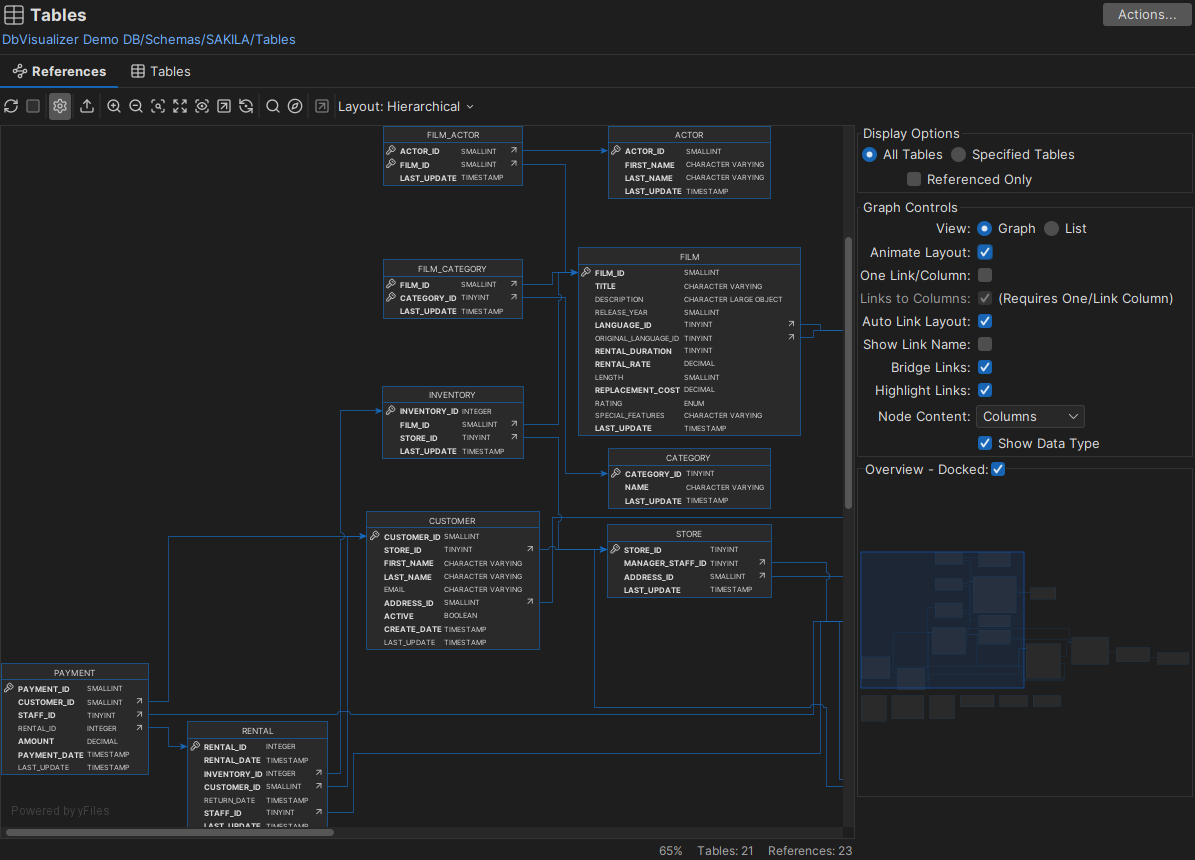
Viewing the schema
To see a graphical view of the schema, open the References tab for the Tables node of the demo database: