Viewing Entity Relationships
The References graph of the Tables node shows how its tables are related through foreign keys, like an entity relationship diagram. To see the relationships of a single table, see Viewing Table Relationships.
Opening the graph
- In the Databases tab, double-click the Tables node of the schema or database.
- In its Object View tab, select the References tab.
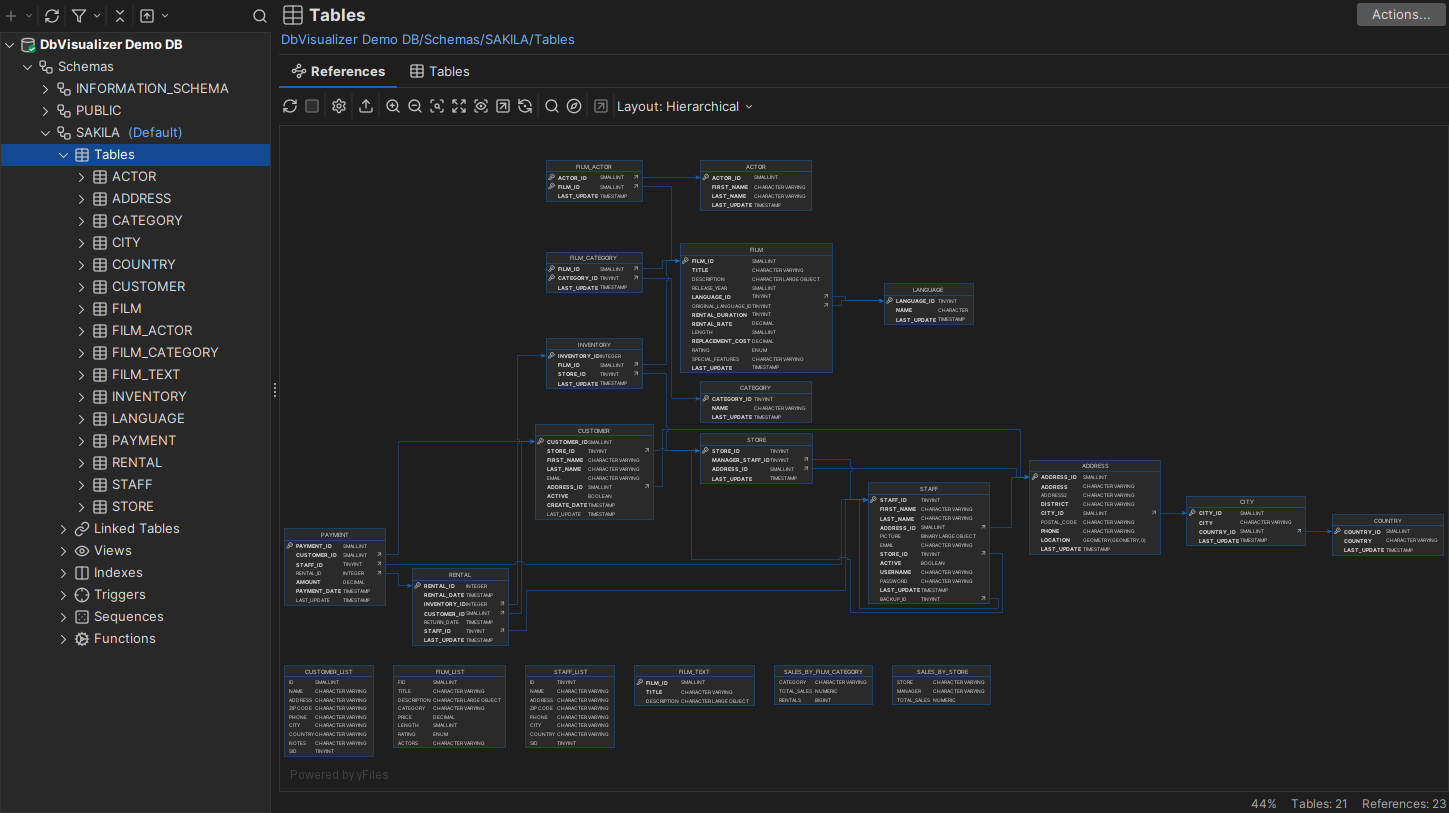
The graph shows all links between the tables, so there is no choice between incoming and outgoing links.
Choosing the tables
By default, the graph shows all tables. To show fewer, use the Display Options box in the Graph Controls area:
- Specified Tables opens a dialog where you choose the tables to show.
- Referenced Only hides the tables that have no links.
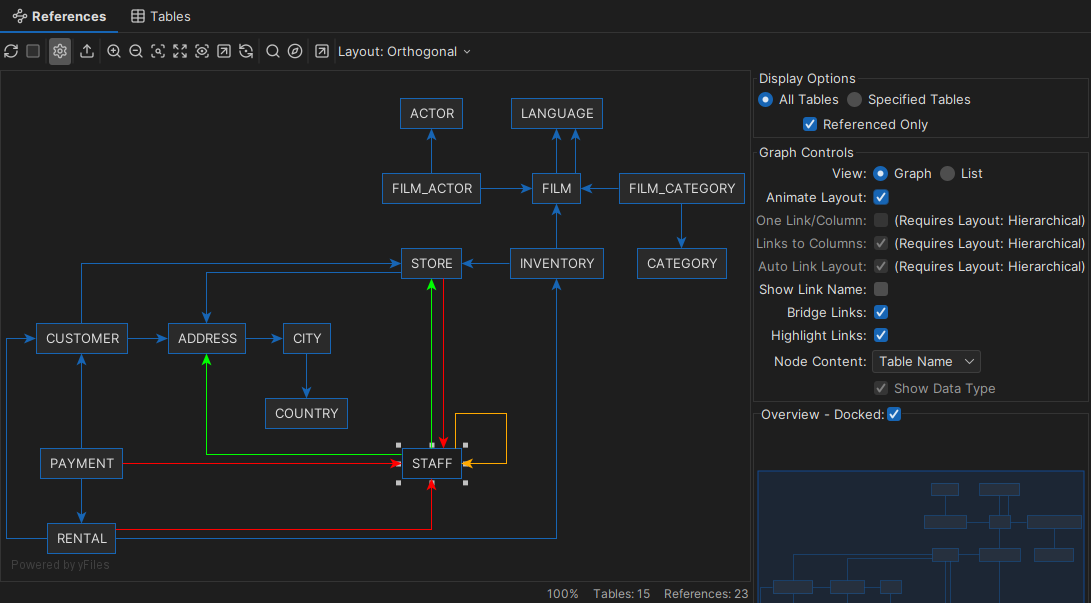
Layout, highlighting and export
The graph works like the one for a single table: you can change the layout and how much to show for each table, highlight the links of selected tables, and export the graph as an image or a GML file. See Viewing Table Relationships.