intro
A guide to SQL clients that help data analysts explore, query, visualize, and share insights efficiently.
If your day revolves around questions like “what happened,” “why,” and “what should we do next,” the right SQL client becomes your cockpit. Analysts need a toolset tuned for fast querying, simple joins, safe edits, easy charting, smooth exports, and repeatable workflows you can share with teammates.
Let’s explore the best SQL clients for analysts!
What Is an SQL Client for Analysts?
An SQL client for analysts is a desktop or web application that helps you connect to databases, write and run queries, inspect schemas, browse and edit data, visualize results, and export or share findings.
Analyst-friendly clients emphasize workflow speed, data grid ergonomics, visual explain plans, snippets, scheduling, simple charting, and collaboration. Common capabilities they offer include:
What to Look for When You Evaluate SQL Tools for Analysts
The market is full of SQL tools for analysts, and navigating this wide range of options is not easy. That becomes much simpler when you apply a consistent set of criteria to compare them, such as:
Top SQL Clients for Analysts
Below are analyst-oriented SQL clients selected for everyday workflows. The quick facts under each pick highlight what analysts usually care about.
1. DbVisualizer

📋 Quick facts:
| Nature | Proprietary, with free and paid editions |
|---|---|
| Founded | 1999, Sweden |
| Developed by | DbVis Software |
| Supported databases | MySQL, PostgreSQL, SQL Server, Oracle, SQLite, 40+ more via JDBC |
| Platforms | Windows, macOS, Linux |
| Free option | Yes, via a free-forever plan |
| Pricing model | Free + Commercial licenses (Pro plan) |
DbVisualizer is a feature-rich SQL client ideal for analysts working with multiple databases. It offers a smart SQL editor with autocomplete, snippets, and query history. Analysts benefit from spreadsheet-like data grids, multi-result monitoring, ERD-style schema views, broad export options, role definition, and automation through command-line tools.
Its cross-platform support and free-forever plan make it accessible, while scheduling and job features streamline recurring reports. With support for 40+ databases via JDBC, it consolidates multi-database workflows in a single, consistent interface.
😍 Why analysts love it:
💡 Analyst tips:
2. DataGrip
📋 Quick facts:
| Nature | Proprietary |
|---|---|
| Founded | 2015, Czech Republic |
| Developed by | JetBrains |
| Supported databases | Major relational systems via JDBC |
| Platforms | Windows, macOS, Linux |
| Free option | 30-day free trial + Special programs for students and non-commercial use |
| Pricing model | Commercial subscriptions |
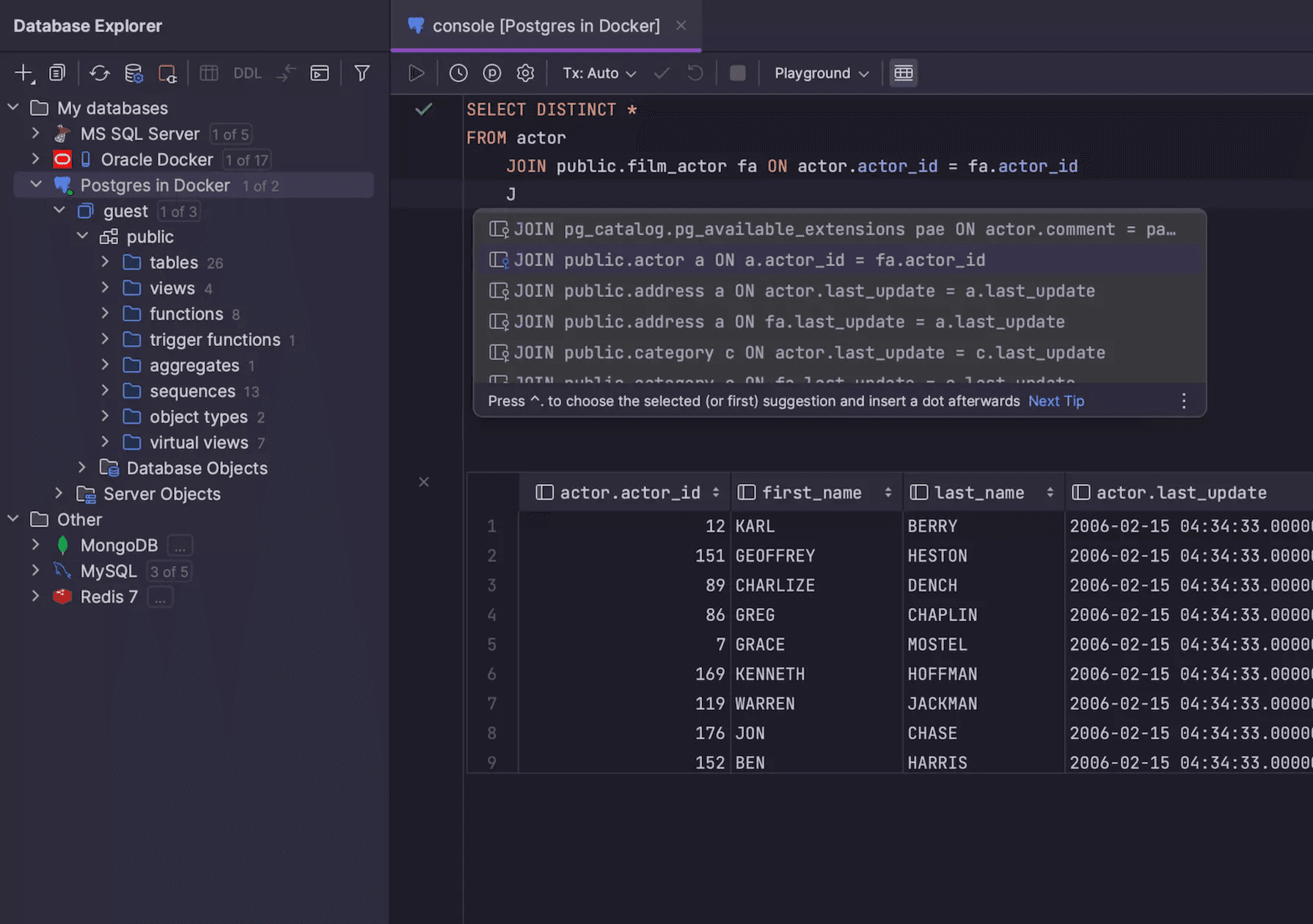
DataGrip, by JetBrains, is an SQL client with intelligent code assistance, refactoring, and data editing tools, ideal for analysts working across multiple relational databases.
👍 Why analysts like it:
💡 Analyst tips:
3. DBeaver

📋 Quick facts:
| Nature | Open-source Core with free and paid editions |
|---|---|
| Founded | 2011, Russia |
| Developed by | DBeaver Corporation + community |
| Supported databases | MySQL, MariaDB, PostgreSQL, SQL Server, and others (broad coverage via JDBC and extensions) |
| Platforms | Windows, macOS, Linux |
| Free option | Yes, via the Community Edition |
| Pricing model | Commercial tiers for premium features |
DBeaver is an SQL client with an open-source core, supporting numerous databases via JDBC. It offers versatile data grids, ER diagrams, and community extensions tailored for analyst workflows.
👍 Why analysts like it:
💡 Analyst tips:
4. TablePlus
📋 Quick facts:
| Nature | Proprietary,with free and paid editions |
|---|---|
| Founded | 2017, Canada |
| Developed by | TablePlus Inc. |
| Supported databases | PostgreSQL, MySQL, MariaDB, SQLite, Microsoft SQL Server, Amazon Redshift, Oracle , CockroachDB, and a few others |
| Platforms | Windows, macOS, Linux, iOS |
| Free option | Free version with limited features |
| Pricing model | One-time licenses and upgrades |
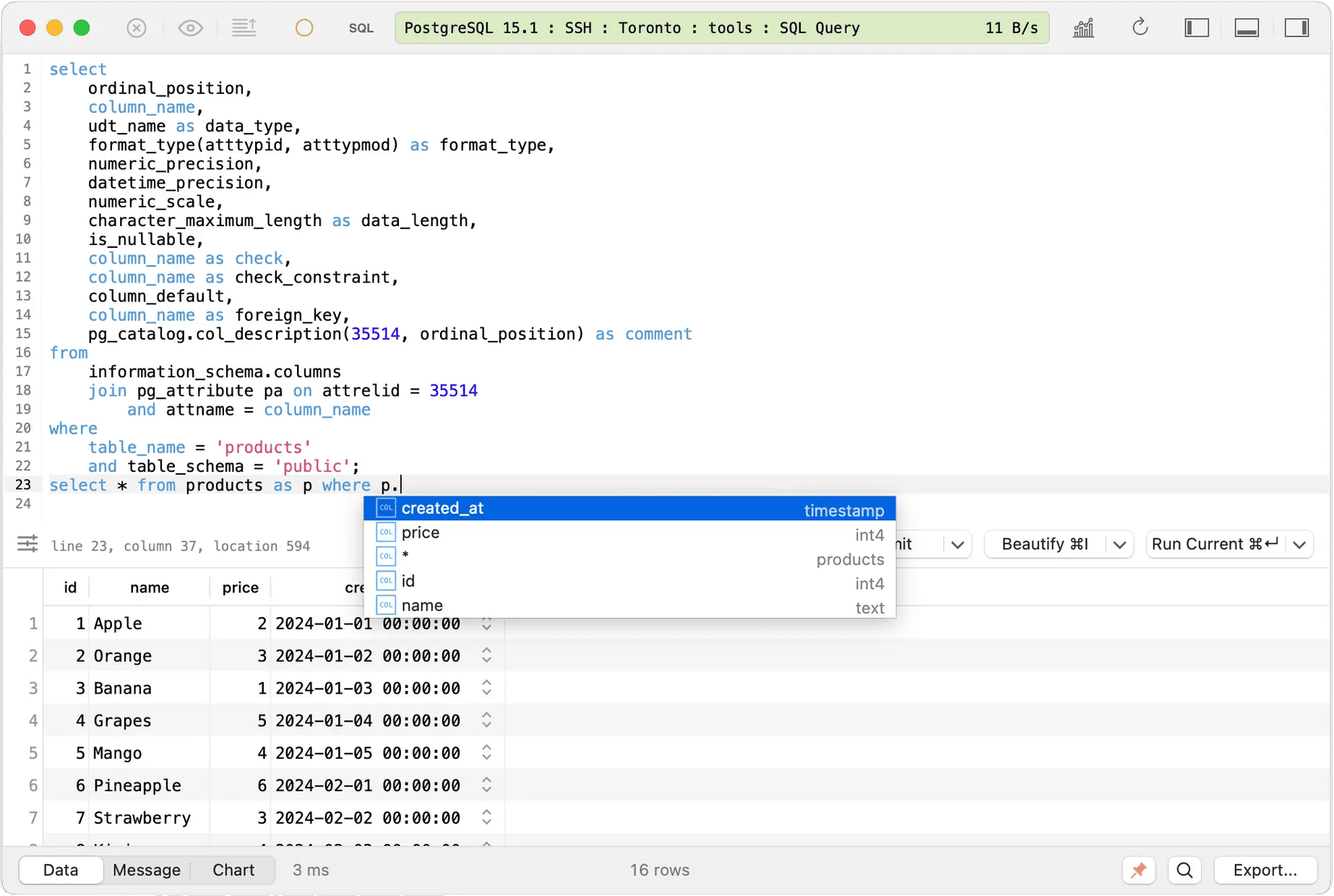
TablePlus is a fast, modern SQL client with tabbed sessions, inline editing, and broad database support, making it practical for analysts juggling ad-hoc queries.
👍 Why analysts like it:
💡 Analyst tips:
5. Mode
📋 Quick facts:
| Nature | Proprietary analytics workspace |
|---|---|
| Founded | 2013, United States |
| Developed by | Mode |
| Supported databases | Cloud warehouses and common engines |
| Platforms | Web-based platform |
| Free option | Yes, via a dedicated plan for individual analysts |
| Pricing model | Premium plans for team and enterprises |
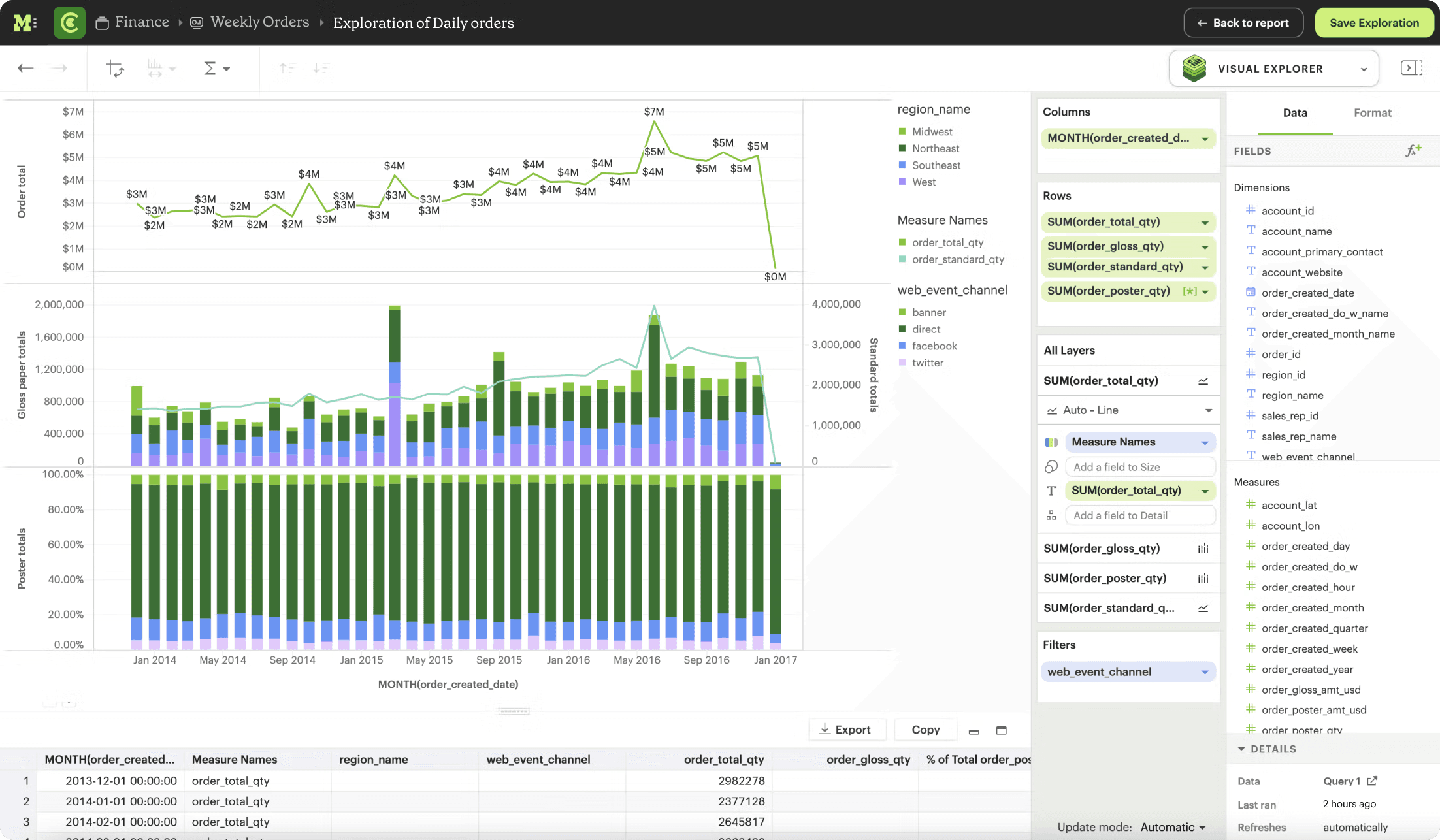
Mode is a web-based analytics workspace combining SQL, visualization, and reporting tools, enabling analysts to query, chart, and share insights efficiently with stakeholders.
👍 Why analysts like it:
💡 Analyst tips:
6. Beekeeper Studio
📋 Quick facts:
| Nature | Open-source core with free and paid editions |
|---|---|
| Founded | 2020, United States |
| Developed by | Community + maintainers |
| Supported databases | PostgreSQL, MySQL, SQLite, SQL Server, Amazon Redshift, CockroachDB, MariaDB, and 7+ others |
| Platforms | Windows, macOS, Linux |
| Free option | Yes, via a community edition |
| Pricing model | Free + Commercial plans for premium features |
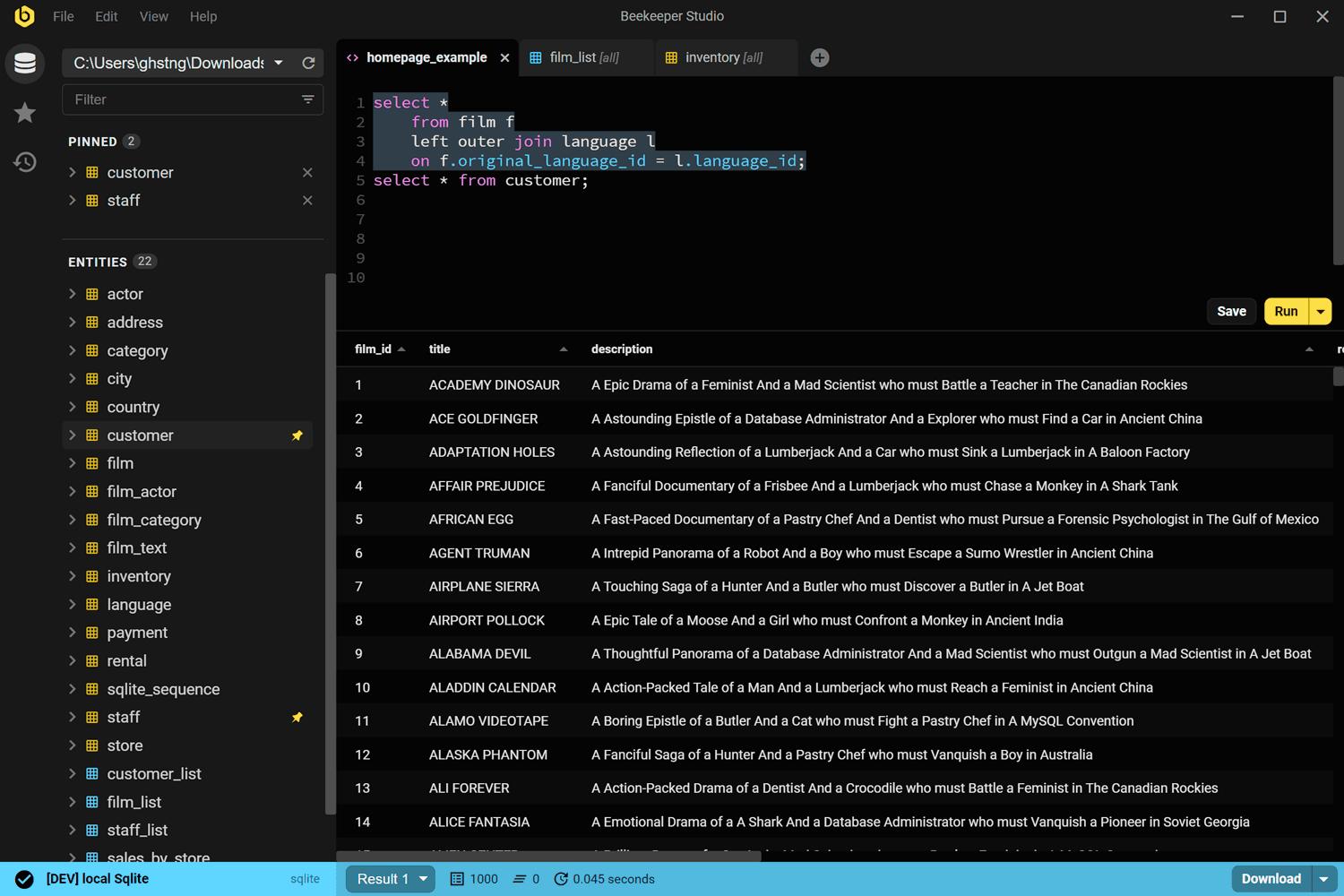
Beekeeper Studio is an approachable, open-source SQL client with saved queries, basic charting, and a clean UI, suited for small analyst teams and individuals.
👍 Why analysts like it:
💡 Analyst tips:
7. SQLPro Studio
📋 Quick facts:
| Nature | Proprietary |
|---|---|
| Founded | 2010s, Canada |
| Developed by | Hankinsoft |
| Supported databases | MySQL, MariaDB), PostgreSQL, Redshift, Microsoft SQL Server, Oracle, SQLite, SnowflakeDB |
| Platforms | macOS, iOS |
| Free option | Free trial available |
| Pricing model | Paid licenses |
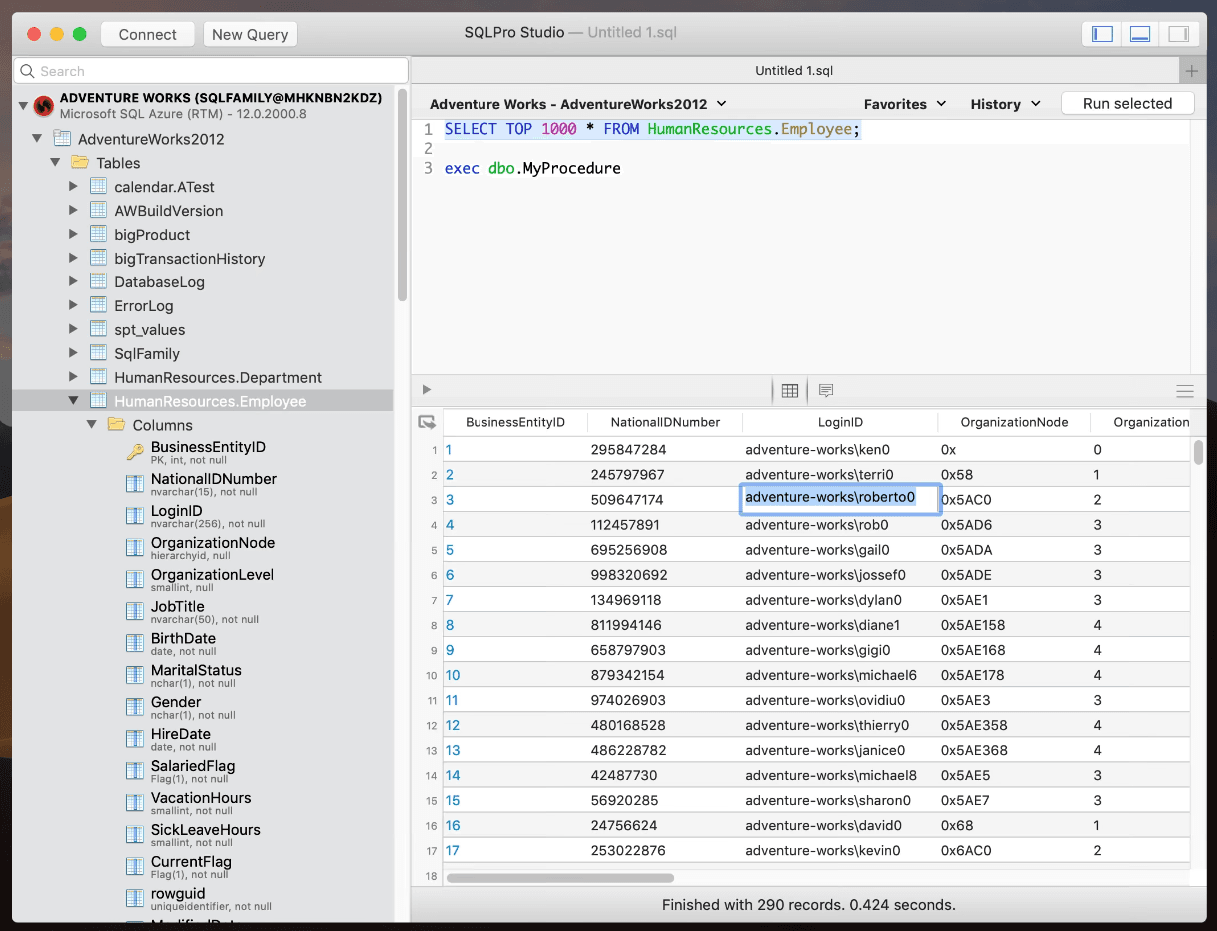
SQLPro Studio is a Mac-native SQL client supporting multiple relational databases, offering fast grids, export options, and a streamlined interface for analysts in Mac environments.
👍 Why analysts like it:
💡 Analyst tip:
8. pgAdmin
📋 Quick facts:
| Nature | Open-source |
|---|---|
| Founded | 1998, United Kingdom |
| Developed by | pgAdmin team and community |
| Supported databases | PostgreSQL |
| Platforms | Windows, macOS, Linux |
| Free option | Yes |
| Pricing model | Free |
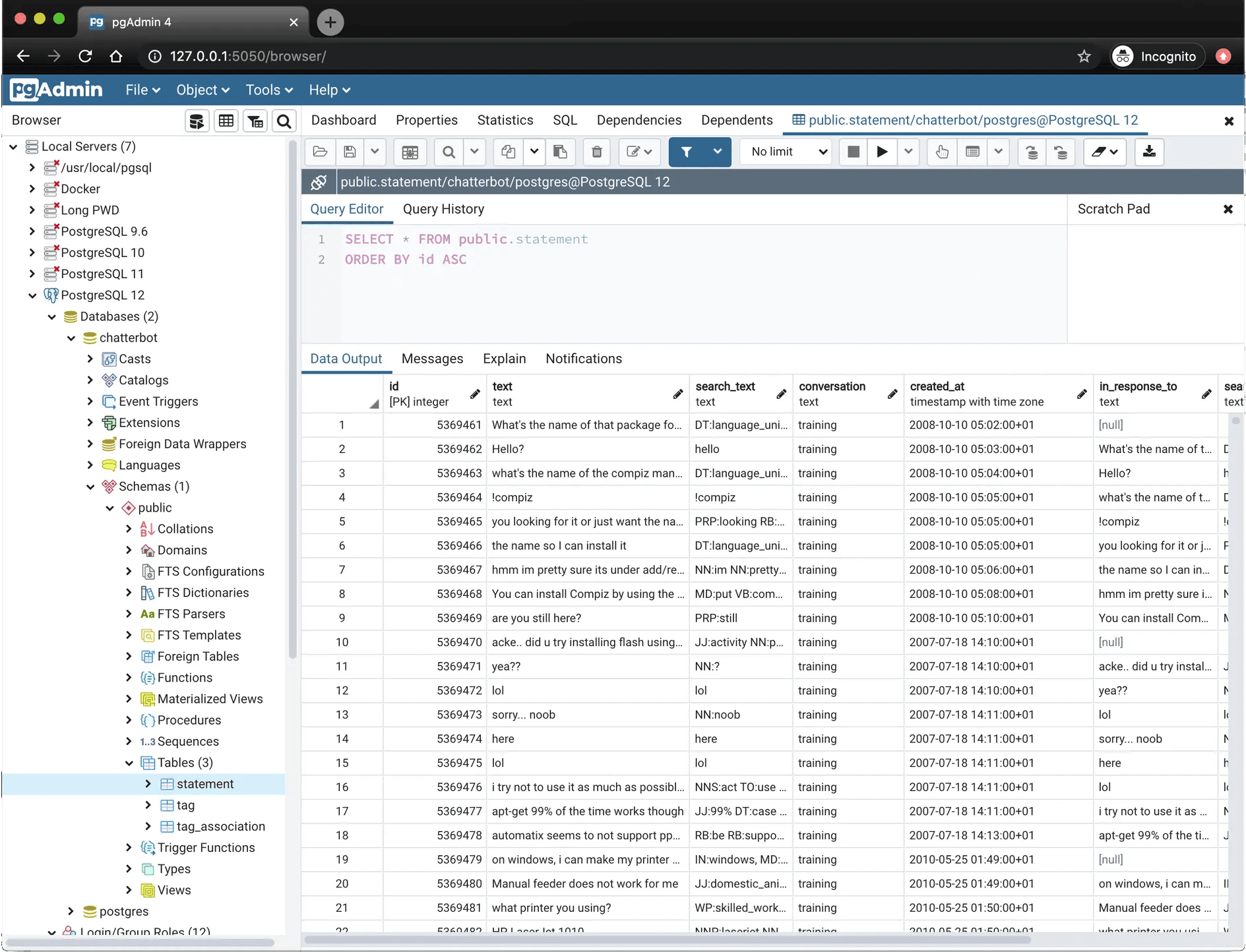
pgAdmin is a free, open-source SQL client focused on PostgreSQL, providing dashboards, explain plans, and admin tools useful for analysts and developers alike.
👍 Why analysts like it:
💡 Analyst tips:
Best SQL Clients for Analysts: Comparison Table
Compare the SQL clients for analysts reviewed in this article in the summary table below:
| Tool | Nature | Founded | Developed by | Supported Databases | Platforms | Free Option | Pricing Model | |
|---|---|---|---|---|---|---|---|---|
| DbVisualizer | Proprietary (Free + Paid) | 1999, Sweden | DbVis Software | MySQL, PostgreSQL, SQL Server, Oracle, SQLite, 40+ via JDBC | Windows, macOS, Linux | Yes (Free plan) | Free + Commercial (Pro) | |
| DataGrip | Proprietary | 2015, Czech Republic | JetBrains | Major relational systems via JDBC | Windows, macOS, Linux | 30-day trial, free for students/non-commercial use | Commercial subscriptions | |
| DBeaver | Open-source core (Free + Paid) | 2011, Russia | DBeaver Corp + community | MySQL, MariaDB, PostgreSQL, SQL Server, others via JDBC | Windows, macOS, Linux | Yes (Community Edition) | Free + Commercial tiers | |
| TablePlus | Proprietary (Free + Paid) | 2017, Canada | TablePlus Inc. | PostgreSQL, MySQL, MariaDB, SQLite, SQL Server, Redshift, Oracle, CockroachDB, etc. | Windows, macOS, Linux, iOS | Yes (limited free version) | One-time licenses + upgrades | |
| Mode | Proprietary analytics workspace | 2013, United States | Mode | Cloud warehouses + common engines | Web-based | Yes (Individual plan) | Premium team & enterprise plans | |
| Beekeeper Studio | Open-source core (Free + Paid) | 2020, United States | Community + maintainers | PostgreSQL, MySQL, SQLite, SQL Server, Redshift, CockroachDB, MariaDB, others | Windows, macOS, Linux | Yes (Community Edition) | Free + Commercial | |
| SQLPro Studio | Proprietary | 2010s, Canada | Hankinsoft | MySQL, MariaDB, PostgreSQL, Redshift, SQL Server, Oracle, SQLite, Snowflake | macOS, iOS | Free trial | Paid licenses | |
| pgAdmin | Open-source | 1998, United Kingdom | pgAdmin team + community | PostgreSQL | Windows, macOS, Linux | Yes | Free |
Selecting the Best SQL Client for Your Analyst Workflow
There is no single SQL client that fits every analyst. The right tool depends on your workflow, database mix, and preferred features. For a quick selection, refer to this table:
| Tool | Nature | Founded | Developed by | Supported Databases | Platforms | Free Option | Pricing Model | |
|---|---|---|---|---|---|---|---|---|
| DbVisualizer | Proprietary (Free + Paid) | 1999, Sweden | DbVis Software | MySQL, PostgreSQL, SQL Server, Oracle, SQLite, 40+ via JDBC | Windows, macOS, Linux | Yes (Free plan) | Free + Commercial (Pro) | |
| DataGrip | Proprietary | 2015, Czech Republic | JetBrains | Major relational systems via JDBC | Windows, macOS, Linux | 30-day trial, free for students/non-commercial use | Commercial subscriptions | |
| DBeaver | Open-source core (Free + Paid) | 2011, Russia | DBeaver Corp + community | MySQL, MariaDB, PostgreSQL, SQL Server, others via JDBC | Windows, macOS, Linux | Yes (Community Edition) | Free + Commercial tiers | |
| TablePlus | Proprietary (Free + Paid) | 2017, Canada | TablePlus Inc. | PostgreSQL, MySQL, MariaDB, SQLite, SQL Server, Redshift, Oracle, CockroachDB, etc. | Windows, macOS, Linux, iOS | Yes (limited free version) | One-time licenses + upgrades | |
| Mode | Proprietary analytics workspace | 2013, United States | Mode | Cloud warehouses + common engines | Web-based | Yes (Individual plan) | Premium team & enterprise plans | |
| Beekeeper Studio | Open-source core (Free + Paid) | 2020, United States | Community + maintainers | PostgreSQL, MySQL, SQLite, SQL Server, Redshift, CockroachDB, MariaDB, others | Windows, macOS, Linux | Yes (Community Edition) | Free + Commercial | |
| SQLPro Studio | Proprietary | 2010s, Canada | Hankinsoft | MySQL, MariaDB, PostgreSQL, Redshift, SQL Server, Oracle, SQLite, Snowflake | macOS, iOS | Free trial | Paid licenses | |
| pgAdmin | Open-source | 1998, United Kingdom | pgAdmin team + community | PostgreSQL | Windows, macOS, Linux | Yes | Free |
Selecting the Best SQL Client for Your Analyst Workflow
There is no single SQL client that fits every analyst. The right tool depends on your workflow, database mix, and preferred features. For a quick selection, refer to this table:
| Use Case / Workflow | Recommended SQL Clients |
|---|---|
| Multi-database desktop | DbVisualizer, DBeaver |
| Power editor with deep inspections | DataGrip |
| Fast native feel and simple edits | TablePlus, SQLPro Studio |
| Team collaboration, links, and schedules | PopSQL, Mode |
| Postgres-only environments | pgAdmin |
| Budget-friendly and simple | Beekeeper Studio |
Summary
Analysts thrive with tools that minimize friction from question to answer. If you want one app that covers many databases and stays fast and organized, start with DbVisualizer. If your team leans heavily into shared queries, schedules, and report links, try PopSQL or Mode. Mac-only shops often like TablePlus or SQLPro Studio. Postgres-first teams can live happily in pgAdmin, and DBeaver remains a flexible all-rounder.
We hope this article helps you make an informed decision and find the right SQL client for your analysts’ needs!
FAQ
Are visual SQL clients better than CLI tools for analysts?
Visual clients speed up discovery, filtering, charting, and exports. CLI tools excel at automation and repeatability. Many analysts use both, with the client for exploration and the CLI for scripts.
What features matter most for analysts?
High quality autocomplete, fast results grid, one click export, query history, parameterized queries, simple charts, and shared folders or links.
Can these tools connect securely to production?
Yes! Look for encrypted connections, SSH tunneling, role-based access, and read only profiles. Favor safe mode or confirmation prompts when editing.
Do I need a separate BI tool?
Not always! Many database clients provide quick charts and lightweight dashboards that are enough for ad-hoc analysis. For wide distribution, governance, and pixel-perfect visuals, pair your SQL client with a BI platform.