intro
Let’s compare Cassandra database clients that make CQL querying, data exploration, and everyday operations faster!

Cassandra’s distributed model is powerful, and the right database client makes your day smoother. Below is a complete rundown of the best Cassandra database clients of the year, starting with DbVisualizer for its cross-platform reach, followed by the native cqlsh, DBeaver, DataStax DevCenter, and TablePlus.
Explore and discover the top Cassandra clients!
What is a Cassandra Database Client?
A Cassandra database client is a desktop, web, or command-line tool that connects to Apache Cassandra, a widely used NoSQL database. It lets you write CQL, browse keyspaces and tables, inspect schemas and data types, safely modify data, and import or export data as needed.
Good Cassandra clients keep common tasks fast and safe for developers, analysts, and operators thanks to features like:
How to Evaluate Cassandra Clients on the Market
Online, you’ll find a wide variety of Cassandra database clients, each with its own strengths and trade-offs. To compare them , it helps to apply a consistent set of evaluation criteria, such as:
Time to see the best Cassandra database clients!
DbVisualizer

📝 Quick facts:
| Nature | Proprietary with free and paid editions |
|---|---|
| Founded | 1999, Sweden |
| Developed by | DbVis Software |
| Cassandra focus | JDBC connection, schema browser, JSON/collection viewing, explain output, ER-style relationship views, CLI and scheduling |
| Platforms | Windows, macOS, Linux |
| Free option | Yes |
| Pricing | Free plus commercial licenses |
DbVisualizer is a powerful, cross-platform SQL and NoSQL client ideal for anyone working with Cassandra, as well as multiple other databases. It offers visual query building, ER diagrams, data editing, secure connection management, and many other features.
DbVisualizer streamlines both development and data analysis workflows for teams managing hybrid database environments. This is why it is a known Cassandra database client.
😍 Why Cassandra users love it:
⚖️ Tradeoffs:
cqlsh (Cassandra Query Language Shell)

📝 Quick facts:
| Nature | Official command-line client |
|---|---|
| Founded | 2008, United States |
| Developed by | Apache Cassandra project |
| Cassandra focus | Complete CQL coverage, scripting, tracing, and admin-friendly commands |
| Platforms | Windows, macOS, Linux (in the terminal) |
| Free option | Yes |
| Pricing | Free |
cqlsh is Cassandra’s native command-line interface, perfect for direct database interactions, schema management, and quick queries. It is lightweight, scriptable, and ideal for DevOps or database admins.
👍 Why Cassandra users keep it installed:
⚖️ Tradeoffs:
DBeaver

📝 Quick facts:
| Nature | Open-source core, with free and paid editions |
|---|---|
| Founded | 2011, Russia |
| Developed by | DBeaver Corporation and community |
| Cassandra focus | Datastax driver integration, schema and table browser, data grid with inline edits, exports and imports |
| Platforms | Windows, macOS, Linux |
| Free option | Yes, via the open-source Community Edition |
| Pricing | Commercial tiers add features and support |
DBeaver is a database client with an open-source core, supporting Cassandra in its premium versions and via a plugin in its Community Edition. It features a clean UI, ER diagrams, auto-complete, and visual data management across many databases.
👍 Why Cassandra users keep it installed:
⚖️ Tradeoffs:
DataStax DevCenter

📝 Quick facts:
| Nature | Free GUI for Cassandra/DSE |
|---|---|
| Founded | 2014, United States |
| Developed by | DataStax |
| Cassandra focus | CQL editor with syntax highlighting, schema explorer, saved scripts, result grid |
| Platforms | Windows, macOS, Linux (but no longer maintained) |
| Free option | Yes |
| Pricing | Free |
DataStax DevCenter was a graphical tool designed specifically for developing and working with Cassandra CQL. It made writing and visualizing queries easier, but is no longer actively maintained. Even so, it can still show up in older or legacy environments.
👍 Why Cassandra users keep it installed:
⚖️ Tradeoffs:
TablePlus
📝 Quick facts:
| Nature | Proprietary, multi-DB GUI |
|---|---|
| Founded | 2017, United States |
| Developed by | TablePlus Inc |
| Cassandra focus | Clean editor, basic schema browsing, grid edits for simple types, quick exports |
| Platforms | Windows, macOS, Linux |
| Free option | Feature-limited free tier |
| Pricing | Commercial licenses |
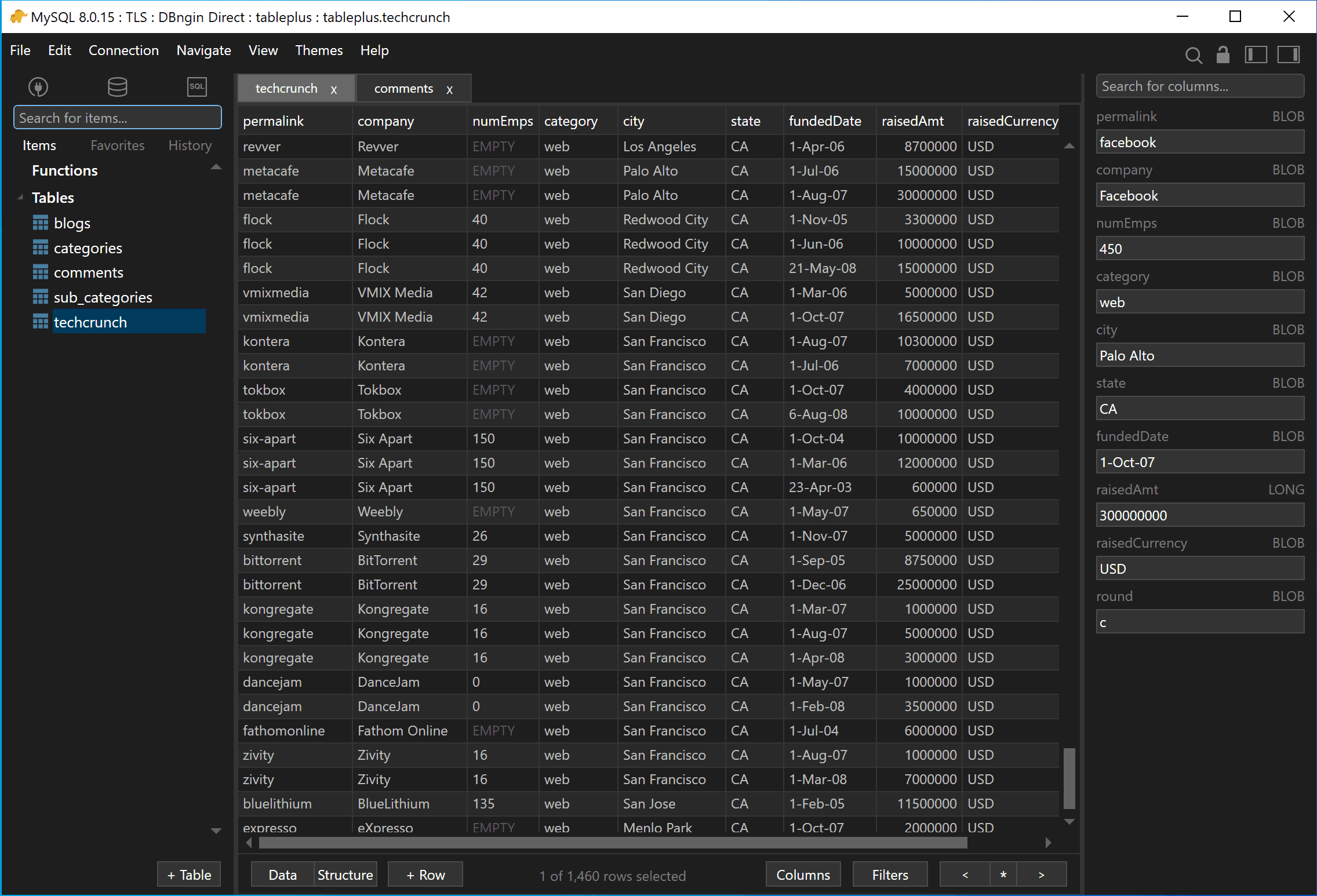
TablePlus is a fast, modern desktop client that supports Cassandra among various databases. It comes with a sleek tabular-based interface, efficient query editing, and instant table previews.
👍 Why Cassandra users keep it installed:
⚖️ Tradeoffs:
Best Cassandra Clients: Comparison Table
Compare the best Cassandra database clients analyzed in this blog post at a glance using the summary table below:
| Client | Nature | Founded | Developed By | Cassandra Focus | Platforms | Free Option | Pricing |
|---|---|---|---|---|---|---|---|
| DbVisualizer | Proprietary with free and paid editions | 1999, Sweden | DbVis Software | JDBC connection, schema browser, JSON/collection viewing, explain output, ER-style views, CLI and scheduling | Windows, macOS, Linux | ✅ | Free + Commercial licenses |
cqlsh | Official command-line client | 2008, United States | Apache Cassandra project | Complete CQL coverage, scripting, tracing | Windows, macOS, Linux | ✅ | Free |
| DBeaver | Open-source core. with free and paid editions | 2011, Russia | DBeaver Corporation and community | Driver integration, schema/table browser, grid edits, exports/imports | Windows, macOS, Linux | ✅ | Commercial tiers add features |
| DataStax DevCenter | Free GUI for Cassandra/DSE | 2014, United States | DataStax | CQL editor, schema explorer, result grid | Windows, macOS, Linux (but no longer maintained) | ✅ | Free |
| TablePlus | Proprietary, multi-DB GUI | 2017, United States | TablePlus Inc. | Clean editor, basic browsing, grid edits, exports | Windows, macOS, Linux | ✅ | Commercial licenses |
How to Choose the Right Cassandra Client for Your Workflow
As always in the IT world, there is no single “best” Cassandra client. Instead, the right one depends on how you work and what you need day to day. Use the table below to find the best match for your workflow:
| Scenario | Recommended Tool |
|---|---|
| Cross-platform use and working with multiple databases | DbVisualizer |
| Native CLI, scripting, and operational tasks | cqlsh |
| Cassandra-focused GUI for query writing in legacy projects | DataStax DevCenter |
| Quick data viewing and lightweight edits on desktop | TablePlus |
Summary
You do not need a heavyweight suite to be productive with Cassandra. If you want one tool that feels the same on Windows, macOS, and Linux and also covers your SQL stores, start with DbVisualizer.
Keep cqlsh handy for scripting, tracing, and direct ops, while DBeaver is a strong free alternative for mixed stacks. DevCenter remains a simple Cassandra-centric GUI if it fits your version. TablePlus is great for quick visual work when you value a sleek, minimal UI.
We hope this article helps you make an informed decision when it comes to selecting the right Cassandra database client for your needs!
FAQ
Is there an official GUI for Cassandra?
No! Cassandra ships with cqlsh, but that is a CLI tool. GUIs are provided by third parties like DbVisualizer or DataStax (e.g., DevCenter and Studio).
Can I export Cassandra query results to CSV or Excel?
Yes! DbVisualizer and DBeaver have export wizards. In cqlsh, use COPY keyspace.table TO 'file.csv' WITH HEADER = TRUE; for quick CSV dumps from the command line.
Do these tools handle tracing and consistency levels?
cqlsh supports TRACING ON and interactive consistency settings. GUI tools generally rely on driver settings or manual CQL, so they do not expose full tracing UIs.
Which tool should I use on macOS or Linux?
All the listed tools are viable options, except for DevCenter, which is no longer actively maintained. For a polished cross-platform GUI, pick DbVisualizer (or DBeaver if you want a tool with an open-source core). For terminal-only environments, prefer cqlsh.