intro
A practical guide to Postgres GUI tools that help you query, model, and manage PostgreSQL with less friction.

PostgreSQL keeps growing because it is powerful and flexible. Your GUI tool for Postgres management should match that energy without getting in the way. Below is a clean, scannable rundown of the best PostgreSQL database clients of the year, starting with pgAdmin, then DbVisualizer, followed by other valid alternatives.
Let’s dive in!
What Is a PostgreSQL GUI?
A PostgreSQL GUI, also called a PostgreSQL visual client or PostgreSQL visual database client, is a desktop application or web app that connects to Postgres servers. In particular, it allows you to browse schemas, write SQL, tweak data safely, visualize plans, and move data in and out.
A solid Postgres GUI can make daily work easier for developers, analysts, and DBAs by offering features such as:
How to Evaluate Visual PostgreSQL Database Clients
Online, you will find a long list of PostgreSQL GUI tools, so you need clear criteria to evaluate them and select the right one. Key aspects to consider include:
Now, let’s apply the above criteria to present a list of the best PostgreSQL GUIs of the year!
pgAdmin 4
📝 Quick facts:
| Nature | Open source and free |
|---|---|
| Founded | 1998, United Kingdom |
| Developed by | PostgreSQL Community |
| Postgres focus | Native administration, object designers, query tool, explain plans, dashboards, backup and restore |
| Platforms | Windows, macOS, Linux, browser |
| Free option | Yes |
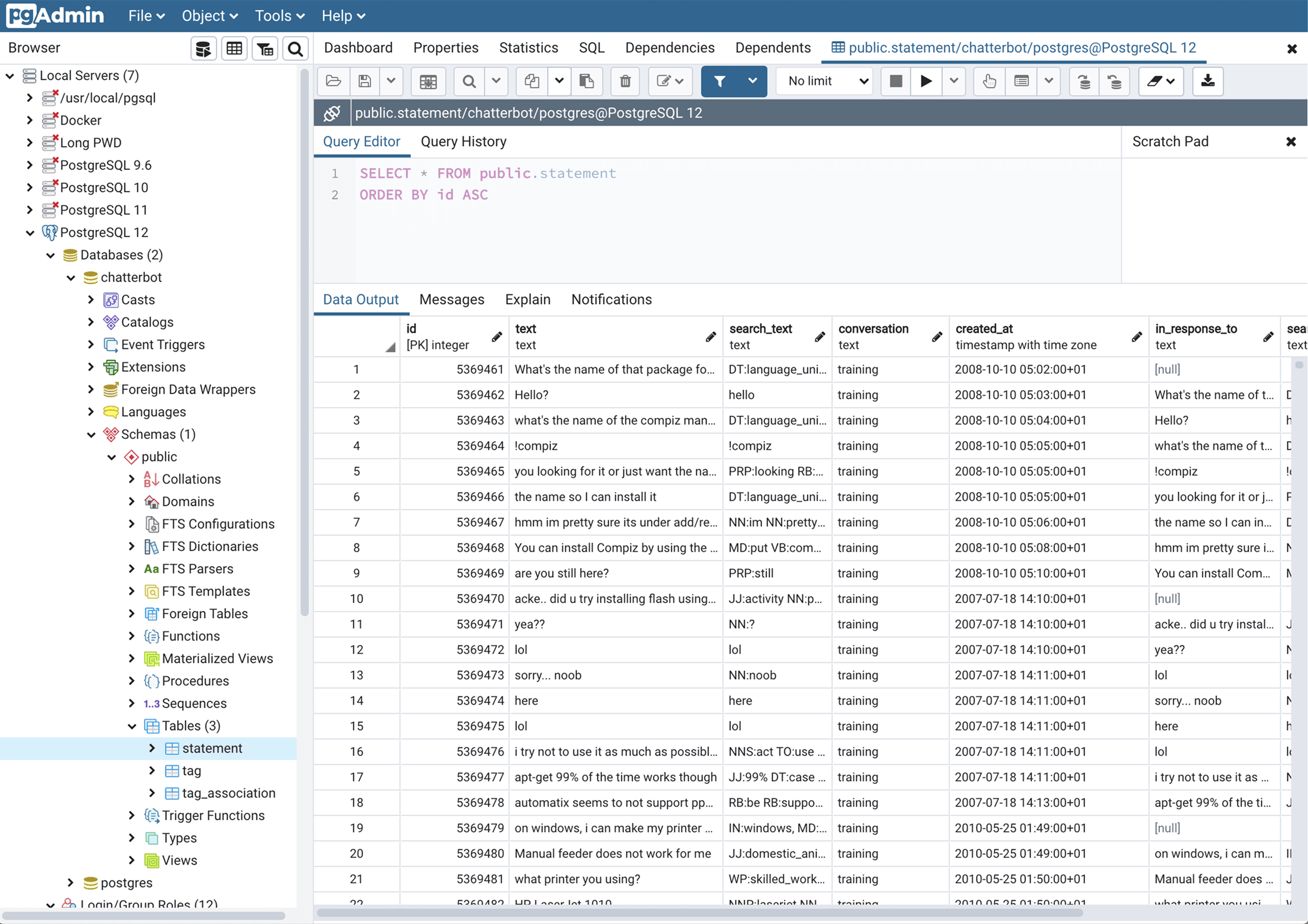
pgAdmin 4 is the official PostgreSQL administration GUI. It evolved from a simple desktop app into a full web or desktop experience. You can browse and modify databases, run SQL, manage roles and permissions, and operate backup or restore workflows. It is open source, widely adopted, and kept in step with PostgreSQL releases.
👍 Pros:
👎 Cons:
DbVisualizer
📝 Quick facts:
| Nature | Proprietary, with free and paid editions |
|---|---|
| Founded | 1999, Sweden |
| Developed by | DbVis Software |
| Postgres focus | JDBC connection, schema browser, JSONB viewing, explain plan, ER style relationship views, CLI and scheduling |
| Platforms | Windows, macOS, Linux |
| Free option | Yes |
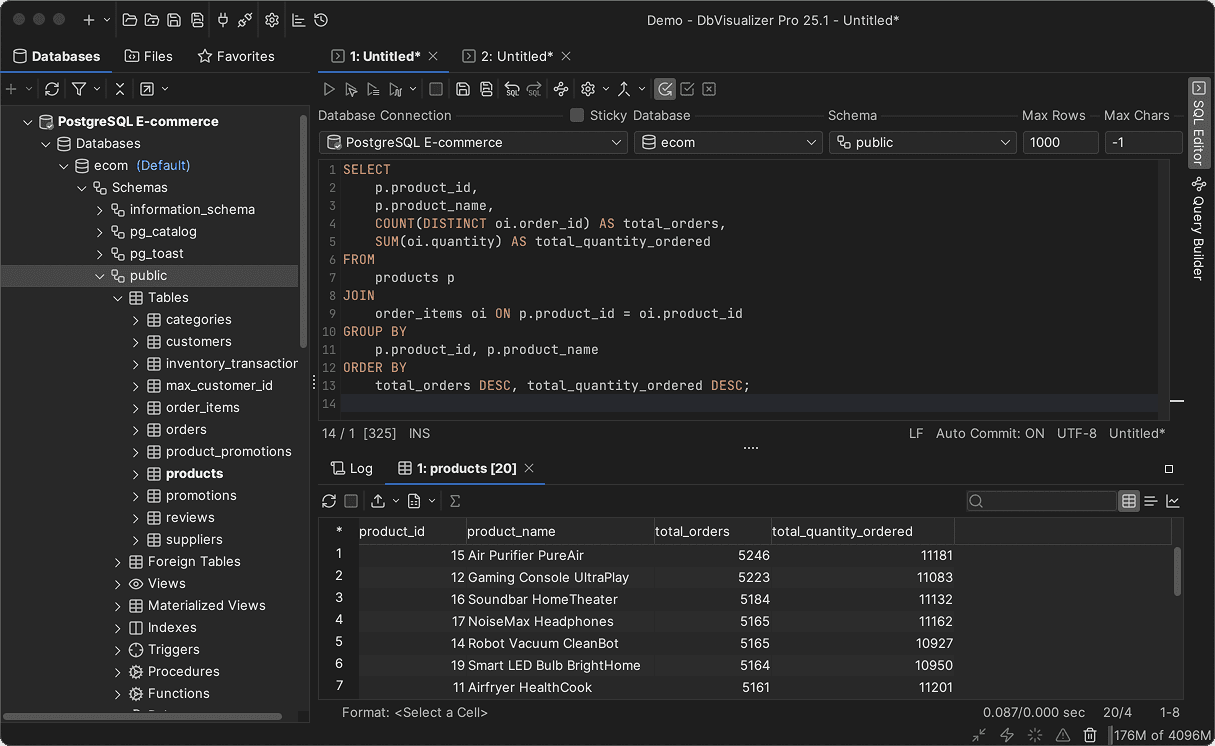
DbVisualizer treats PostgreSQL as a first class citizen alongside other databases. That is why it is also known as a PostgreSQL database client. In detail, it offers a fast editor, consistent object navigation, strong exports, diagrams, and optional automation through a command line and scheduling.
👍 Pros:
👎 Cons:
DBeaver
📝 Quick facts:
| Nature | Open-source core + proprietary |
|---|---|
| Founded | 2011, Russia |
| Developed by | DBeaver Corporation + Community |
| Postgres focus | JDBC connection, ER diagrams, data grid with inline edit, explain plan via commands, user-friendly display. |
| Platforms | Windows, macOS, Linux |
| Free option | Yes, via the Community Edition |
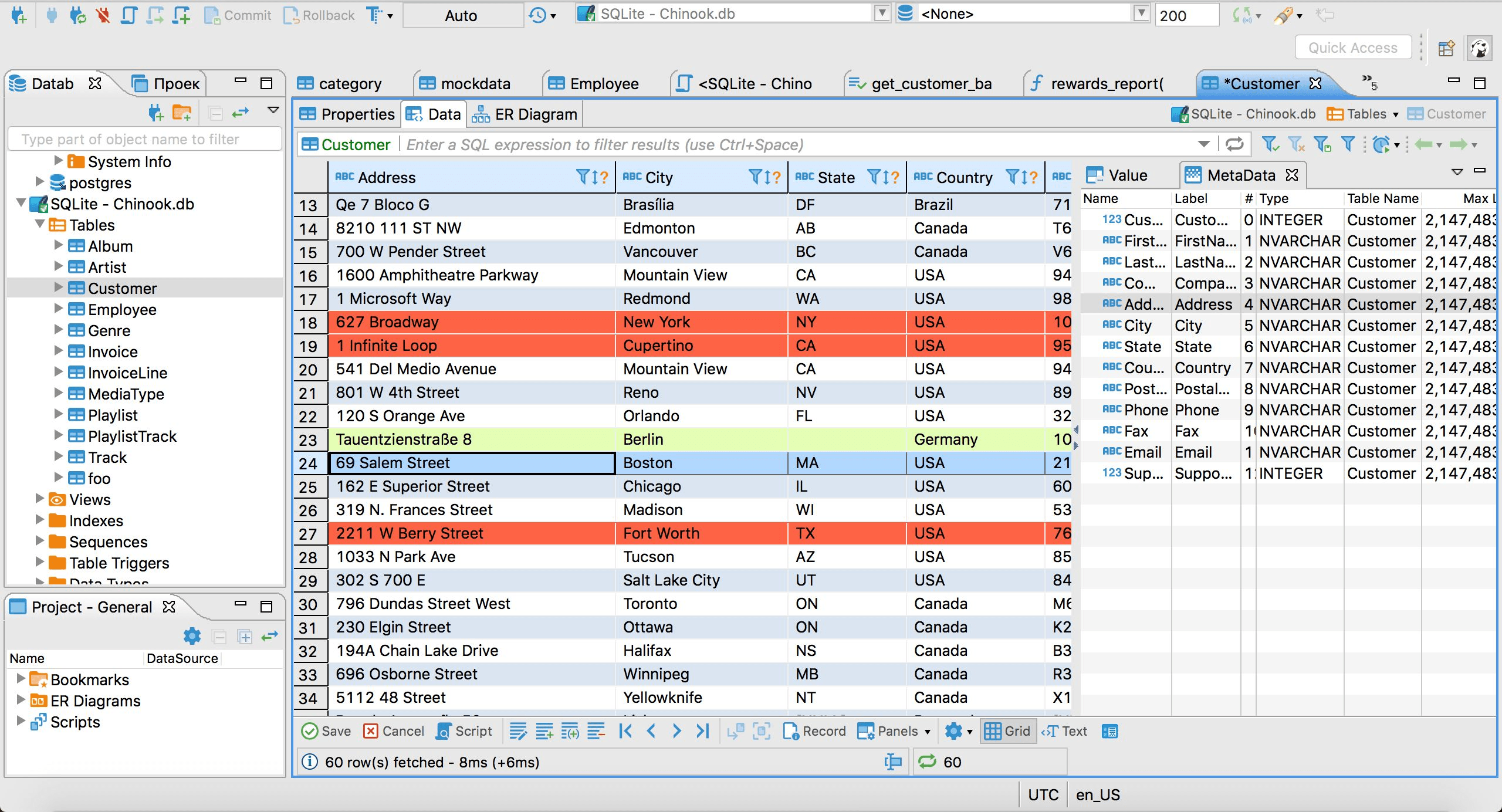
DBeaver is a popular free option with broad database coverage and a capable Postgres experience. It balances features and configurability while staying approachable.
👍 Pros:
👎 Cons:
DataGrip
📝 Quick facts:
| Nature | Proprietary |
|---|---|
| Founded | 2015, Czech Republic |
| Developed by | JetBrains |
| Postgres focus | Smart editor, inspections, refactoring, multiple consoles, VCS integration, JDBC-based Postgres support |
| Platforms | Windows, macOS, Linux |
| Free option | Free for non-commercial use |
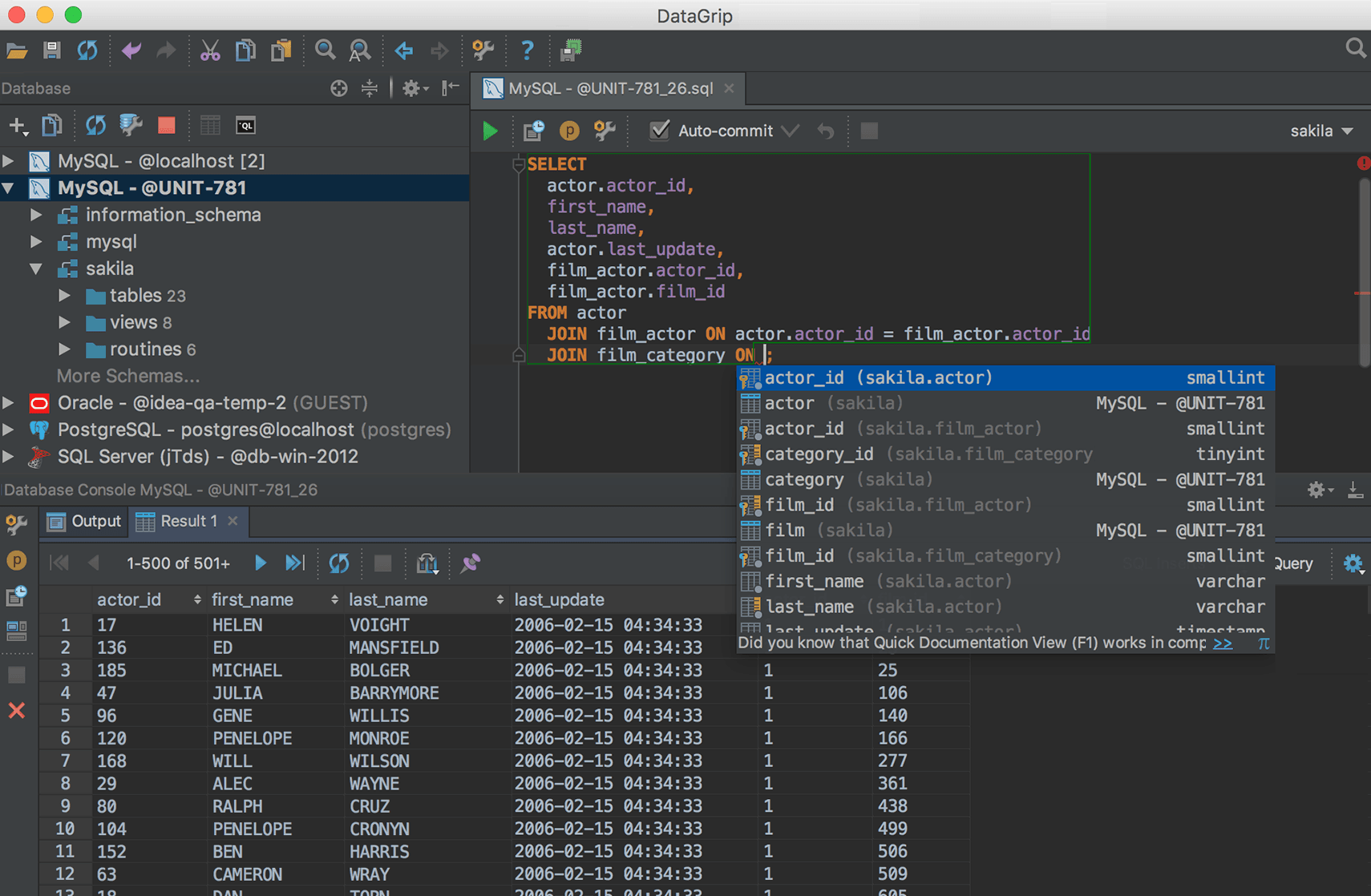
DataGrip brings IDE grade editing to SQL and PL or pgSQL workflows. Navigation, inspections, and SQL refactoring workflows help maintain large query libraries.
👍 Pros:
👎 Cons:
Navicat Premium for PostgreSQL
📝 Quick facts:
| Nature | Proprietary |
|---|---|
| Founded | 1999, Hong Kong |
| Developed by | PremiumSoft |
| Postgres focus | Visual query builder, Data modeling, data transfer and sync, scheduler, reports, object designers |
| Platforms | Windows, macOS, Linux |
| Free option | No, but a trial is available |
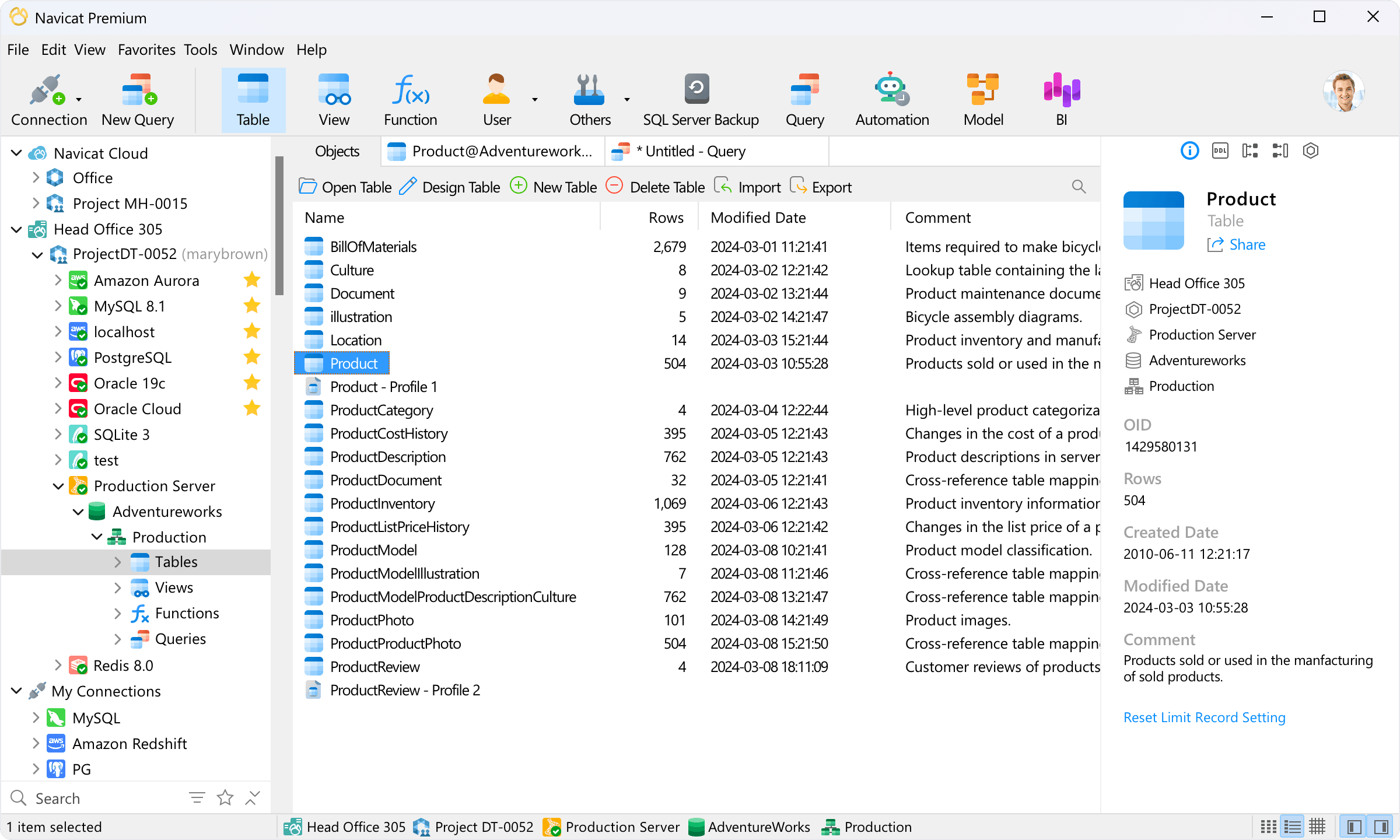
Navicat Premium for PostgreSQL is a polished suite with strong schema design, transfer or sync, and scheduling. It fits teams that need recurring data movement and documentation alongside everyday querying.
👍 Pros:
👎 Cons:
Best PostgreSQL GUIs in 2026: Comparison Table
Compare the PostgreSQL visual database clients compared in this article, in the summary table below:
| PostgreSQL GUI | Nature | Founded | Developed By | Platforms | Free Option |
|---|---|---|---|---|---|
| pgAdmin 4 | Open source | 1998, United Kingdom | PostgreSQL Community | Windows, macOS, Linux, Browser | ✅ |
| DbVisualizer | Proprietary, with free and paid editions | 1999, Sweden | DbVis Software | Windows, macOS, Linux | ✅ |
| DBeaver | Open-source core + Proprietary | 2011, Russia | DBeaver Corporation And Community | Windows, macOS, Linux | ✅ |
| JetBrains DataGrip | Proprietary | 2015, Czech Republic | JetBrains | Windows, macOS, Linux | Only for non-commercial use |
| Navicat Premium For PostgreSQL | Proprietary | 1999, Hong Kong | PremiumSoft | Windows, macOS, Linux | ❌ (but a free trial is available) |
How to Choose the Postgres GUI for Your Needsda
To select the right PostgreSQL GUI based on your use case or focus, refer to the table below:
| Use case | Recommended tool(s) |
|---|---|
| Native administration and zero cost | pgAdmin 4 |
| Multi-database desktop with strong exports | DbVisualizer, DBeaver |
| IDE-grade editing and version control | JetBrains DataGrip |
| Recurring data movement and scheduled jobs | Navicat Premium |
Summary
You don’t need a massive toolset to work effectively with Postgres. If you’re looking for a free, native option for administration and routine queries, pgAdmin is a solid place to start. If you want a single application that works across databases and offers quick exports with a clean interface, DbVisualizer or DBeaver are good choices. For those who spend most of their day writing SQL and want strong editing and navigation features, DataGrip fits well. And if your work involves modeling, data transfers, and scheduled tasks, Navicat Premium can streamline a lot of that effort.
We hope that this comparison article on PostgreSQL GUIs help you make an informed decision!
FAQ
Is pgAdmin 4 better than pgAdmin 3?
Yes, as pgAdmin 3 is no longer maintained. pgAdmin 4 supports modern Postgres features and delivers a web or desktop experience that is actively updated.
Can I use one GUI for both PostgreSQL and MySQL?
Yes! DbVisualizer, DBeaver, DataGrip, and Navicat support multiple databases, so you can manage Postgres and MySQL in the same tool.
What is a good Postgres GUI for macOS or Linux?
All tools listed here are cross platform or browser-based, so macOS and Linux are well covered.
Do I still need psql if I use a GUI?
Often, yes. GUIs speed up exploration and editing, while psql excels at scripting, bulk execution, and automation. Most teams use both.
Are there completely free Postgres GUIs comparable to paid ones?
Yes! pgAdmin is free and robust. DBeaver Community and DbVisualizer Free also provide strong Postgres coverage without cost.