
intro
Let’s explore the most reliable DbGate alternatives for managing both SQL and NoSQL workflows!

The team behind DbGate introduced a fresh approach to database clients, building one from scratch using a modern JavaScript-based tech stack. This is quite an innovative idea and a great step forward, but like any tool, it is not perfect. That is why you might be looking for a more mature or feature-rich solution.
In this article, you will discover the best DbGate alternatives for managing both SQL and NoSQL databases!
An Overview of DbGate
Before diving into the alternatives, take a moment to recall what DbGate is, along with its main pros and cons.
What Is DbGate?
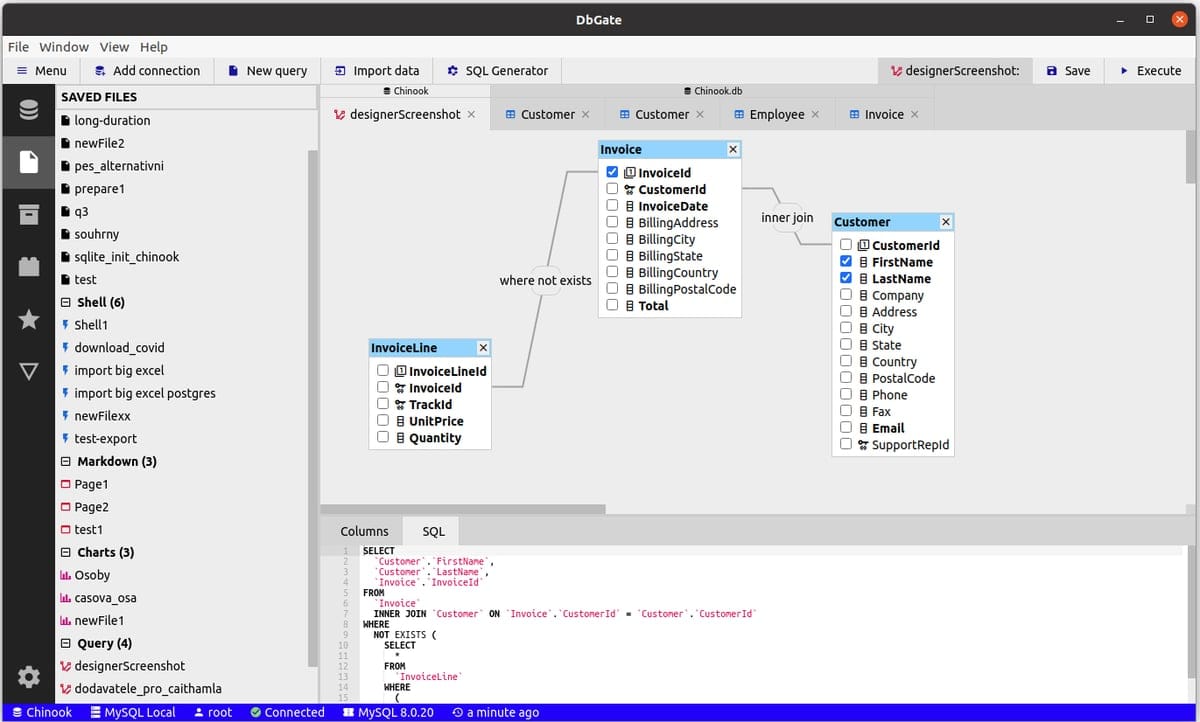
DbGate is a cross-platform database manager that supports both SQL and NoSQL databases. It has an open-source core, with its GitHub repository that has over 5.6k stars. Launched around 2020, DbGate is built with a modern JavaScript stack, based on Svelte.
It is available as both a desktop and web-based application, with optional Docker images for on-premises deployment. As a database client, DbGate enables you to connect to, manage, and visualize data from multiple databases, including PostgreSQL, MySQL, SQL Server, and MongoDB. All that within a single interface.
DbGate supports everyday database tasks like querying, data editing, and schema management, while also equipping you with capabilities such as visual query builders and data import/export tools. The price for the premium version starts at $120 per year.
Why Consider DbGate Alternatives
DbGate is undoubtedly a solid database management tool, especially within the open-source ecosystem. Still, no solution is perfect, and DbGate comes with a few drawbacks of its own.
The main limitation is its relatively small user base and community, as reflected by only about 13 reviews on G2. Additionally, while it is built with modern technologies, its user interface can feel cluttered and slightly outdated.
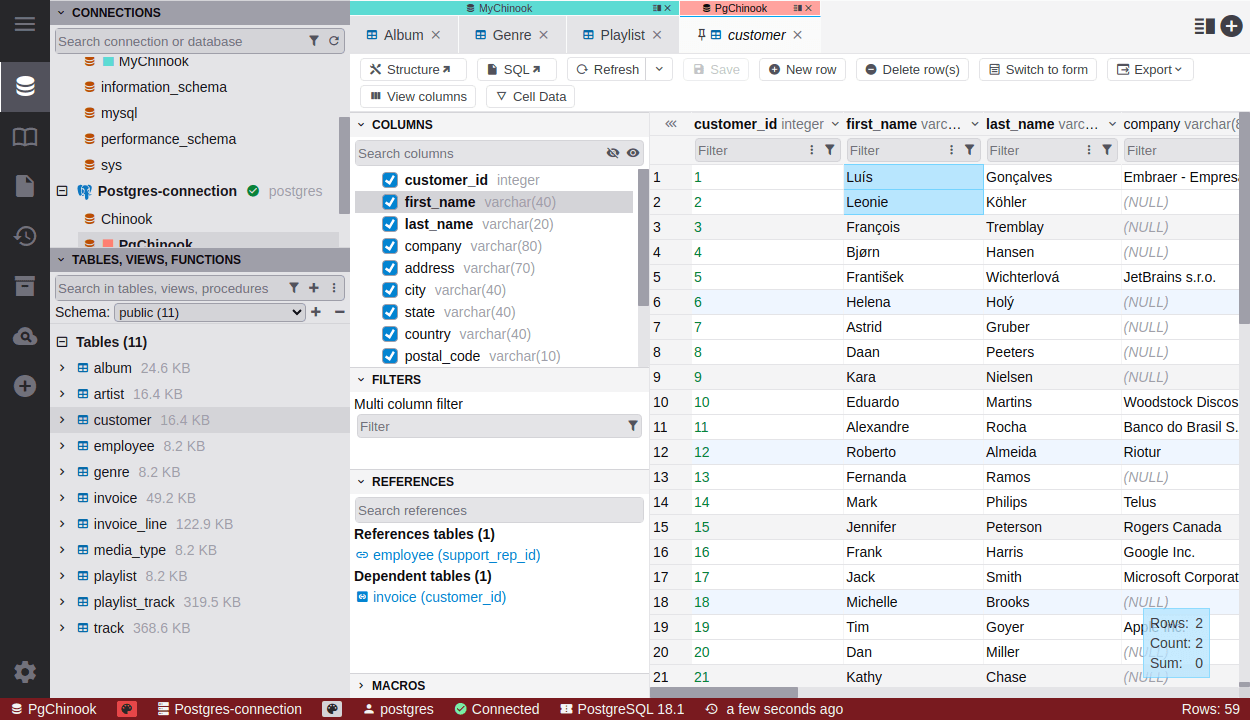
Some users also point out limited ERD modeling capabilities, noting that the diagramming tools could be more powerful and feature-rich. Another drawback is that support for databases like libSQL, Cosmos DB, and Amazon Redshift is only available in the premium version.
These factors make a strong case for exploring DbGate alternatives. That is particularly true if you need a broader feature set or a more polished user experience!
Aspects to Consider When Comparing DbGate Replacement Solutions
Search online for database client alternatives, and you will find a plethora of options. But are they all truly valid? Which ones best fit your use case? And which are the top performers overall?
To answer those questions and make an informed decision, you should apply a consistent set of comparison criteria across all tools, such as:
Top Alternatives to DbGate
Take a look at the most reliable DbGate alternatives, analyzed according to the criteria discussed earlier.
DbVisualizer
💡 Quick facts:
| Founded | Sweden, 1999 |
|---|---|
| Supported SQL databases | MySQL, PostgreSQL, SQL Server, Oracle, SQLite, and 30+ others (All popular SQL via JDBC) |
| Supported NoSQL databases | MongoDB, Redis, Cassandra, ClickHouse, and 10+ others |
| Platforms | Windows, macOS, Linux |
| User rating | 4.7/5 (244 reviews on G2) |
| Versions | Free forever version + Premium Pro version (with 21-day free trial) |
| Entry price | $199/year ($89/year from the second year) |
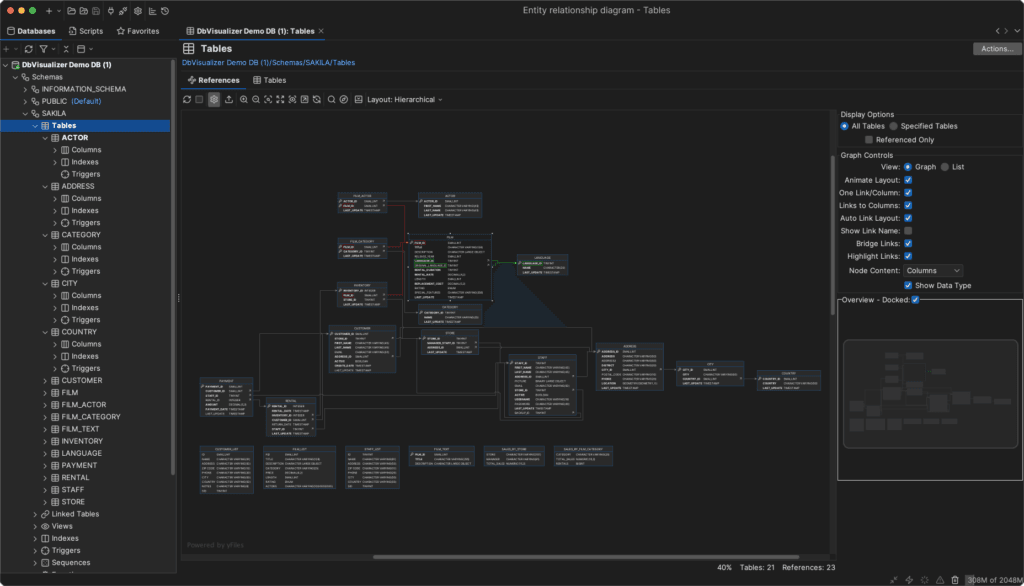
DBVisualizer is a multipurpose database client that supports a wide range of SQL and NoSQL databases. Compared to DbGate, it offers broader database coverage, both for SQL and NoSQL workflows.
Additionally, DBVisualizer comes with advanced tools for database exploration, query building, and enterprise-ready ERD visualization. Like DbGate, DBVisualizer provides both a free version and a Pro plan (which grants perpetual access to all versions released during the active subscription).
Pricing starts at $199/year, dropping to $89/year from the second year, remaining competitive with DbGate.
All in all, DBVisualizer is considered the best DbGate alternative for users seeking extensive database support and advanced features from the same application.
⚙️ Features:
👍 Pros:
👎 Cons:
Beekeeper Studio
💡 Quick facts:
| Founded | United States, 2020 |
|---|---|
| Supported SQL databases | PostgreSQL, MySQL, SQLite, SQL Server, and 7+ others |
| Supported NoSQL databases | Redis, Cassandra, MongoDB |
| Platforms | Windows, macOS, Linux |
| User rating | 4.3/5 (14 reviews on G2) |
| Versions | Open-source version + Premium version |
| Entry price | $108/year |
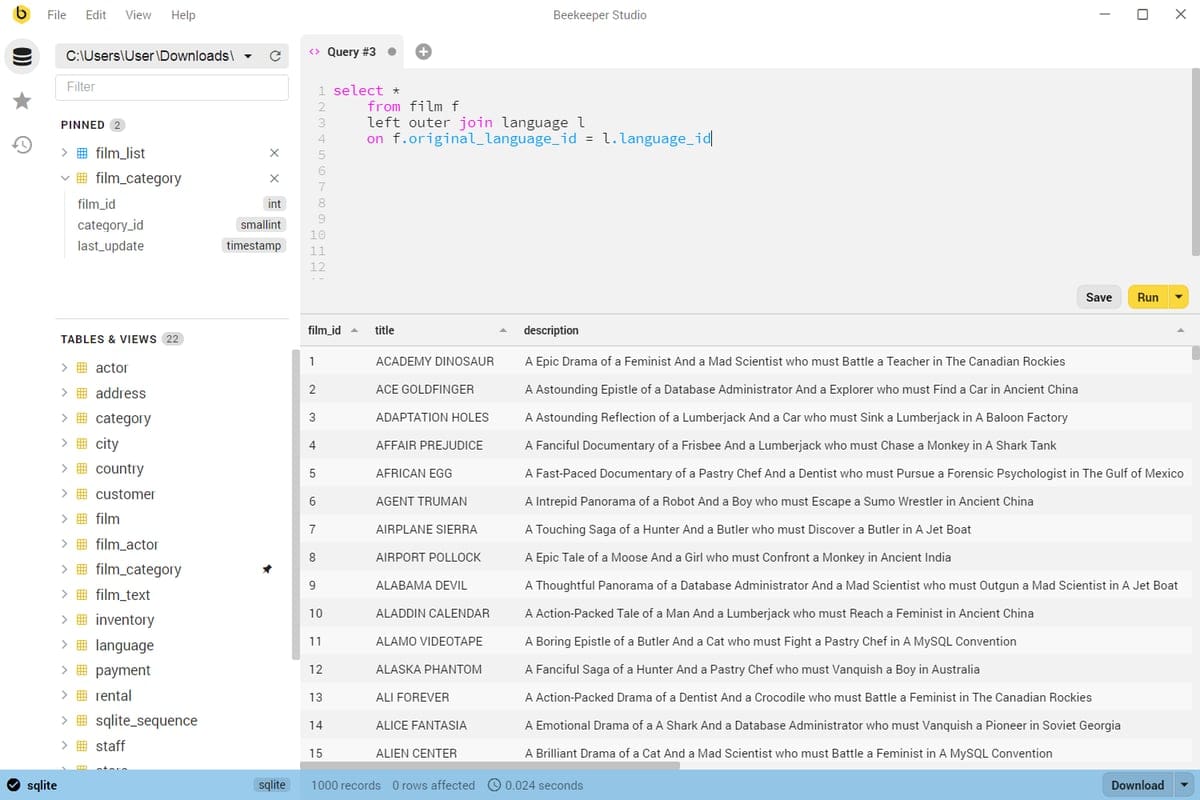
Beekeeper Studio is a modern, cross-platform database management tool with an open-source core. Like DbGate, it is developed in JavaScript and has been available since 2020. Both Beekeeper Studio and DbGate support SQL and NoSQL databases, offering similar functionality and comparable pricing.
Discover the best Beekeeper Studio alternatives.
⚙️ Features:
👍 Pros:
👎 Cons:
DBeaver
💡 Quick facts:
| Founded | Russia, 2011 |
|---|---|
| Supported SQL databases | MySQL, MariaDB, PostgreSQL, SQL Server, Oracle and 80+ others through JDBC/ODBC drivers |
| Supported NoSQL databases | MongoDB, Redis, Azure Cosmos DB, CouchDB, ClickHouse, and others |
| Platforms | Windows, macOS, Linux |
| User rating | 4.4/5 (149 reviews on G2) |
| Versions | Open-source free version + Premium versions (with 14-day free trial) |
| Entry price | $110/year |
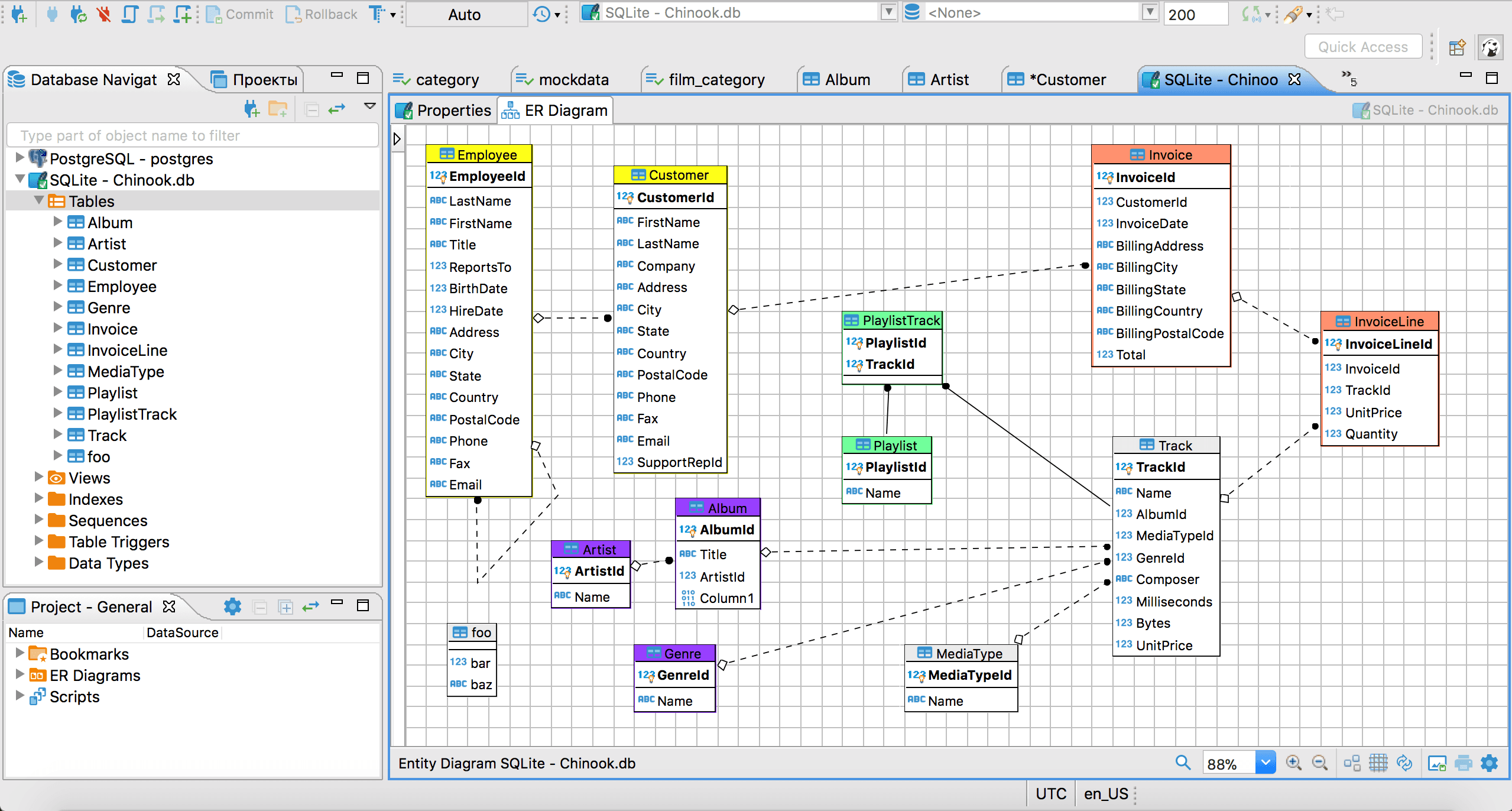
DBeaver is a well-known database client supporting a wide range of SQL and NoSQL databases. Like DbGate, it has an open-source core, but it is developed in Java rather than JavaScript. The solution is widely adopted and offers advanced features such as visual query building and a comprehensive ERD generation tool.
⚙️ Features:
👍 Pros:
👎 Cons:
HeidiSQL
💡 Quick facts:
| Founded | Germany, 2006 |
|---|---|
| Supported SQL databases | MariaDB, MySQL, Microsoft SQL Server, PostgreSQL, SQLite and Interbase/Firebird |
| Supported NoSQL databases | None |
| Platforms | Windows |
| User rating | 5.5k+ GitHub stars |
| Versions | Open-source version (with no commercial options) |
| Entry price | Free forever |
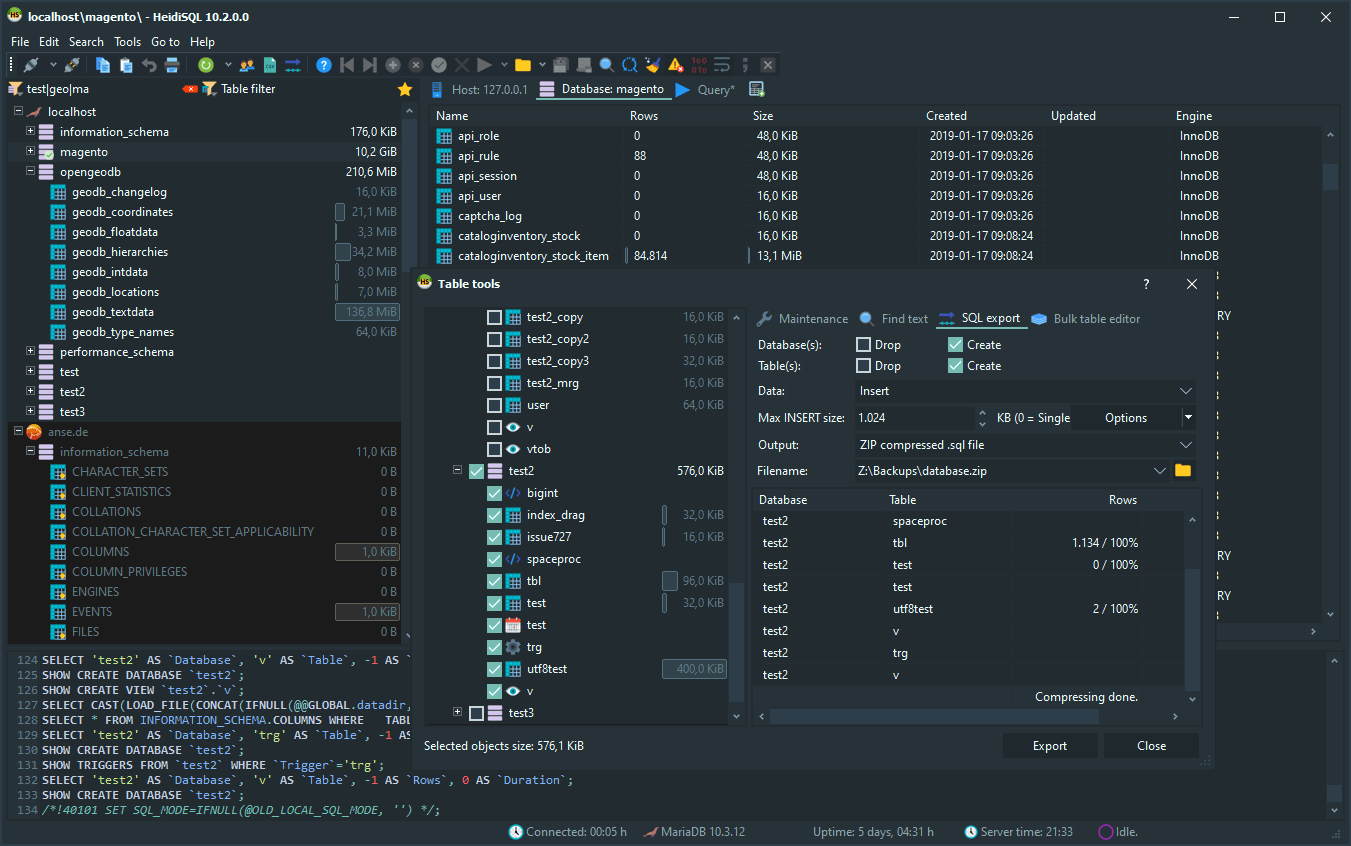
HeidiSQL is an open-source database client developed in Pascal. Compared to DbGate, it is only available on Windows and does not support NoSQL databases. On the positive side, it is completely free, with all features available at no cost. Its open-source focus and many years of development have made it a cornerstone in the open-source database client community.
⚙️ Features:
👍 Pros:
👎 Cons:
Best DbGate Alternatives: Summary Table
Compare the DbGate alternatives (analyzed in this article) at a glance using the summary table below:
| Tool | Founded | Supported SQL Databases | Supported NoSQL Databases | Platforms | User Rating | Versions Available | Entry Price |
|---|---|---|---|---|---|---|---|
| DbGate | Czech Republic, 2020 | MySQL, MariaDB, PostgreSQL, SQL Server, Oracle, and 7+ others | Redis, MongoDB, and others | Windows, macOS, Linux, browser | 4.6/5 (13 reviews) | Free forever + Premium version (desktop + cloud) | $120/year |
| DbVisualizer | Sweden, 1999 | MySQL, PostgreSQL, SQL Server, Oracle, SQLite, and 30+ others (via JDBC) | MongoDB, Redis, Cassandra, ClickHouse, and 10+ others | Windows, macOS, Linux | 4.7/5 (244 reviews on G2) | Free forever + Pro version (21-day free trial) | $199/year ($89/year renewal) |
| Beekeeper Studio | United States, 2020 | PostgreSQL, MySQL, SQLite, SQL Server, and 7+ others | Redis, Cassandra, MongoDB | Windows, macOS, Linux | 4.3/5 (14 reviews on G2) | Open-source + Premium version | $108/year |
| DBeaver | Russia, 2011 | MySQL, MariaDB, PostgreSQL, SQL Server, Oracle, and 80+ others (via JDBC/ODBC) | MongoDB, Redis, Azure Cosmos DB, CouchDB, ClickHouse, others | Windows, macOS, Linux | 4.4/5 (149 reviews on G2) | Open-source + Premium version (14-day free trial) | $110/year |
| HeidiSQL | Germany, 2006 | MariaDB, MySQL, SQL Server, PostgreSQL, SQLite, Interbase/Firebird | None | Windows | 5.5k+ GitHub stars | Open-source only (no commercial version) | Free forever |
Summary
The best alternative to DbGate depends on your priorities, such as database coverage, capabilities, and platform compatibility.
For users seeking broad SQL and NoSQL support, advanced ERD capabilities, and a mature platform, DBVisualizer stands out as a top choice. For a solution similar in nature to DbGate, Beekeeper Studio is also a valid option, though some features are still under development.
For a resourceful experience, DBeaver offers a feature-rich, cross-platform solution with extensive database support. Meanwhile, HeidiSQL remains a free, Windows-only option with the strongest open-source credentials among the tools analyzed here.
These DbGate alternatives cover a wide range of workflows, from lightweight open-source clients to enterprise-ready database management platforms. We hope this article helps you make an informed decision!
FAQ
What is the best open-source alternative to DbGate?
DBeaver is probably the best choice if you are looking for a powerful database client with an open-source core. However, many of its advanced features are only available in the premium, closed-source editions. So if you are planning to upgrade anyway, it might make sense to go straight for a solution like DbVisualizer. On the other hand, if you want a fully open-source alternative, HeidiSQL might the DbGate replacement you are looking for!
Which database clients offer the most intuitive user interface and the best developer experience?
There is no single answer, as the choice mainly depends on personal preferences. Still, clients like DbVisualizer and Beekeeper Studio are frequently praised for their clean, well-organized, and user-friendly interfaces. Beekeeper Studio can feel a bit minimal and overly grid-focused, while DbVisualizer has significantly improved its UI, especially from version 24.2 onward. For more info, read the DbVisualizer 24.2 review.
Which database clients offer the best ERD exploration features?
Database clients like DbVisualizer and DBeaver include solid ERD capabilities. For example, DbVisualizer lets you visually explore a database schema and understand relationships between tables through an interactive, visual ERD-like schema.


