intro
Tired of MySQL Workbench on Mac? Discover DbVisualizer and 3 other alternatives for faster performance, cleaner interfaces, and multi-database support!

MySQL Workbench has long been the default choice for database developers working with MySQL, but it is far from the only or even the best option available to Mac users.
You do not have to settle anymore. The database tool landscape has gained dynamism, and there are now several options that work better on macOS than Workbench ever did.
Here, we are going to look at four of them, starting with DbVisualizer (the one Apple, Google, and NASA actually use) and four other picks that might fit your workflow even better.
Let’s get right into it!
Why Consider Alternatives to MySQL Workbench?
While still a favorite tool among developers, the official MySQL Workbench, developed by Oracle, has been reported to cause problems for many users. In particular, some of these pain points include:
One of the major drawbacks of Workbench is that it only supports the use of MySQL. In a world with so many different types of database systems available (e.g., PostgreSQL, MongoDB, Redis), developers are constantly using several different databases, so having one solution that covers everything is no longer a luxury, but rather an absolute necessity.
Fortunately, the following alternatives all excel in their own way with respect to this issue. Each tool is optimized for macOS or provides cross-platform support. They have all been designed to provide improved speed, better interface design, and features that are specifically designed for creating modern, multi-database workflows.
Top 4 Alternatives to MySQL Workbench for macOS
Time to learn more and compare the main four MySQL Workbench alternatives for macOS users!
1. DbVisualizer
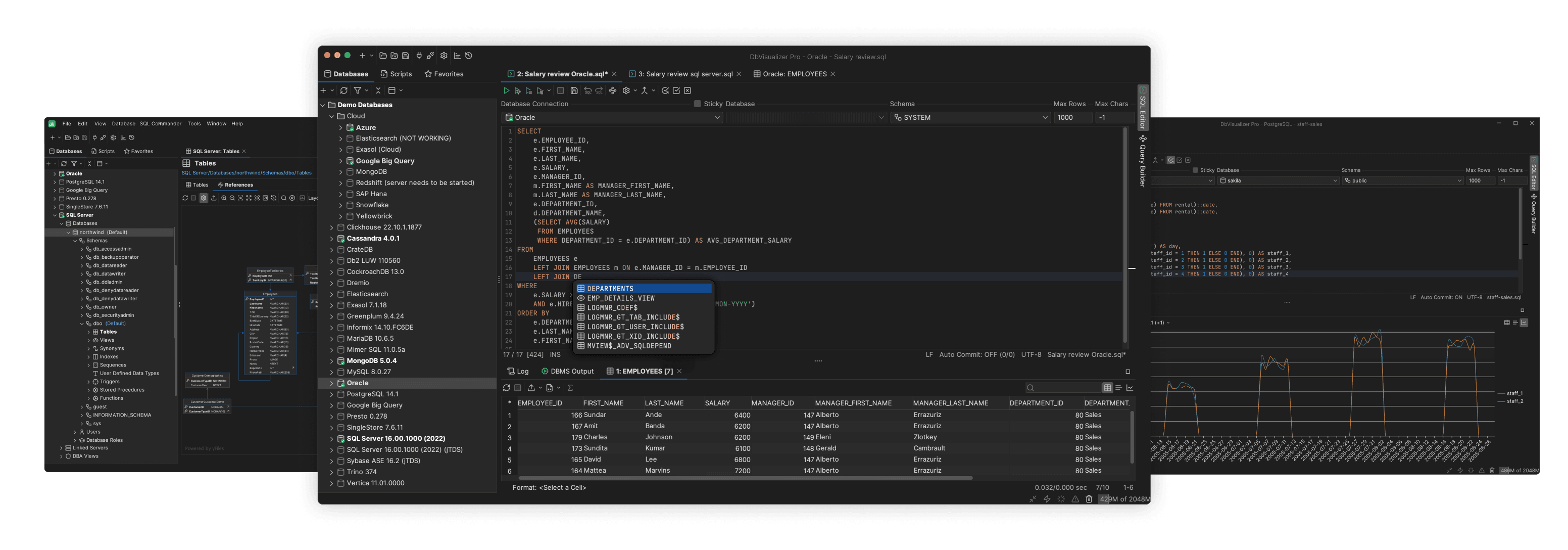
When it comes to professional-grade database management tools that work seamlessly on macOS, DbVisualizer stands in a class of its own. With nearly 7 million downloads worldwide and enterprise customers including Apple, Google, Cisco, eBay, NASA, and Meta, DbVisualizer has earned its reputation as one of the most trusted database clients available.
It comes with a unique combination of power, versatility, and reliability. Unlike tools that focus exclusively on MySQL, DbVisualizer supports over 50 database systems out of the box: from MySQL and PostgreSQL to Oracle, SQL Server, MongoDB, Cassandra, Snowflake, and even modern cloud data warehouses like BigQuery and Redshift. This means you can manage your entire database infrastructure from a single, unified interface.
DbVisualizer's feature set goes well beyond basic query execution. Here are a few:
DbVisualizer comes a Free edition for basic database work, providing essential features supported by comprehensive documentation and an active community. Also, it has a Pro edition with all premium features. There a lot more pricing models that have been specifically made to suit your needs. Read more about the pricing models that are an absolute game-changer.
2. TablePlus
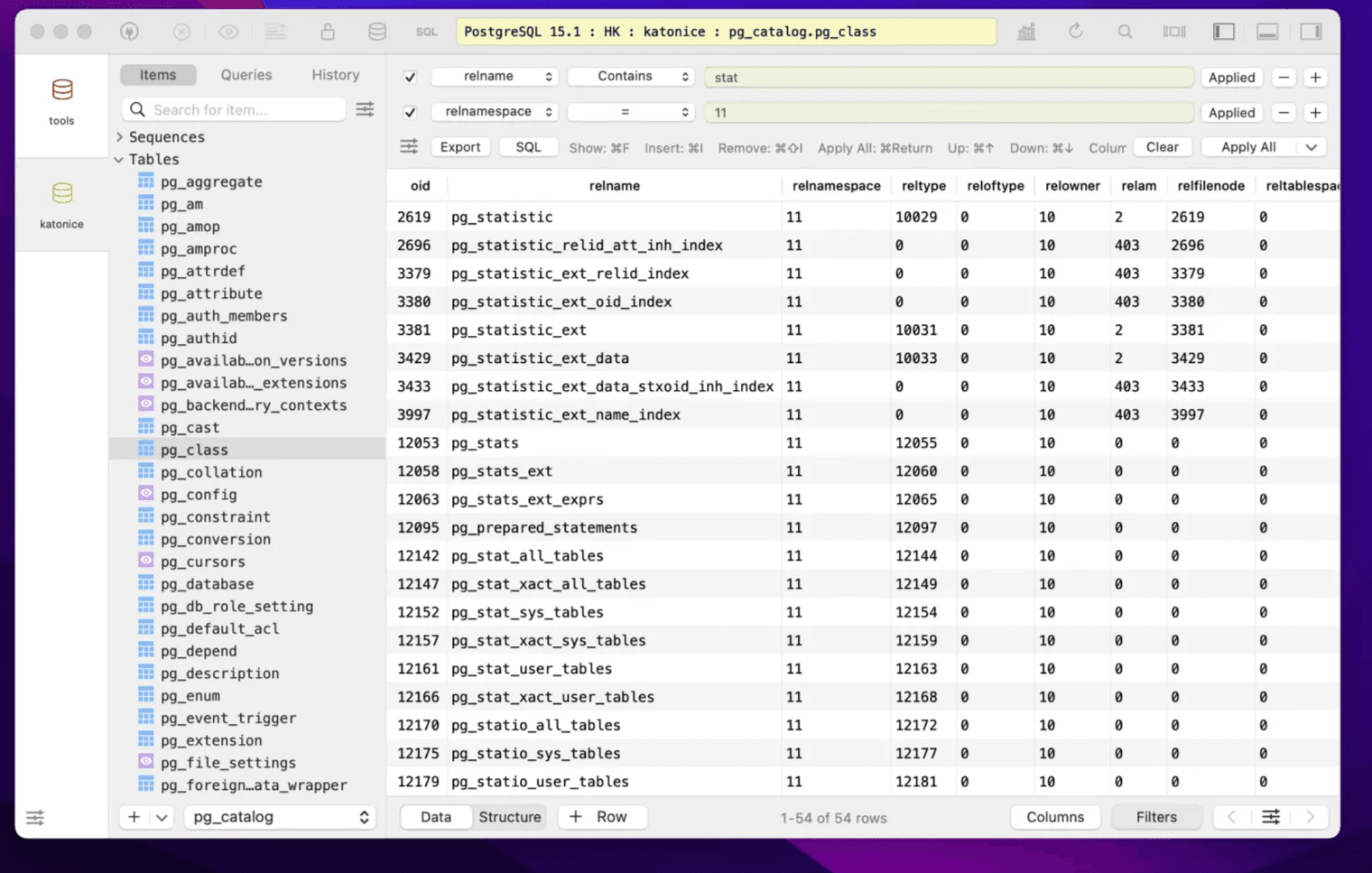
TablePlus is designed to be a Mac-native application that is much lighter and simpler than enterprise tools such as DbVisualizer. Because it was built from the ground up, it gives the same responsive feel as a standard Mac application while providing a functional, polished experience with a very non-cluttered user interface. It is also available for Windows, Linux, and iOS.
It finds a great combination of clean and simple yet still providing functionality. The interface is clean, the query editor has good autocomplete capabilities, and you can edit data inline. TablePlus also supports many different types of databases but not as many as DbVisualizer.
This MySQL Workbench alternative for macOS is perfect if you want speed, clean design, and a tool that supports a few databases. It's more lightweight than enterprise tools but powerful enough for professional work.
3. DBeaver
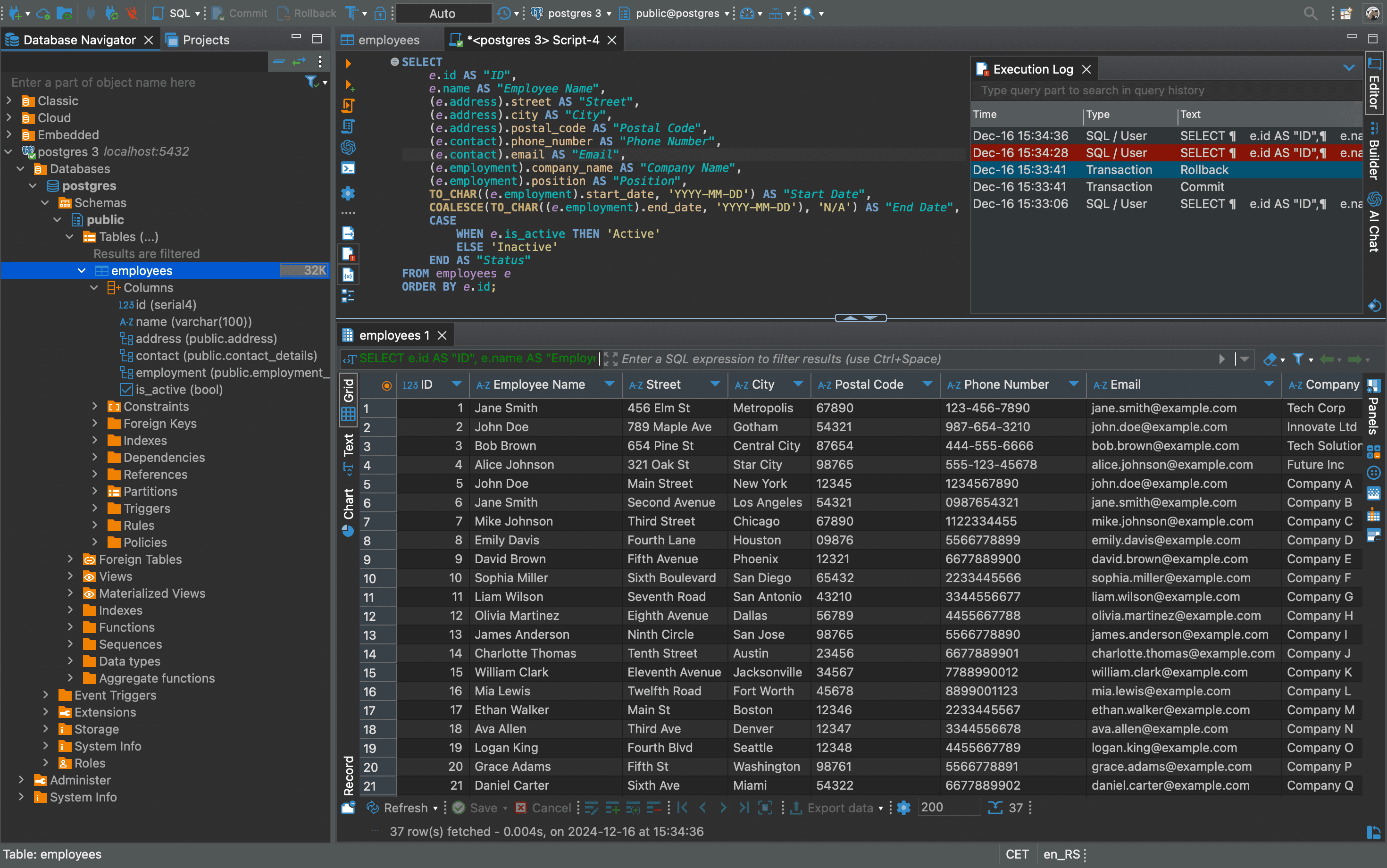
DBeaver Community Edition is the viable choice when budget is a concern. This open-source tool has millions of downloads and supports many database systems more than tools like TablePlus.
DBeaver embraces comprehensiveness over minimalism. The SQL editor is robust with autocompletion, syntax highlighting, and multi-query execution and includes ER diagram generation, data visualization, and a visual query builder. Recent versions even added AI integration to help write and optimize queries.
It is worth noting that built on Eclipse, DBeaver is more memory-intensive and can feel less responsive than native apps, especially with very large result sets. The abundance of features also means a learning curve.
It makes sense for developers working with many different database systems, teams wanting a free solution without licensing costs, and organizations comfortable with open-source tools.
DBeaver Community Edition is completely free, but has many limitations. For businesses needing advanced features, you need to rely on the paid, premium versions.
4. Beekeeper Studio
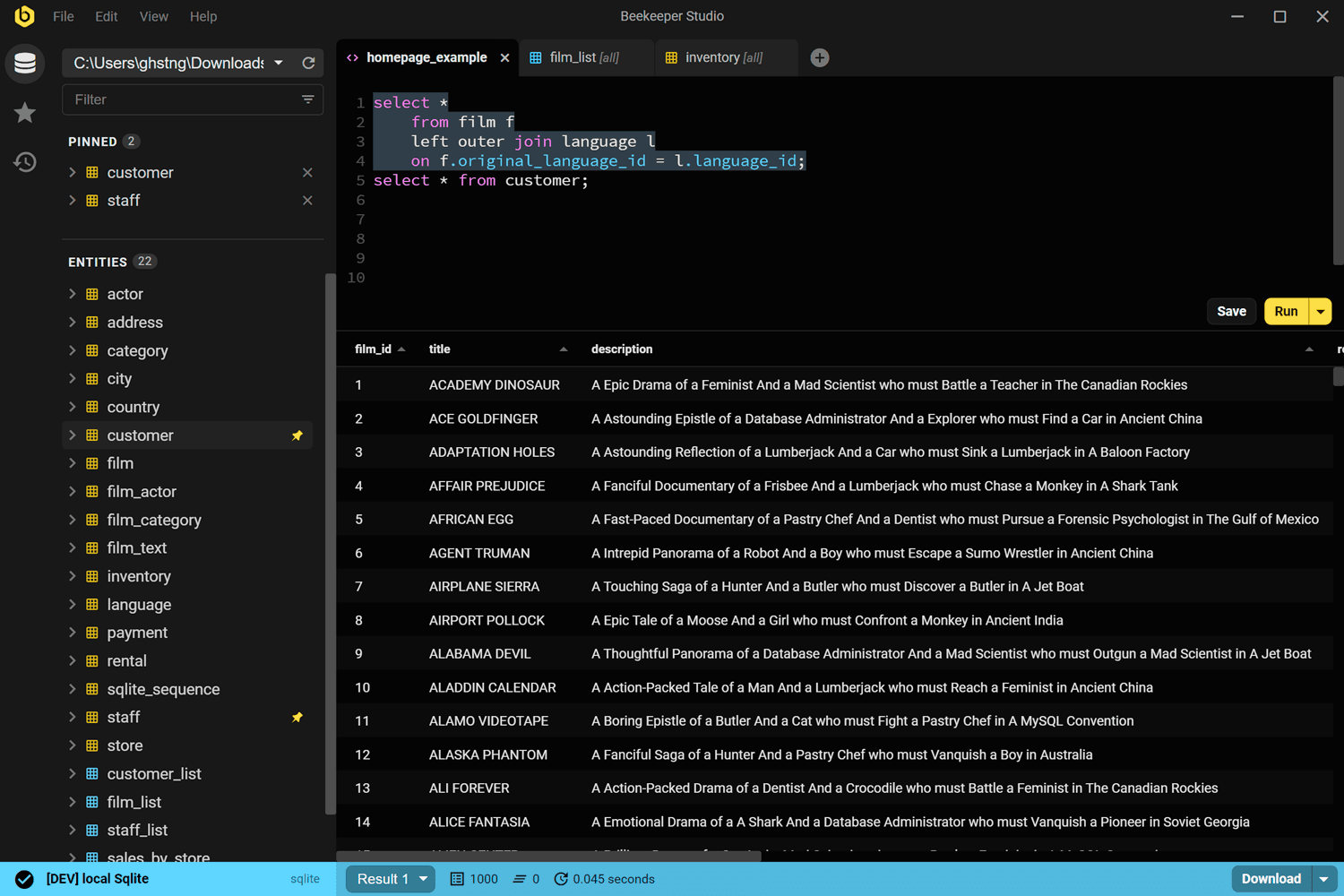
Beekeeper Studio takes a minimalist approach to database management. It emphasizes simplicity and modern design for developers who want something lightweight. This shows in its thoughtfully designed interface, responsive performance, and intuitive navigation.
The SQL editor is clean, the tabbed interface is straightforward, and everything just works as you would expect. The standout feature is the AI Shell, which connects your database with AI models (Claude, ChatGPT, Gemini, or local Ollama models). You can ask questions in natural language, and the AI explores your schema, writes queries, and validates results using real data.
The downsides? While Beekeeper Studio excels at its core function of managing databases, it is not as feature-rich as all-in-one solutions like DbVisualizer. Advanced database admin features, complex performance monitoring, and support for more unusual types of databases are limited.
Also, even though it has an AI Shell that adds innovation, this requires you to have API keys for cloud providers or have installed Ollama locally before you can access it, which makes things more difficult. And, some advanced functionality such as teamwork workspaces are only available through the Ultimate Edition paywall.
Which One Should You Actually Choose?
For most professional macOS developers and teams, DbVisualizer is the clear winner. Its multi-database support, enterprise features, Git integration, and reliable performance make it the most versatile and capable option. The ability to manage MySQL alongside PostgreSQL, MongoDB, and dozens of other databases from one interface is invaluable in modern development.
If budget is your priority, DBeaver Community and Beekeeper Studio offer interesting free options, but with limited capabilities. For the fastest, most Mac-native experience with few database support, TablePlus excels.
The good news? DbVisualizer offers a 21-day trial (no credit card needed). Spend a day or two with it, and you'll quickly realize how well it will fit your workflow.
Today's database tools prove that professional software can be powerful, reliable, and genuinely pleasant to use. For most professionals doing serious database work, that tool is DbVisualizer.
Conclusion
In this blog, we have looked at four alternatives to MySQL Workbench in macOS. To better appreciate the power of this constraint, you need a tool that helps you manage database workflows much more efficiently and visually explore query results.
This is where a full-featured database client like DbVisualizer comes in. In addition to being able to connect to several DBMSs, it offers advanced query optimization functionality and full support for all database features.
Download DbVisualizer for free now! It will surprise you with many things. Take an expo of all of our features, and remember that the Pro version of DbVisualizer is free for 21 days.