SQL

Database Clients: A Security Comparison of the Most Popular Tools

intro

There are many database clients available for you to use. In this blog, we’re walking you through the security side of them.

Tools used in the tutorial
Tool Description Link
Dbvisualizer DBVISUALIZER
TOP RATED DATABASE MANAGEMENT TOOL AND SQL CLIENT

Welcome back! Previously, we’ve walked you through SQL interview questions, the comparison of different database clients in terms of diagrams and modeling, and covered a whole bunch of other things.

In this blog, we’re walking you through a set of database tooling again, just with a view towards security!

Database Clients and Security Considerations

First off, you should care about security no matter if you’re using an SQL client or not. Even if you decide that vanilla options like phpMyAdmin and the like are a better fit for your specific use case, you should keep in mind that data breaches do happen and while it’s true that hackers are often chasing around apps with the highest user count, that’s not always the case; your application may also become a target.

When choosing a database client, look into its features, evaluate them based on the features necessitated by your use case, and make an informed decision.

1. DbVisualizer: Comprehensive and Secure
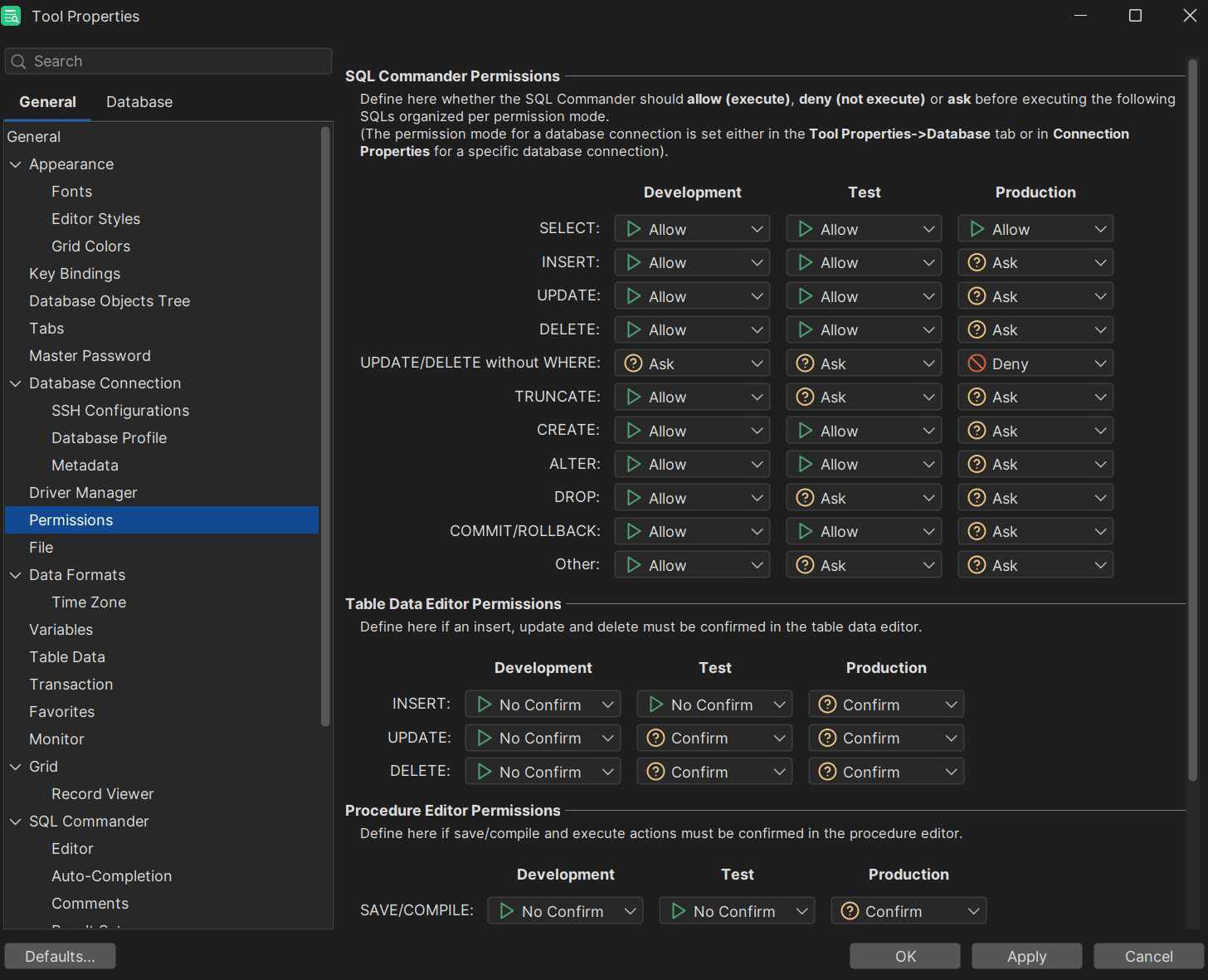
Permission management within DbVisualizer

What would this list of secure database clients be without DbVisualizer?

DbVisualizer is known to be a powerful and versatile tool with support for multiple database types, including MySQL, PostgreSQL, Redis, Elasticsearch, Snowflake, and more. It's known for its intuitive interface and the flexibility it offers for both novice and advanced users.

Security features include:

  1. **Support for connections under SSH:** DbVisualizer does support connecting to data sources by using SSH instead of using a plain text mode to connect to the database management systems of choice. To set up SSH, click on the “Tools” option, then on “SSH configurations”:
  2. Support for master passwords: When a master password is specified, all passwords saved inside DbVisualizer will be encrypted as an additional security measure.
  3. Depending on your database of choice, DbVisualizer does support Single-Sign-On (SSO) and MFA options: For concrete information, refer to our blog and the support portal.
  4. DbVisualizer does allow its users to set up permissions for queries within the tool: Users using DbVisualizer will be able to set up whether they want to allow, ask, or deny the execution of certain SQL statements. To configure this, go to “Properties”, then check for “Permissions” in the left-hand side.
  5. Compliance with NIST and ISO27001 policies: While not directly a “security feature” per se, DbVisualizer is NIST and ISO27001-compliant, meaning your data is in good hands.

Besides this, DbVisualizer regularly runs penetration tests performed by third parties and while the results of those pentests may not be public, DbVisualizer can provide Letters of Attestation from a third-party provider upon request.

2. DBeaver: Open Source and Highly Secure
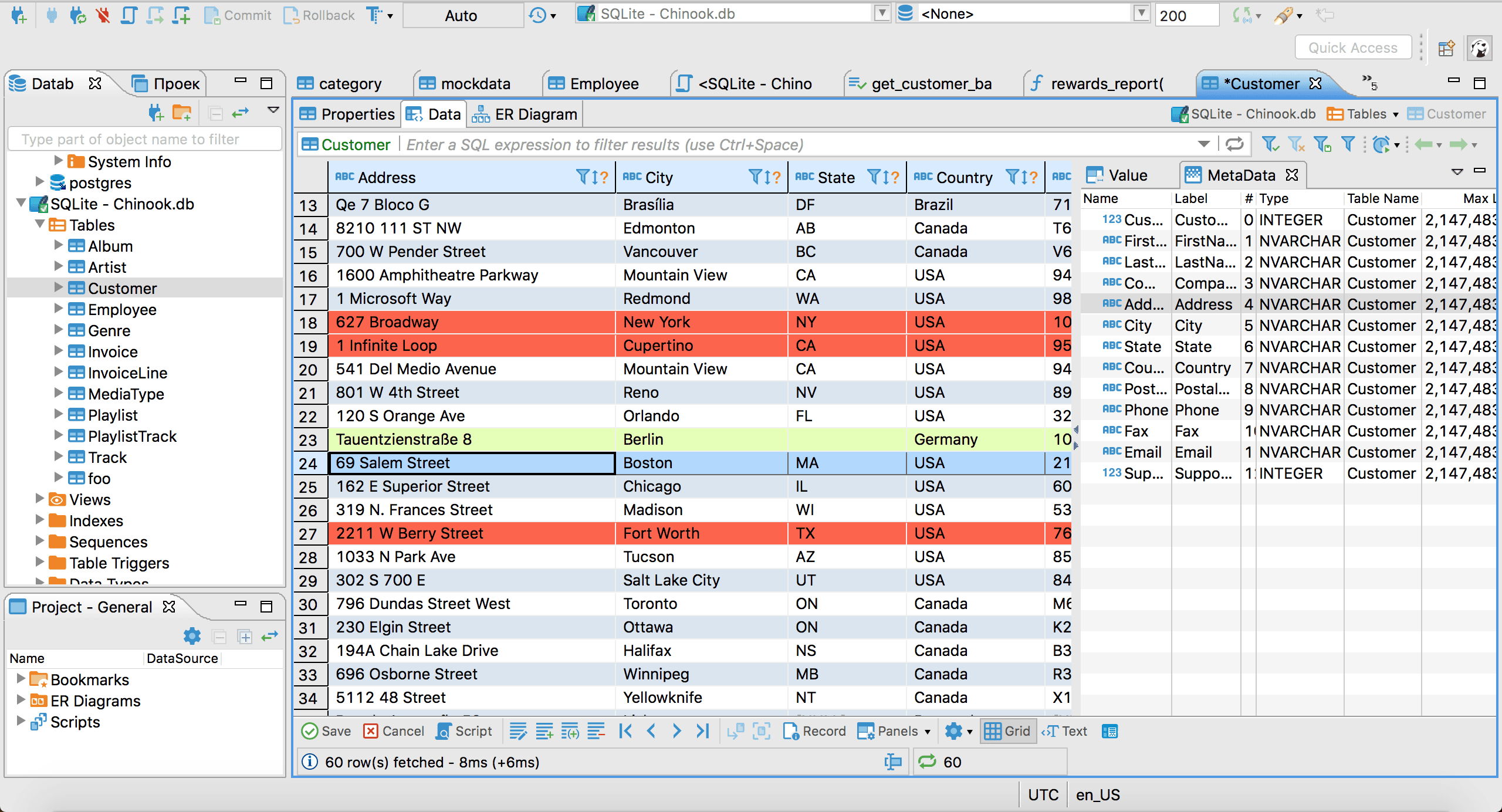
Modifying tables like spreadsheets in DBeaver

DBeaver is another widely used database management tool catering to a large community of developers, database administrators, and data analysts. DBeaver stands out for its open-source nature which makes it an attractive option for those seeking a flexible and a cost-effective solution.

Security features include:

  1. Authentication Methods: Similarly to DbVisualizer, DBeaver supports various authentication protocols such as SSH, password-based authentication, as well as Kerberos. This allows for secure communications across a wide range of databases.
  2. Ability to View and Modify Permissions: DBeaver comes with its own graphical interface allowing users to view and modify permissions and sets of permissions (roles) for databases directly within the client. The UI of DBeaver also simplifies the process of assigning permissions to roles and users within the database.
  3. Encryption: Like DbVisualizer, it supports SSL ensuring data is protected in transit.
  4. Modifying Tables Like a Spreadsheet: As it’s the case with other tools including DbVisualizer, DBeaver comes with the ability to modify all tables as if they were a spreadsheet.

3. HeidiSQL: A Lightweight Choice for DBAs
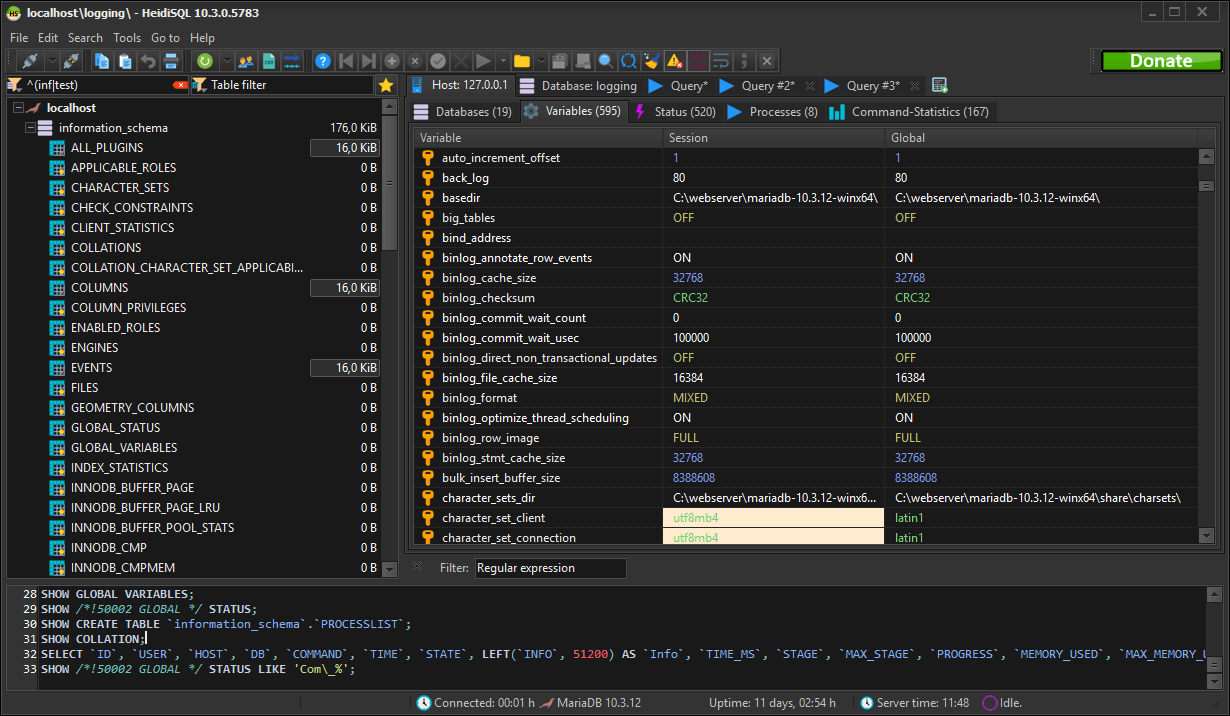
Searching and replacing text in HeidiSQL

HeidiSQL is known to be a lightweight open-source database client that is primarily built around relational databases like MySQL and MariaDB, though it also supports other database management systems.

Security features include:

  1. Support for SSL/TLS: HeidiSQL supports SSL and encrypts your data in transit, though doing this will require some setting up and may not be as straightforward as in other database management tools.
  2. Encrypted Passwords in Storage: Just like DBeaver and DbVisualizer, HeidiSQL has the ability to encrypt passwords when they’re stored in the tool.

Being a lightweight choice, security features within HeidiSQL may be few and far between in comparison with other tools like DBeaver and DbVisualizer (it’s also made with Pascal, so it may look a little dated), however, if you’re only using MySQL and nothing else, perhaps it’s worth a shot.

Summary

In this blog, we’ve walked you through three different database clients from a security point of view. You have learned about the security capabilities of DbVisualizer, DBeaver, as well as HeidiSQL.

We hope that this blog has helped you see database clients from a different point of view and make an informed decision.

As always, though, do remember that security is only one part of managing data inside of your database: you also have to care about performance, high availability, and other things. To do that, follow blogs, read books pertaining to your specific DBMS of choice, and until next time.

FAQ

Which SQL database client is the most secure?

There’s no single database client that is “the most” or the least secure. Security features pertaining to SQL clients have to be weighed according to your specific use case and requirements, but at the same time, be advised that many security features within different database clients do intertwine so it’s likely that regardless of what database client you choose, you’ll be in good hands.

What should I do to secure my data and databases?

The things you should do to secure your database heavily depend on the database management system you find yourself using and your specific use case. However, reading up on the recent version of the OWASP Top 10 and staying aware of breach trends would always be a good start.


Dbvis download link img
About the author
LukasVileikisPhoto
Lukas Vileikis
Lukas Vileikis is an ethical hacker and a frequent conference speaker. He runs one of the biggest & fastest data breach search engines in the world - BreachDirectory.com, frequently speaks at conferences and blogs in multiple places including his blog over at lukasvileikis.com.
The Table Icon
Sign up to receive The Table's roundup
More from the table
Title Author Tags Length Published
title

SQL Interview Questions and Answers: Part 2 — Problems & Solutions

author Lukas Vileikis tags MARIADB MySQL SQL 7 min 2026-04-06
title

Comparing Git Support in Popular SQL Clients

author Leslie S. Gyamfi tags SQL SQL clients 7 min 2026-04-02
title

SQL Interview Questions and Answers: Part 1 — The Basics

author Lukas Vileikis tags DBMS MARIADB MySQL POSTGRESQL SQL SQL SERVER 10 min 2026-03-30
title

SQL String Functions: Everything You Need to Know

author Antonello Zanini tags MySQL ORACLE POSTGRESQL SQL SQL SERVER 13 min 2025-11-24
title

Parsing and SQL Data Types: A Complete Guide

author Lukas Vileikis tags MySQL SQL 6 min 2025-10-21
title

Best SQL Clients for Developers: Complete List

author Antonello Zanini tags Database clients SQL 15 min 2025-10-08
title

Best Database Tools for Business Users: Complete List

author TheTable tags BI SQL 7 min 2025-10-07
title

Best Database Tools for Analysts: Complete List

author TheTable tags BI Data analysis SQL 7 min 2025-09-30
title

The HEAP Data Structure and in-Memory Data Explained

author Lukas Vileikis tags MySQL SQL 5 min 2025-09-24
title

SQL Boolean Type: How to Use It in All Major Relational Databases

author Antonello Zanini tags MySQL ORACLE POSTGRESQL SQL SQL SERVER 8 min 2025-09-23

The content provided on dbvis.com/thetable, including but not limited to code and examples, is intended for educational and informational purposes only. We do not make any warranties or representations of any kind. Read more here.
