intro
We won’t find a developer who wants their database to be slow. However, as developers deal with multiple use cases concerning their data and applications, there are a variety of performance optimization strategies for real-world workloads. Dig into them with us.

With data sets getting bigger and bigger, performance stays a prevalent problem for many. Most developers think that performance only starts dropping once we surpass a certain amount of data that we have in our possession and once we face problems like selecting or storing data, but more often than not, that’s not the case. Performance often starts slowing down due to a mix of reasons:
There are other reasons, too, but those are likely to make up a good chunk of your problems.
Performance Optimization Strategies
After you identify some of the causes of your database performance problems, it’s time to work on their solutions. Here are a couple of things you should keep in mind.
Select Only the Necessary Rows and Columns
The first thing you should keep in mind is that effective SQL queries only work on necessary data. In other words, the less data you select, the more effective your SQL queries will be. To do that, craft your queries so they’re not using unnecessary row values. Take a look:
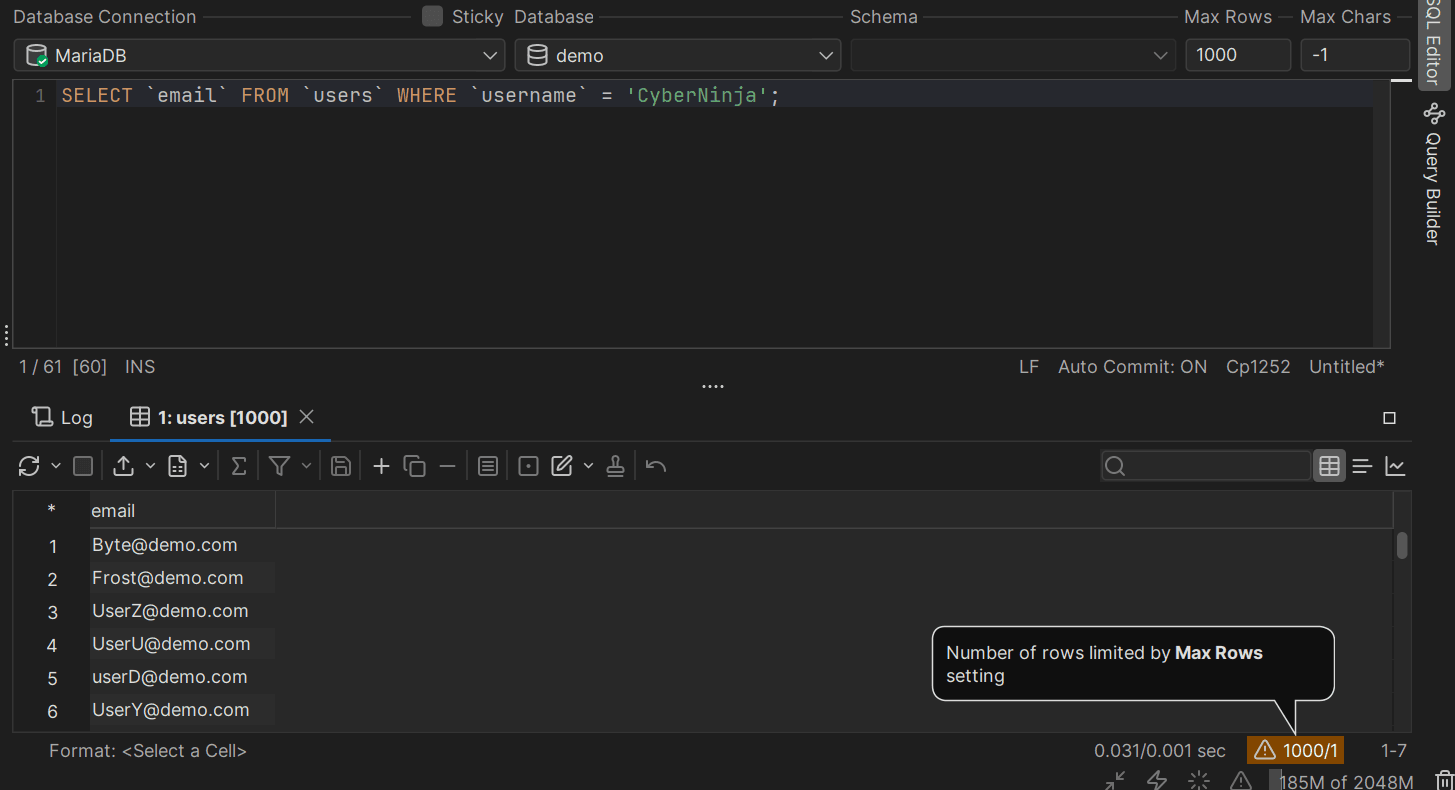
Here we select the email addresses from users with the username of “CyberNinja.” Granted, in the real world, there are unlikely to be 1,000 email addresses associated with the same username (we have a demo data set here), but there are a couple of interesting things I’d like you to keep in mind nonetheless:
All of those things improve our SQL query performance.
Use Indexes on Columns Wisely
Once we have a lot of data, we may also consider indexing our columns. With that being said, though, you should refrain from indexing anything and everything that you see since indexes are only effective when they’re being used by our database. Otherwise, not so much.
Various database management systems allow us to add indexes in a variety of ways. In MariaDB, we can add them by issuing queries akin to CREATE INDEX or ALTER TABLE (glance at the left side - there are no indexes on the users table):
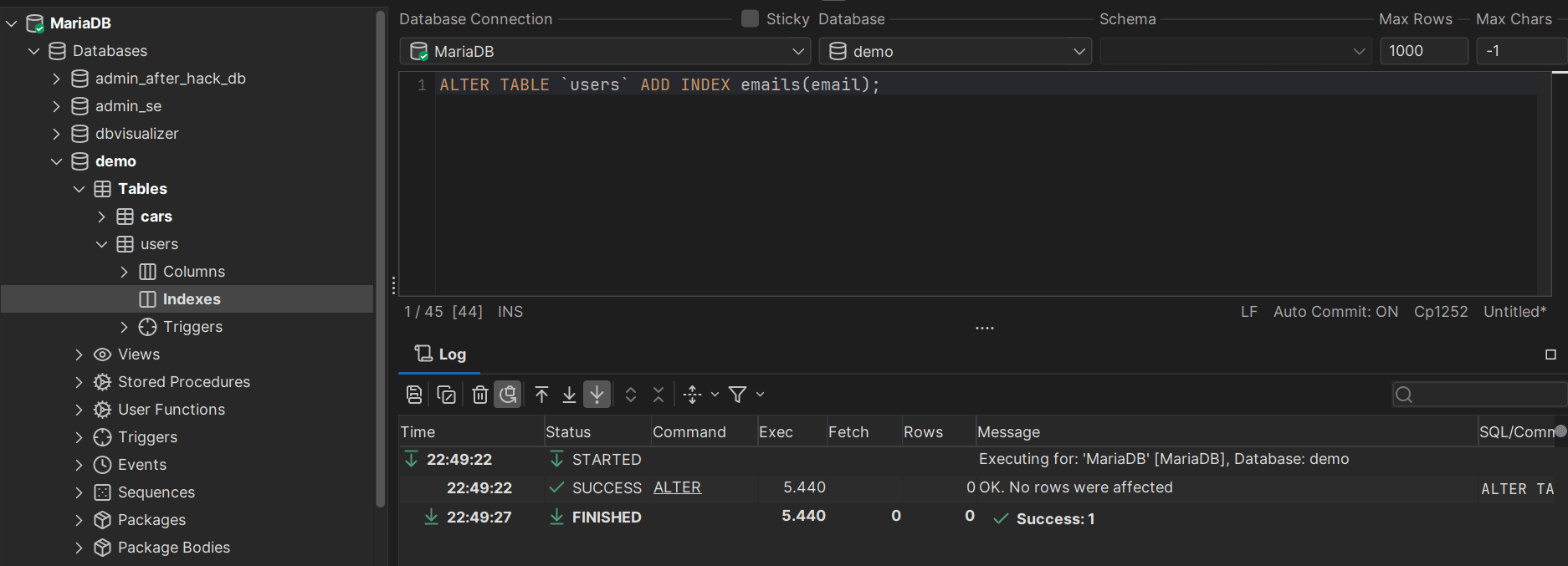
But now that we have executed our ALTER TABLE query, we can see that we have an index on the email column—the index is titled “emails” and it’s of an ascending nature since we didn’t specify anything else:
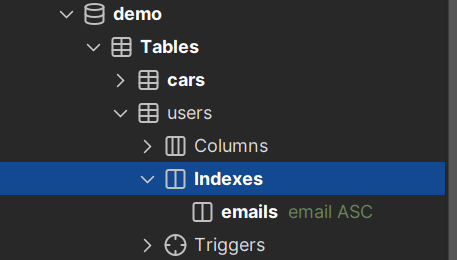
Now that we have an index on the email column, queries using the index will be faster because an index provides easier access to data for our database. For our queries to actually be faster though, we need to ensure that they do use the index and that can be done by:
Consider Partitioning Your Database
Besides indexing, consider partitioning your database. There is a misconception of partitioning only being useful where indexes fail and that’s not the case: both indexing and partitioning can be used in conjunction to further lessen the amount of data that is accessed by your database.
Many database management systems offer many partitioning methods you can choose from and some of them may have limitations or quirks unique to themselves. For example, MySQL “drops” all NULL values into the lowest partition possible and splits tables into equal parts when the HASH partitioning type is being used.
Regardless, partitioning has its perks in that it enables your database to treat tables as separate tables inside of themselves and thus access less data. On the other hand, there is likely to be a tradeoff in terms of disk space.
Normalize Data, Denormalize When Necessary
Another way to optimize database performance would, of course, have to do with normalization. Normalization is a way of pruning unnecessary data from your tables: data breach search engines may store associated data with data breaches in one table (A) and the data breach descriptions in another table (B). This way, the table A is only as big as the entries in it make it be. Table B is small because it only contains data breach descriptions. If we would store everything together, our initial table (A) would be significantly bigger.
On the other hand, if you no longer need normalization, it’s wise to denormalize: why keep data normalized if your application isn’t necessitating that anymore?
Dig Into the Database Configuration
Besides normalization, we obviously have other things to care about and the configuration file of our database is one of them. For many, configuring our database instance is the first thing to do after installing it and that’s not without a reason: by making our database peruse specific settings, we can slash data import or other associated times in half or even more.
Imagine if you could make your database use 12GB out of the 16GB of memory available in your system instead of the default 256MB. Would your queries hitting the memory be faster? Likely.
Take a look at my.cnf in MySQL, postgres.conf in PostgreSQL, and other files in other database management systems.
Consider Your Hardware
When configuring your database management system, carefully consider your hardware choices. If you’re running under a shared hosting infrastructure there wouldn’t be much you can do, but in other cases, you can push your hardware to the limit even if you’re running the smallest of VPS. Just dig into your database configuration files!
Regularly Monitor Your Database
Last but not least, make sure to regularly monitor your database performance for any anomalies. Applications and databases don’t stay stagnant all the time—you shouldn’t either. Employ tools like DbVisualizer to always keep an eye out on your database structure, tables within, and the efficiency of the SQL queries that deal with them.
At the same time, keep in mind that SQL clients aren’t a holy grail either. You are likely to come across problems that can’t be solved by using them and for that, you must keep yourself educated by reading blogs, books, and going to seminars and conferences.
Summary
There are a lot of challenges you need to take care of when running an application behind database management systems. We hope that by outlining the issues and their solutions we’ve made you have a deeper understanding of how your database thinks behind the curtain.
Keep in touch with us by reading our blog and following us on social media, and we’ll see you in the next blog.
FAQ
What’s the best way to optimize SQL query performance?
There is no single best way to optimize your database performance. Instead, as you could see from this blog post, keeping the basics in mind and employing a combination of tactics is the way to go.
What things should I keep in mind when optimizing my database?
Keep in mind the server your database and application are built on, be mindful of the settings in your configuration file, and keep your knowledge up to date by reading database blogs and books on database performance.