
intro
Azure Data Studio will be retired on February 28, 2026, prompting many developers to seek replacement solutions. Let’s discover the best Azure Data Studio alternatives!

February 28, 2026, marked the last day of support for Azure Data Studio, a tool beloved by the community that had gained over 7k GitHub stars. Microsoft is encouraging migration to SQL Server Management Studio and, in particular, Visual Studio Code.
However, those solutions may not meet all your needs. Since migration is necessary, it is also a good opportunity to evaluate other options.
So, let’s examine what Azure Data Studio was, why it was retired, what Microsoft recommends for migration, and explore powerful third-party alternatives to replace it!
What Is Azure Data Studio?
Azure Data Studio was an open-source, lightweight, cross-platform data management and development tool that connected to databases both running via the cloud and on-premises. It ran on Windows, macOS, and Linux, offering instant connectivity to Azure SQL and SQL Server, along with extensions for MySQL, PostgreSQL, and Cosmos DB.
Its user-friendly interface delivered a modern editor experience featuring IntelliSense, code snippets, source control integration, and an integrated terminal. It even supported GitHub Copilot and many other productivity-focused features.
The main goal of Azure Data Studio was to help SQL developers query, design, and manage databases and data warehouses. It was retired on February 28, 2026.
Why Was Azure Data Studio Retired?
As officially announced by Microsoft, Azure Data Studio was retired to consolidate the company’s SQL development tools into Visual Studio Code (VS Code). Microsoft’s goal is to offer a unified, modern, and extensible environment that boosts productivity, reduces maintenance overhead, and accelerates feature delivery.
After all, this shifts removed duplication between tools while preserving full compatibility for queries, scripts, and database projects. All that while promoting Visual Studio Code, an IDE that has become increasingly popular among developers, as proven by its GitHub star history:
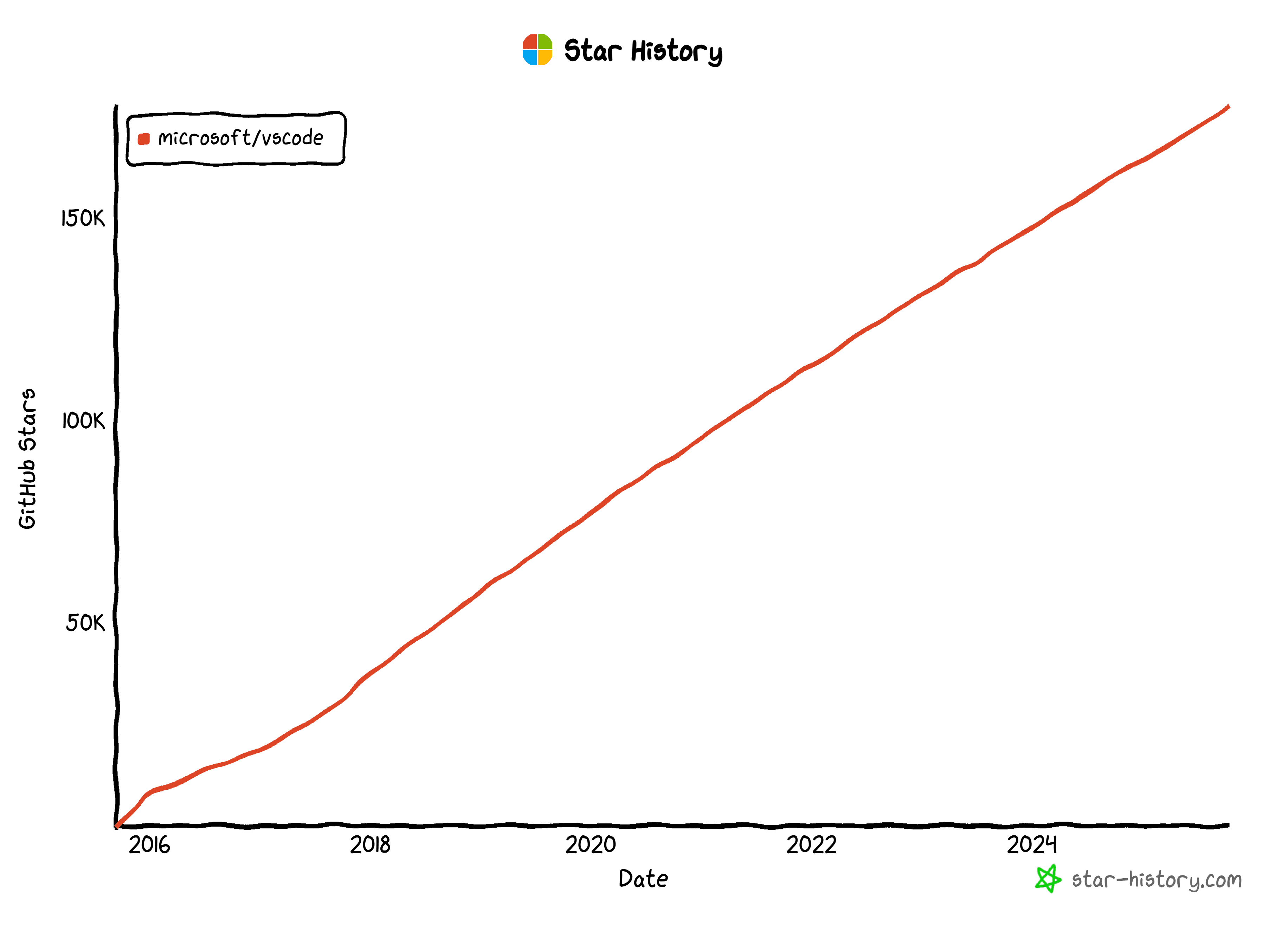
As you can see, the growth shows no signs of slowing down, as it has now surpassed 178k GitHub stars.
How to Deal with the Azure Data Studio Retirement
Microsoft has made it clear that users are encouraged to migrate before the retirement date to ensure continued support and security updates.
Below is a quick summary table of the recommended migration paths:
| Use Case | Recommended Tool | Description |
|---|---|---|
| SQL Server development | Visual Studio Code with the MSSQL extension | Ideal for writing queries, scripts, and managing SQL database projects. |
| Database administration | SQL Server Management Studio (SSMS) | Best suited for managing and automating SQL Server instances and administrative tasks. |
| Data analysis and notebooks | Polyglot Notebooks extension in Visual Studio Code | Enables interactive data exploration and analysis with SQL, Python, and more. |
Then, for multi-database needs, Microsoft recommends installing the relevant database-specific extensions for Visual Studio Code and waiting for the missing ones to be released soon.
It is no surprise that Microsoft directs users toward its own products, but is that truly the best solution to Azure Data Studio’s retirement? If you have ever used database extensions in VS Code, you know they cannot fully replace a dedicated database client, especially when working with multiple databases or tasks that go beyond simple query execution.
If you require ER diagram visualization, easy import/export options, permission management, or an intuitive tabbed interface, you should adopt a full-featured database client that supports Microsoft databases (and ideally others as well).
So, let’s explore the best Azure Data Studio alternatives!
Top Non-Microsoft Alternatives to Replace Azure Data Studio
One of the main reasons Azure Data Studio gained popularity was that it was completely free for both personal and commercial use. To stay consistent with that advantage, we selected database client alternatives that also offer a free plan suitable for all types of users (commercial and non-commercial).
Most of these tools support more databases and include additional features beyond what Azure Data Studio provided. Some may offer premium plans for advanced functionality or support, but you might already find everything you need in their free versions.
For clarity, each alternative will be evaluated based on the same key criteria, ensuring a fair and transparent comparison.
Take a look at three best Azure Data Studio alternatives!
DbVisualizer
📌 Quick facts:
| Founded | Sweden, 1999 |
|---|---|
| Supported Microsoft Databases | SQL Server, Access, Azure SQL Database, Azure Synapse (both Dedicated and Serverless) |
| Supported databases | MySQL, PostgreSQL, MongoDB, Redis, Oracle, SQLite, and 40+ others (All popular SQL databases via JDBC + some NoSQL) |
| Platforms | Windows, macOS, Linux |
| User rating | 4.7/5 (243 reviews on G2) |
| Versions | Free forever + Premium version (with 21-day free trial) |
| Entry price | $199/year ($89/year from the second year) |
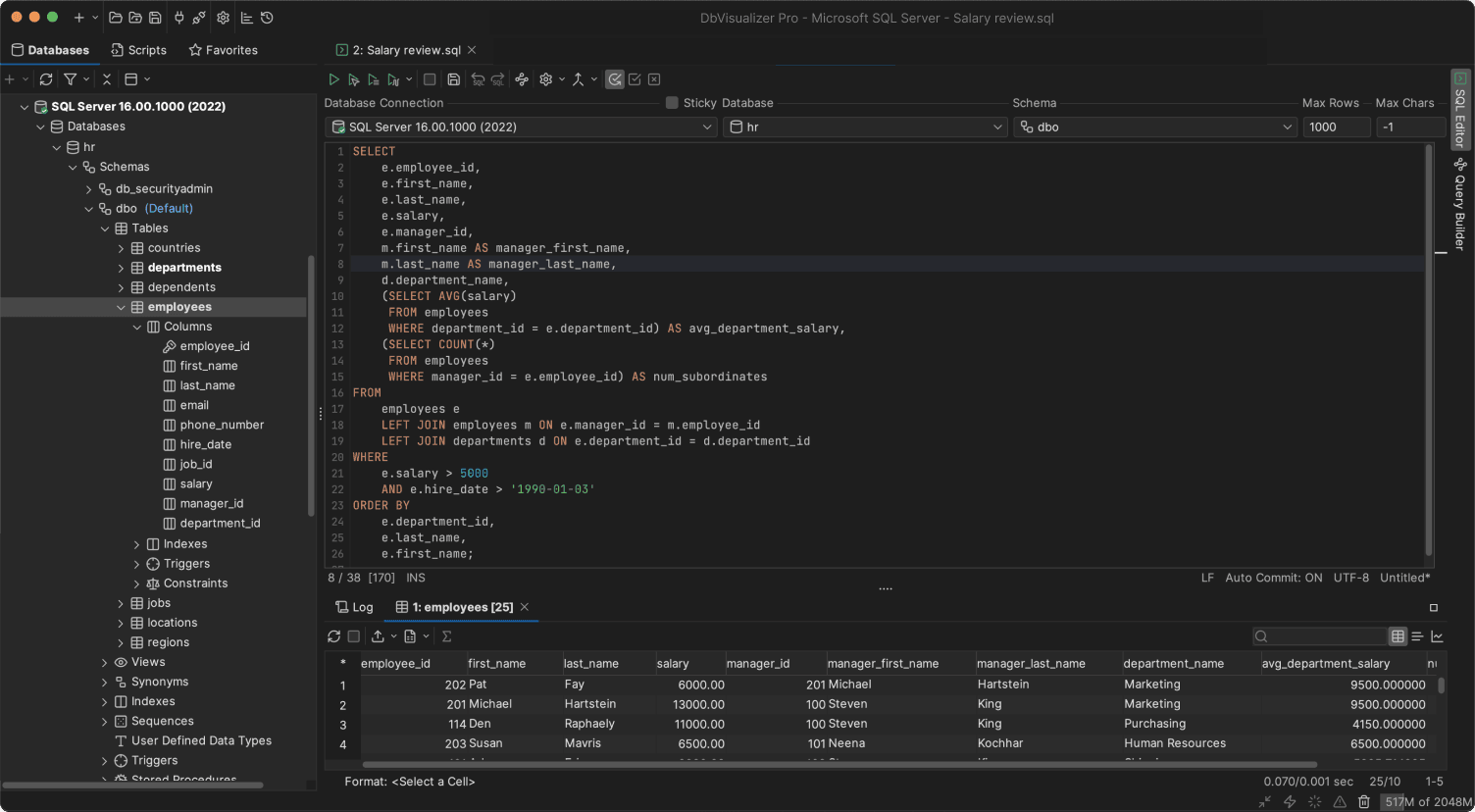
DbVisualizer is a top-rated database tool that serves as an SQL Server database client and can also connect to MySQL, MariaDB, PostgreSQL, Oracle, MongoDB, Azure SQL, and many other databases via JDBC.
With over two decades of development, it is a stable and reliable solution trusted by companies like Apple, Netflix, and organizations such as NASA. It has been downloaded over 7 million times, supporting individual developers and teams worldwide.
Its JVM-based architecture ensures consistent features across platforms. DbVisualizer runs on Windows, macOS, and Linux and offers both a free version with limited features and a Pro version with full functionality.
Overall, DbVisualizer is one of the most complete alternatives to Azure Data Studio, supporting database management, data exploration, and administration tasks.
🛠️ Features:
👍 Pros:
👎 Cons:
DBeaver
📌 Quick facts:
| Founded | Russia, 2011 |
|---|---|
| Supported Microsoft Databases | SQL Server, Access, Azure SQL Database, Azure Cosmos DB |
| Supported databases | MySQL, PostgreSQL, Oracle, SQLite, MongoDB, Redis and 90+ others (All popular SQL via JDBC + some NoSQL) |
| Platforms | Windows, macOS, Linux |
| User rating | 4.7/5 (243 reviews on G2) |
| Versions | Open-source version + Premium version (with 14-day free trial) |
| Entry price | $110/year for individual users; |
| $250/year for organizations |
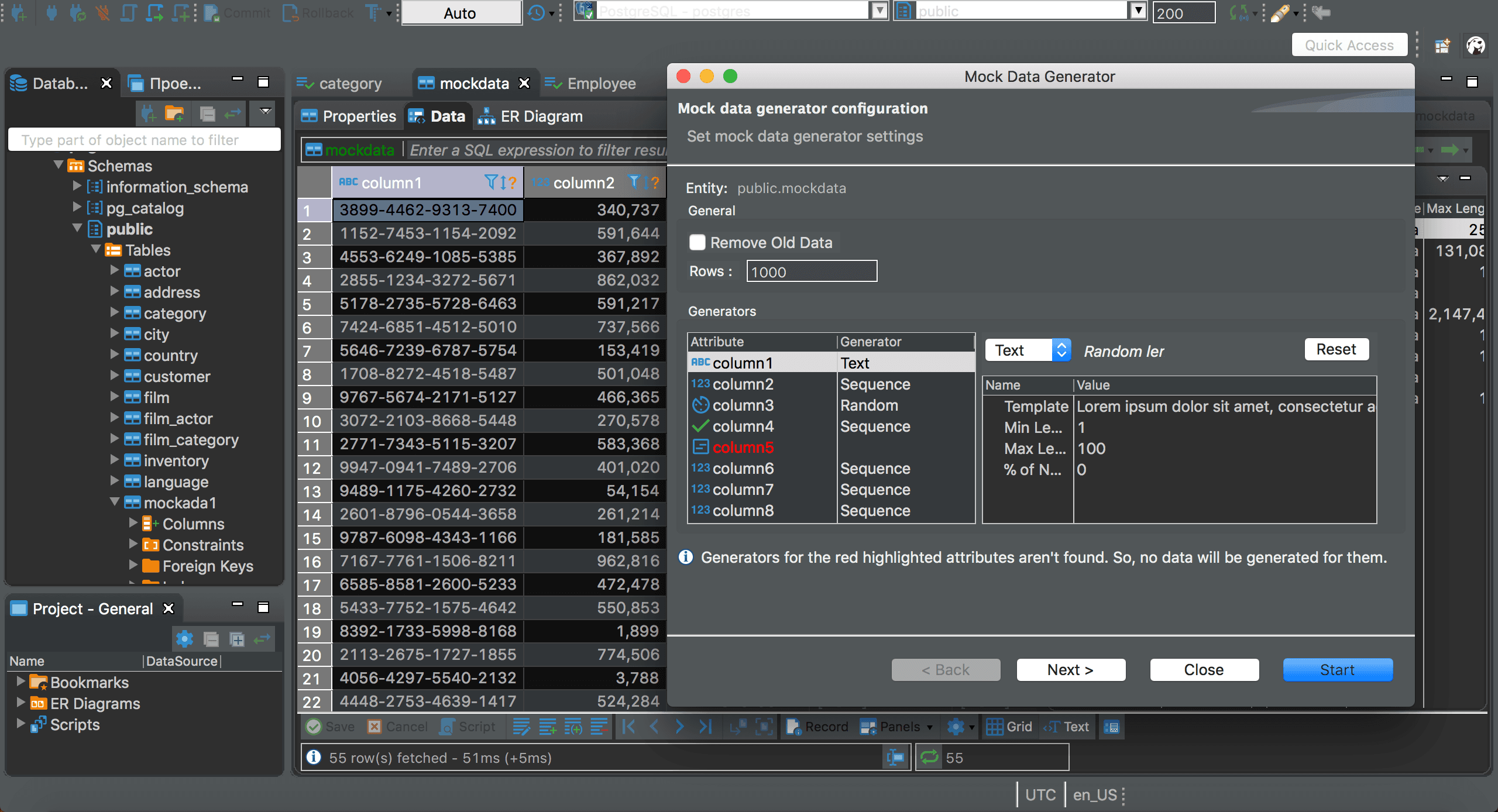
DBeaver is a database client that connects to a wide range of databases, including SQL Server, Access, Azure SQL, and other Microsoft-related databases.
The tool was originally created by Serge Rider, a Russian developer, and has amassed over 45k GitHub stars over time. Its premium version offers advanced features such as data import/export tools, ER diagram visualization, and a visual query builder.
⚙️ Features:
👍 Pros:
👎 Cons:
DbGate
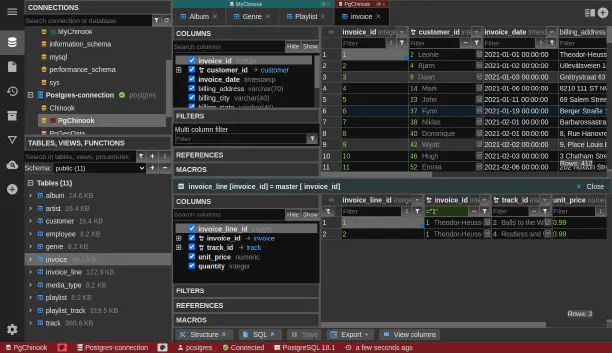
DbGate is a cross-platform, open-source database management tool, similar to Azure Data Studio. It supports both SQL and NoSQL databases, including SQL Server and the Azure SQL Database.
DbGate is available as a desktop application for local installation, as well as a web app deployable via Docker or accessible directly in the cloud. The solution also positions itself as an official Azure Data Studio replacement, even featuring a dedicated page on its website.
📌 Quick facts:
| Founded | Czech Republic, 2019 |
|---|---|
| Supported Microsoft Databases | SQL Server, Azure SQL Database |
| Supported databases | MySQL, PostgreSQL, Oracle, SQLite, MongoDB, and Redis |
| Platforms | Windows, macOS, Linux, web app (cloud) |
| User rating | 4.5/5 (7 reviews on G2) |
| Versions | Open-source version + Premium version (with 30-day free trial) |
| Entry price | $120/year for individuals; |
| $150/year for professionals |
⚙️ Features:
👍 Pros:
👎 Cons:
Azure Data Studio Alternatives: Summary Table
Compare the Azure Data Studio replacement solutions in the summary table below:
| DbVisualizer | DBeaver | DbGate | |
|---|---|---|---|
| Founded | Sweden, 1999 | Russia, 2011 | Czech Republic, 2019 |
| Supported Microsoft databases | SQL Server, Access, Azure SQL Database, Azure Synapse | SQL Server, Access, Azure SQL Database, Azure Cosmos DB | SQL Server, Azure SQL Database |
| Supported databases | MySQL, PostgreSQL, MongoDB, Redis, Oracle, SQLite, 40+ others | MySQL, PostgreSQL, Oracle, SQLite, MongoDB, Redis, 90+ others | MySQL, PostgreSQL, Oracle, SQLite, MongoDB, Redis |
| Platforms | Windows, macOS, Linux | Windows, macOS, Linux | Windows, macOS, Linux, web app (cloud) |
| User rating (G2) | 4.7/5 (243 reviews) | 4.7/5 (243 reviews) | 4.5/5 (7 reviews) |
| Free version | ✅ | ✅ | ✅ |
| Perpetual license | ✅ (included in all plans) | ❌ | Available for $1,200 |
| Free premium trial duration | 21 days | 14 days | 30 days |
| Entry price | $199/year ($89/year from second year) | $110/year individual; $250/year organization | $120/year individual; $150/year professional |
Summary
With Azure Data Studio retiring on February 28, 2026, you need reliable alternatives to maintain productivity and support for SQL workflows (especially within the Microsoft database ecosystem).
Clearly, Microsoft encourages migration to Visual Studio Code or SQL Server Management Studio. Still, dedicated database clients often provide richer features, particularly for multi-database environments.
Tools like DbVisualizer, DBeaver, and DbGate serve as excellent Azure Data Studio alternatives, equipping you with advanced capabilities you may have been looking for, including cross-platform support, ER diagram visualization, advanced data import/export options, intuitive interfaces, and more.
Here, we evaluated the best third-party alternatives to Azure Data Studio, giving you options that extend beyond the Microsoft ecosystem!


