
intro
Let's explore and discover the best HeidiSQL alternatives for database management, with a focus on open-source tools!

HeidiSQL is one of the most long-standing and beloved database clients in the data community, thanks to its fully open-source nature with no commercial plans or versions. Yet, that also contributes to some of its main limitations, such as the lack of modern features like ERD visualization. Additionally, it is not cross-platform, officially supporting only Windows.
These are compelling reasons to consider exploring some HeidiSQL alternatives!
An Introduction to HeidiSQL
Before reviewing HeidiSQL alternatives, it is worth understanding why you might want to explore other database management tools in the first place.
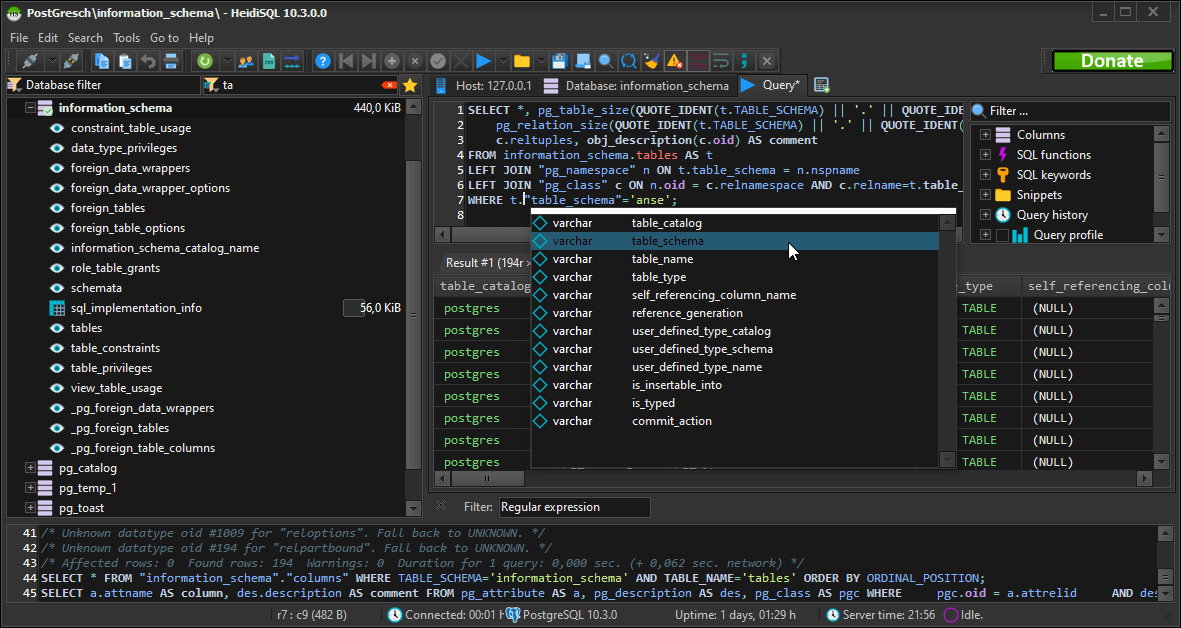
HeidiSQL is a free, open-source database administration tool for Windows, developed by Ansgar Becker in Pascal. It can connect to MariaDB, MySQL, Microsoft SQL Server, PostgreSQL, SQLite, and Interbase/Firebird databases, offering a graphical interface to manage them.
While completely free and open source, HeidiSQL still includes advanced options like SSH and SSL connections, data browsing and editing in grids, bulk operations, creating and editing tables, views, and triggers, managing structures and keys, copying tables across servers, writing and formatting SQL, running batch queries, performing text searches, and importing or exporting data in various formats like SQL, CSV, and XML.
Reasons to Explore Alternative Tools
HeidiSQL is a community gem that has been around since 2006. Yet, no tool is perfect, and you may be looking for an alternative…
HeidiSQL’s limitations are well known, so there is no need to dig too deeply into them. A quick summary is enough:
Given HeidiSQL’s open-source nature, some of you may be looking for another open-source solution. That is why this comparison article will focus on open-source database clients. At the end, you will also present a more complete, professional option.
Time to discover some HeidiSQL alternatives!
Aspects to Consider When Evaluating HeidiSQL Replacement Tools
These are the main aspects to consider when evaluating open-source alternatives to HeidiSQL:
Top 5 Open-Source Alternatives to HeidiSQL
Let's list the best open-source alternatives to HeidiSQL, selected and compared based on the criteria presented earlier.
DBeaver
ℹ️ Quick notes:
| Founded | 2011, Russia |
|---|---|
| Platforms | Windows, macOS, Linux |
| Supported databases | MySQL, MariaDB, PostgreSQL, SQL Server, Oracle, MongoDB, Redis, and 100+ others through JDBC/ODBC drivers |
| Programming language | Java |
| GitHub stars | 45.9k+ |
| Actively maintained | Yes, with 1+ releases a month |
| Commercial options | Yes, via the Enterprise, Lite, Ultimate plan (starting at $110/year) |
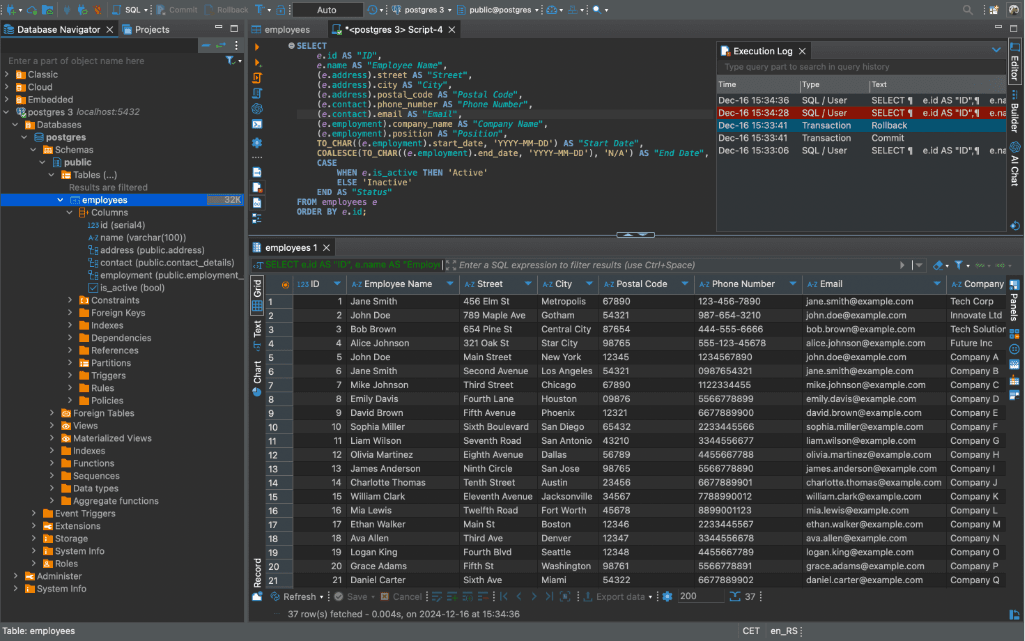
DBeaver is probably the most popular open-source database client on the market. Compared to HeidiSQL, it is not fully open-source, as some commercial versions offer premium features.
DBeaver now has over 45k GitHub stars, and it was originally created by Russian developer Serge Rider. It has a free Community Edition that is free forever, alongside premium versions that include powerful SQL editing, data import/export tools, ER diagrams, and a visual query builder. Those are all features you will not find in HeidiSQL.
👍 Pros:
👎 Cons:
Beekeeper Studio
ℹ️ Quick notes:
| Founded | 2020, United States |
|---|---|
| Platforms | Windows, macOS, Linux |
| Supported databases | MySQL, MariaDB, PostgreSQL, SQLite, SQL Server, Oracle, and 7+ others |
| Programming language | TypeScript |
| GitHub stars | 21k+ |
| Actively maintained | Yes, with weekly releases |
| Commercial options | Yes, via the Indie, Professional, and Business plans (starting at $108/year) |
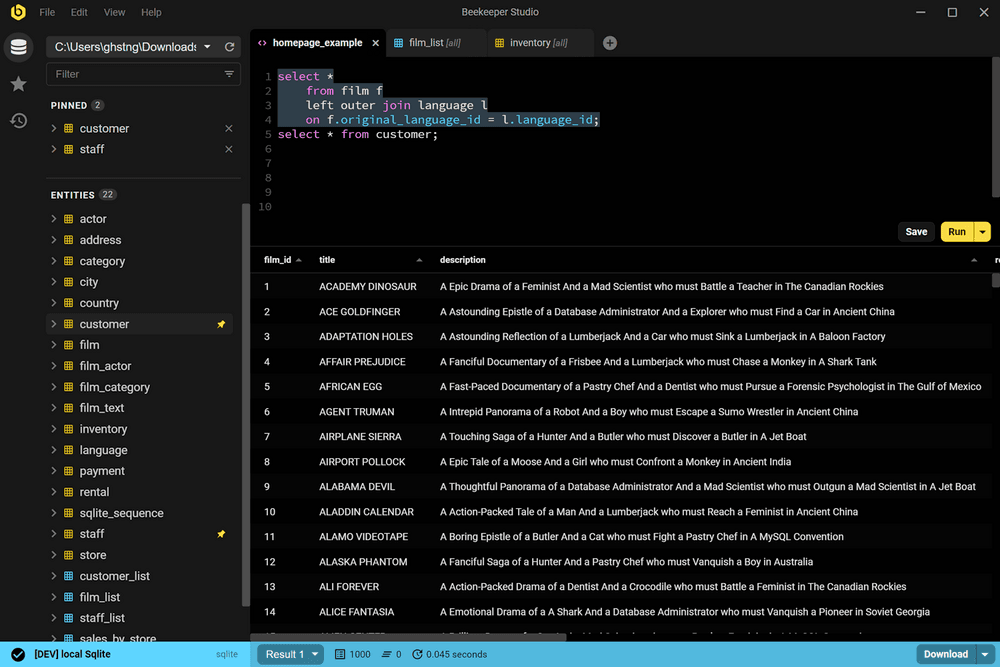
Beekeeper Studio is a multi-database client with an open-source core, boasting over 20k GitHub stars and contributions from more than 130 developers. Compared to HeidiSQL, it is built on a modern JavaScript stack, features a sleek, contemporary UI, and is also available via commercial versions.
The free version provides a robust set of features without requiring sign-up, registration, or a credit card. Instead, the premium solutions unlock all functionality, including an AI SQL pair programmer that leverages large language models to generate SQL queries tailored to your data.
Discover the main Beekeeper Studio alternatives.
👍 Pros:
👎 Cons:
DbGate
ℹ️ Quick notes:
| Founded | 2020, Czech Republic |
|---|---|
| Platforms | Windows, macOS, Linux, browser |
| Supported databases | MySQL, MariaDB, PostgreSQL, SQL Server, Oracle, MongoDB, and 10+ others |
| Programming language | JavaScript |
| GitHub stars | 6.5k+ |
| Actively maintained | Yes, with 1+ releases a month |
| Commercial options | Yes, starting at $120 per year |
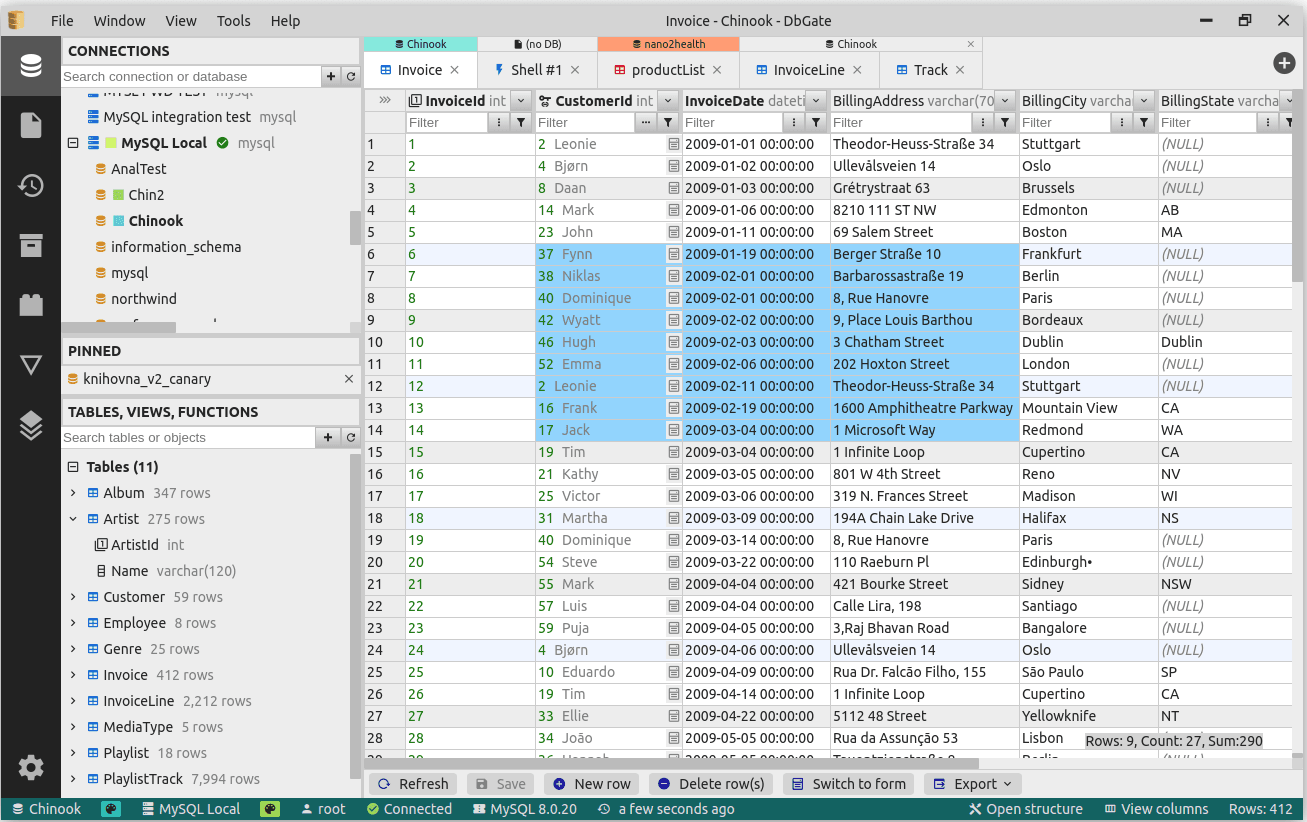
DbGate is a cross-platform, open-source database client. It is written in JavaScript, which means it delivers a more modern experience than HeidiSQL (while remaining lightweight). It supports multiple databases, including MySQL, MariaDB, PostgreSQL, SQL Server, SQLite, and others.
The tool is free to use, actively maintained, and has a growing community of contributors.
👍 Pros:
👎 Cons:
Sequel Ace
ℹ️ Quick notes:
| Founded | 2020, United States |
|---|---|
| Platforms | macOS |
| Supported databases | MySQL, MariaDB |
| Programming language | Objective-C |
| GitHub stars | 7.2k+ |
| Actively maintained | Yes, with around 1 release a month |
| Commercial options | No |
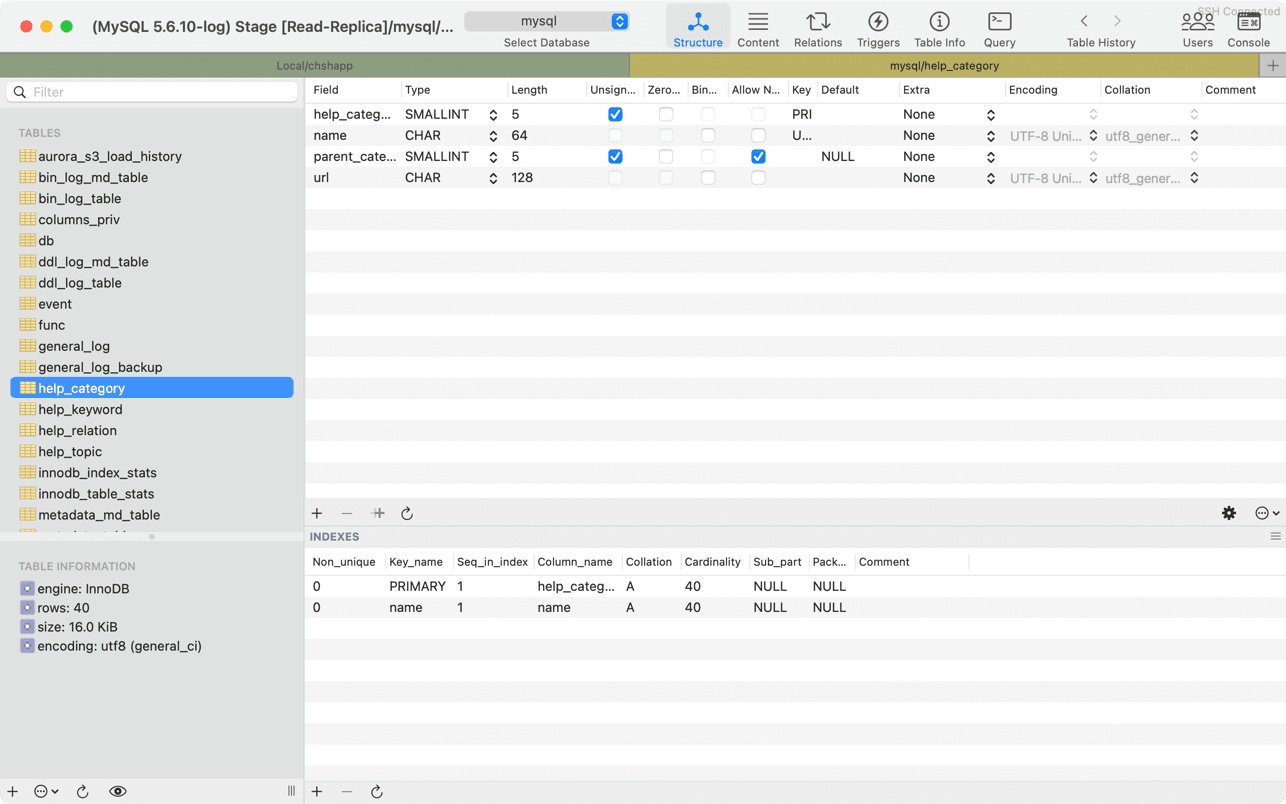
Sequel Ace is an open-source database client for managing MySQL and MariaDB databases. It continues the legacy of the Sequel Pro project and is recognized for its good performance and rich query editor. HeidiSQL is Windows-only, while Sequel Ace is available exclusively on macOS.
Just like HeidiSQL, there are no premium plans, meaning the application is completely free to use. The official repository features over 80 contributors, with ongoing updates and improvements driven by the community.
👍 Pros:
👎 Cons:
phpMyAdmin

ℹ️ Quick notes:
| Founded | 1998, Austria |
|---|---|
| Platforms | Browser |
| Supported databases | MySQL, MariaDB |
| Programming language | PHP |
| GitHub stars | 7.7k+ |
| Actively maintained | Limited activity, with only three releases in the past few years |
| Commercial options | No |
Ask any developer, and chances are they started with phpMyAdmin, the web-based MySQL/MariaDB client included in most LAMP stacks configured via XAMPP or MAMP. Its popularity comes from an intuitive UI that provides enough functionality to explore your data, especially for small projects, local development, or students.
While it may not be ideal for medium or large projects, phpMyAdmin remains one of the most widely utilized solutions for beginners learning database exploration. Do not forget that it is open-source (and has over 7k GitHub stars!).
👍 Pros:
👎 Cons:
DbVisualizer: The HeidiSQL Alternative Outsider
Now, open-source database clients are fantastic solutions to get started or when you want guarantees that your data is safe and your tools are secure.
However, opting for an open-source database tool may not suit every scenario. That is especially true for enterprises, which generally prefer a well-established, industry-proven tool backed by expert support rather than the community alone.
That said, being open source is not the only indicator of trust. When a tool is used by Fortune 500 companies like Google, Netflix, and Uber, has been downloaded over 7 million times from users all over the world, and hundreds of positive reviews, it is a strong sign of reliability and community confidence. And that is exactly the case with DbVisualizer!
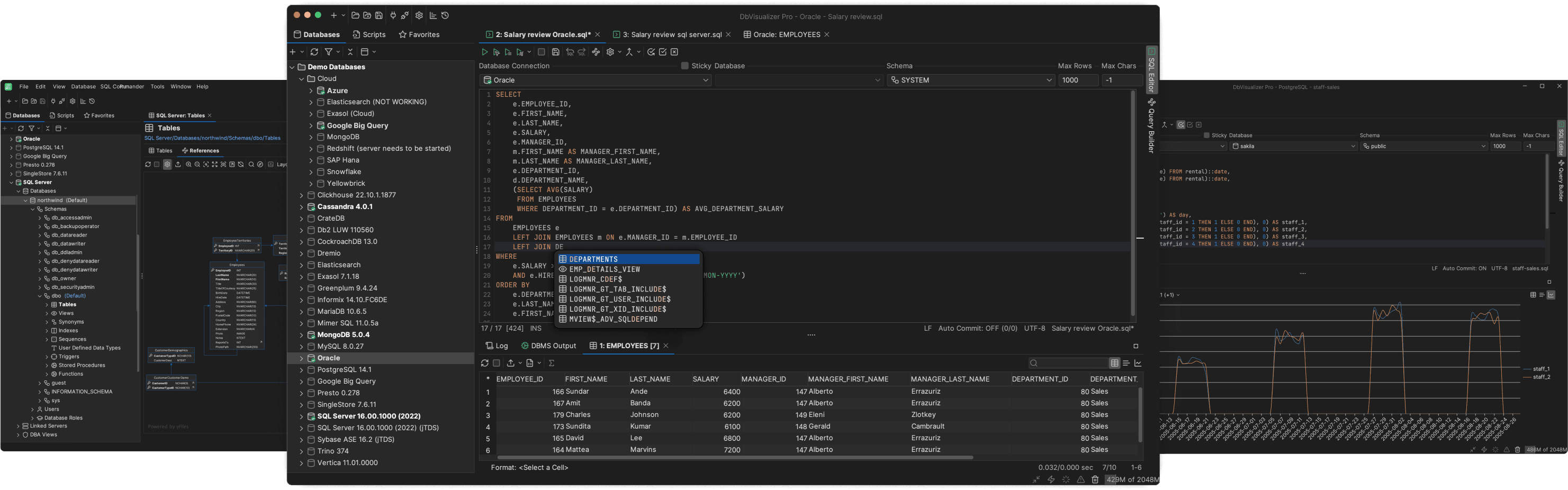
Developed in Sweden (the birthplace of MySQL) and active since 1999, DbVisualizer has grown into one of the most stable and trusted database clients on the market. Note that it also comes with a free-forever plan for developers and data enthusiasts, and features for professional users. So, it caters to both individual users and businesses.
DbVisualizer connects to over 50 databases and provides advanced features such as intuitive visual database administration, an intelligent SQL editor with autocomplete and history, inline table editing, ERD diagram generation, a drag-and-drop query builder, query scheduling, visual explain plans, SSH security, user permission management, visual query results, data import/export, Git integration, master password protection, command-line automation, and multi-workspace support.
For quick info, refer to the table below:
| Founded | 1999, Sweden |
|---|---|
| Platforms | Windows, macOS, Linux |
| Supported databases | MySQL, MariaDB, PostgreSQL, SQL Server, Oracle, SQLite, MongoDB + 40+ others |
| Programming language | Java |
| GitHub stars | — |
| Actively maintained | 4+ major releases a year + countless minor ones |
| Commercial options | Yes, via a Pro plan for $199/year ($89/year from 2nd year) |
HeidiSQL Alternatives: Summary Table
Let’s compare all the HeidiSQL alternatives analyzed in this article at a glance in the summary table below:
| Tool | Features | Founded | Platforms | Supported Databases | Programming Language | GitHub Stars | Actively Maintained | Commercial Options | Entry Pricing |
|---|---|---|---|---|---|---|---|---|---|
| HeidiSQL | Many | 2006, Germany | Windows | MariaDB, MySQL, Microsoft SQL Server, PostgreSQL, SQLite and Interbase/Firebird | Pascal | 5.4k+ | Yes, with 1+ releases per month | No | Free |
| DBeaver | Tons | 2011, Russia | Windows, macOS, Linux | MySQL, MariaDB, PostgreSQL, SQL Server, Oracle, MongoDB, Redis, 100+ others | Java | 45.9k+ | Yes, 1+ releases per month | Yes | From $110/year for premium features |
| Beekeeper Studio | Many | 2020, USA | Windows, macOS, Linux | MySQL, MariaDB, PostgreSQL, SQLite, SQL Server, Oracle, 7+ others | TypeScript | 21k+ | Yes, weekly releases | Yes | From $108/year for premium features |
| DbGate | Many | 2020, Czech Republic | Windows, macOS, Linux, browser | MySQL, MariaDB, PostgreSQL, SQL Server, Oracle, MongoDB, 10+ others | JavaScript | 6.5k+ | Yes, 1+ releases per month | Yes | From $120/year for premium features |
| Sequel Ace | Some | 2020, USA | macOS | MySQL, MariaDB | Objective-C | 7.2k+ | Yes, ~1 release per month | No | Free |
| phpMyAdmin | Some | 1998, Austria | Browser | MySQL, MariaDB | PHP | 7.7k+ | Limited, only 3 releases in past few years | No | Free |
| DbVisualizer | Tons | 1999, Sweden | Windows, macOS, Linux | MySQL, MariaDB, PostgreSQL, SQL Server, Oracle, SQLite, MongoDB + 40+ others | Java | — | Yes, with 4+ major releases a year | Yes | $199/year ($89/year from 2nd year) |
Alternatively, you might prefer to move away from HeidiSQL in favor of database-specific solutions. If that is the case, you should adopt the official (usually, open-source) tools provided by each database vendor, such as:
Summary
The best HeidiSQL alternative depends on your workflow, database environment, and operating system. There is no universal solution.
In detail, DBeaver supports 100+ databases, offering SQL editing, ER diagrams, and a visual query builder. Beekeeper Studio has a modern interface, cross-platform support, and AI-assisted SQL queries.
Instead, DbGate is lightweight, cross-platform, and includes ER diagrams and import/export tools, while Sequel Ace is a free, native macOS client for MySQL/MariaDB. Lastly, phpMyAdmin is web-based, beginner-friendly, and fully free.
And what if you are not necessarily looking for open-source tools? For a stable, feature-rich, and cross-platform database tool, DbVisualizer stands out!
It offers features like an intelligent SQL editor with autocomplete, inline table editing, ERD diagram generation, drag-and-drop query building, query scheduling, visual explain plans, SSH security, Git integration, and multi-workspace support. A free-forever plan suits developers and enthusiasts, while the Pro version adds even more professional tools.
FAQ
Should I choose an open-source database client or a closed-source one?
There is no universal right answer, since choosing between an open-source or closed-source database client depends on your needs. Open-source clients like HeidiSQL or Sequel Ace are free, flexible, and community-supported, making them ideal for developers or small teams. On the contrary, closed-source clients like DbVisualizer or commercial versions of DBeaver feature polished interfaces, official support, and enterprise-grade security, making them better suited for large organizations or mission-critical systems.
Can open-source database clients still offer commercial plans?
Yes, many open-source database clients offer commercial plans, such as DbGate or DBeaver. Typically, the core software remains free and open-source, but vendors may sell paid versions with extra features, professional support, or enterprise-grade tools. Remember that the team behind an open-source solution can also decide to transition to a commercial model in the future.
Is HeidiSQL the best MySQL/MariaDB client?
HeidiSQL is a well-known MySQL/MariaDB client, but there is no universally “best” MySQL client. In IT, the best choice always depends on your needs. Other clients like DbVisualizer, DBeaver, or MySQL Workbench might be better suited for you thanks to their cross-platform compatibility and broader feature sets.


