intro
The definitive 2026 guide for secure, identity-driven SQL access.

Cloud databases have evolved faster than most SQL clients. Today, enterprises run workloads across AWS Redshift, Snowflake, Azure SQL, and BigQuery, while authenticating everything through modern identity providers like Okta, Azure AD (Entra ID), OneLogin, Google Identity, and AWS IAM.
This shift completely changes what “secure database access” means. The traditional username-and-password model simply doesn’t work for environments built on MFA, short-lived tokens, password-less authentication, and zero-trust architectures.
Yet most SQL clients are still stuck in the past. Engineers, developers, and analysts are left installing 3rd-party plugins, managing manual SSL certificate bundles, writing CLI wrapper scripts, or copy-pasting temporary credentials every hour.
This article cuts through that noise. We evaluated the top SQL clients developers actually use in 2026 and ranked them purely on their ability to integrate with modern cloud IAM/SSO authentication: as you’ll see, one tool stands distinctly ahead of the rest.
DbVisualizer
DbVisualizer has always been known for wide database support, but in recent years it has quietly become one of the best IAM/SSO-aware SQL clients, with first-class support for browser-based SSO, AWS IAM, and enterprise identity providers.
What sets DbVisualizer apart is its maturity: authentication isn’t bolted on, it’s thoughtfully integrated into the connection UI, the JDBC layer, and the CLI. Few SQL clients treat identity with this level of depth.

Pros
Cons
Most SQL clients cannot run SSO flows in automated environments which is a rare find. On the other hand, DbVisualizer may fall short on advanced database intelligence with some users finding its autocomplete features basic and its lack of team collaboration on SQL queries may make the tool harder to work with.
DBeaver
DBeaver is one of the most widely adopted SQL clients in the industry, especially among teams that prefer open-source tools. However, its IAM story is a tale of two versions: the Community Edition (free) and the Commercial ecosystem (Enterprise/Team/CloudBeaver).
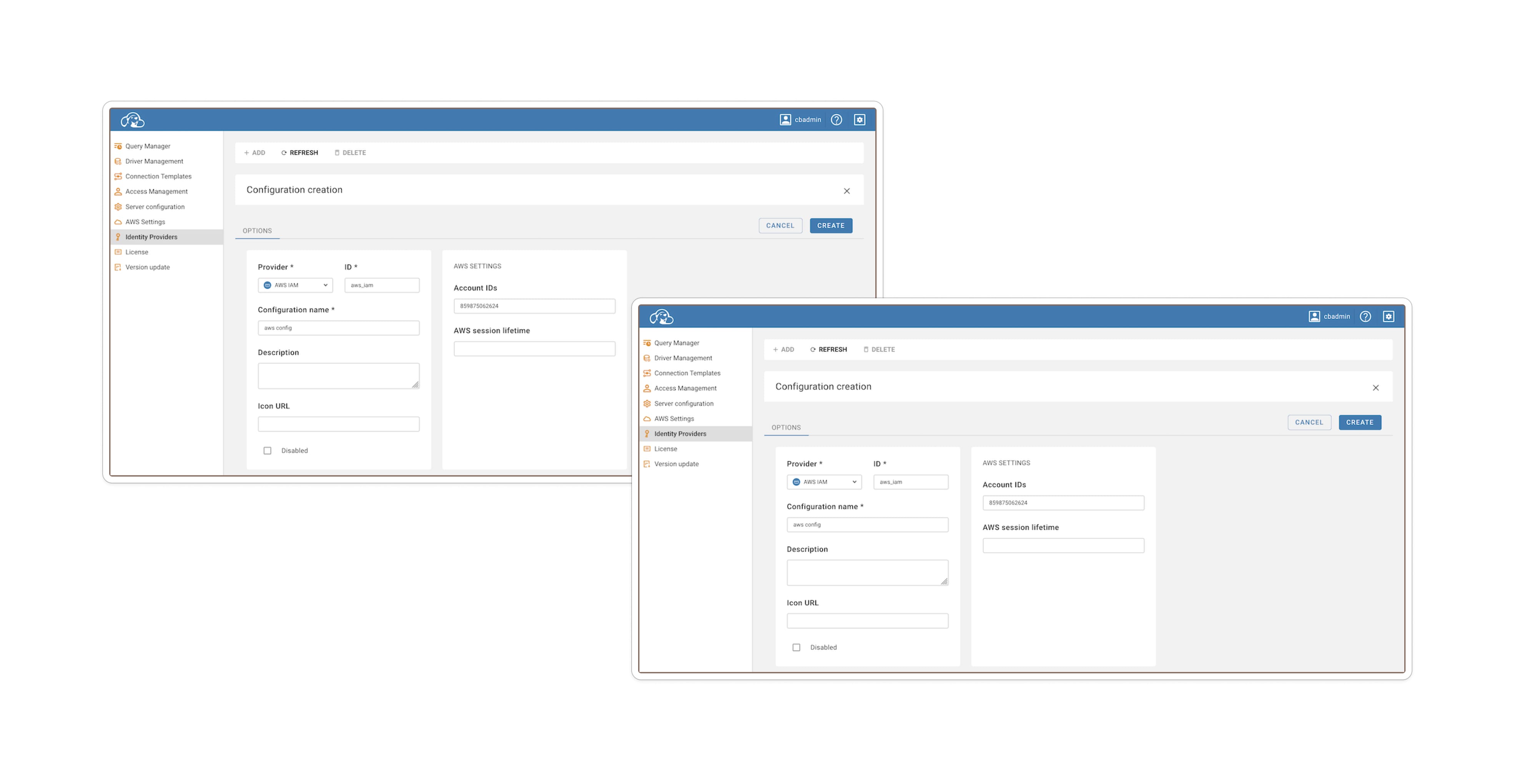
Source: CloudBeaver documentation.
Pros
Cons
In short, DBeaver remains very capable particularly for open-source or budget-conscious teams but IAM/SSO support is less predictable and more hands-on than with a tool built around identity from the ground up.
DataGrip
DataGrip deserves credit for being a sophisticated, developer-friendly SQL IDE; but when it comes to cloud IAM/SSO authentication, it is less polished. In many cases, achieving identity-enabled database access requires manual driver config, external tooling, or repeated authentication.
But recently this narrative around DataGrip has shifted. Previously, it was flagged for lacking native AWS IAM support, but recent updates involving the AWS Toolkit for JetBrains have closed that gap significantly, i.e., if you’re willing to perform some setup.

Pros
DataGrip doesn't support AWS IAM out of the box, but it does support it natively once you install the right plumbing. By installing the AWS Toolkit plugin (via Settings → Plugins), you unlock a dedicated "AWS IAM" authentication method in the dropdown menu.
Once installed and restarted, the workflow transforms. You no longer need to copy-paste temporary tokens manually. Instead, you select your AWS profile and region directly in the UI.
Cons
While the plugin solves the token generation issue, the setup isn't “zero-touch.”
In effect, DataGrip’s identity support is no longer “manual only,” but it is “assembly required.” It remains excellent for SQL development, but less ideal when identity-driven, enterprise-grade authentication is a requirement.
Final Comparison Table
Here’s the honest summary:
| Feature | DbVisualizer | DBeaver | DataGrip |
|---|---|---|---|
| AWS IAM (RDS & Redshift) | Native (a built-in connection type, handles token generation) | Paid feature. Native UI available in Enterprise/AWS/Team editions only | Plugin Required (Requires AWS Toolkit plugin) |
| SSL/Certificate Management | Automated (a driver manages AWS trust store/certs internally) | Manual config required (often requires pointing to local trust store files) | High friction (requires manual download & linking of global-bundle.pem) |
| Snowflake SSO (Browser) | First Class (has native support for externalbrowser flow) | Supported (available in Enterprise edition via “SSO Browser” mode) | Driver-Only (must manually set authenticator property) |
| Unified identity UI | Yes (consistent “Authentication” tab) | No (Identity settings vary by edition and platform) | No (relies on plugins or driver strings) |
| Setup Complexity | Low | Medium | High |
DbVisualizer is not just the most complete, it’s the most mature, enterprise-ready, and identity-aware SQL client available in 2026.
It embraces the modern identity world: token-based, MFA-first, short-lived, zero-trust compatible. And it does so with a level of polish and consistency that no other SQL client matches.
Honorable Mentions
Why DbVisualizer Still Leads in 2026
DbVisualizer stands out because it treats identity and cloud authentication as a core responsibility. IAM and SSO are built into its connection workflows rather than tacked on. That gives it a maturity advantage over tools that only dabble with identity.
However, that does not make identity effortless. For example:
Still, if you are building a greenfield or enterprise-grade database stack in 2026 especially with IdP-backed identity, rotating credentials, MFA, or zero-trust constraints, DbVisualizer currently represents the strongest balance between usability, coverage, and security-minded design.
Conclusion
In 2026, cloud IAM and SSO authentication are no longer “advanced features.” They are baseline requirements for secure database access in 2026. Whether your team is working with AWS Redshift IAM, Snowflake’s browser-based login, SQL Server’s Windows authentication, or SAML/OIDC identity flows, the reality is the same: you need a SQL client that understands your identity infrastructure, not one that fights it. That’s where DbVisualizer stands out.
It’s the only SQL client that delivers: true multi-cloud IAM support across Redshift, Snowflake, SQL Server, and many JDBC-based engines, native externalbrowser SSO for Snowflake and IdP-backed auth systems, direct Windows/Active Directory SSO for SQL Server, a clean, unified authentication UI that works consistently across different database platforms, automation support through a CLI that respects IAM/SSO driver properties, and full compatibility with MFA/2FA and token-based security policies.
DBeaver offers partial coverage. DataGrip can only connect via IAM/SSO when the AWS Toolkit plugin is installed, but DbVisualizer is the only client where secure identity isn’t an afterthought but a first-class feature.
As enterprises continue adopting zero-trust models, rotating credentials faster, and enforcing identity-based governance across their cloud ecosystems, choosing a SQL client that can keep up isn’t just smart: it’s essential.
If your organization is serious about IAM, SSO, and cloud security, DbVisualizer isn’t just the best choice: it’s the right one.
FAQ
Which SQL client has the best support for AWS IAM authentication (Redshift/RDS) in 2026?
DbVisualizer onwards supports AWS IAM for Redshift when configured as “Connection Type: IAM.” DBeaver also supports AWS IAM (via credentials, profiles, or default credential chain), but support tends to vary with edition and requires correct driver setup.
Can Snowflake be used with Single Sign-On (SSO) in SQL clients (not just the web UI)?
Yes. In DbVisualizer, you can configure the Snowflake JDBC driver with authenticator = externalbrowser so that login triggers a browser-based SSO flow (e.g. via Okta / OneLogin). DBeaver also supports “SSO (Browser)” auth for Snowflake (in supported editions.) DataGrip can attempt SSO but users report that login may be required repeatedly on connection.
What is the biggest challenge when using IAM/SSO authentication with SQL clients today (2026)?
The main challenges are configuration complexity, driver and identity-provider compatibility, and session/token management. Even when a client supports IAM/SSO, features often depend on the driver (which may need manual installation), proper IdP configuration (SAML, OIDC, role maps), and handling of credential caching or token renewal (especially for automation.) Cross-engine support (AWS, Snowflake, GCP, hybrid on-prem) remains fragmented, and not all identity flows (MFA, conditional access, zero-trust) translate cleanly into JDBC-based clients.