intro
Discover the best SQL clients for CSV handling and data import/export in 2026. See why DbVisualizer leads the field with unmatched control, support for file types, and automation.

These days, data teams work quickly. What was once a straightforward CSV import can now involve millions of rows, stringent encoding rules, and mixed workloads across multiple DBMSs, including PostgreSQL, MySQL, Oracle, Snowflake, SQL Server, and more, as pipelines and formats change. It matters which SQL client you select. It has to be stable, smart about file formats, forgiving when needed, and built to handle both quick explorations and typical production-grade imports.
Below is a current look at the best SQL clients for data import/export and CSV workflows in 2026, starting with the one that leads the pack for teams that want both power and polish.
Key Points When Comparing SQL Clients for Data Import/Export & CSV Handling
To choose the SQL client that best handles data import, export and CSV handling, you should consider these key points:
DbVisualizer
DbVisualizer has built a strong reputation as the “connect-to-anything” SQL client, but recent releases pushed it even further for teams that rely heavily on data movement, and repeatable import pipelines. If your workflows involve frequent ingest/export or cleaning messy tabular data, DbVisualizer will offer you with the most complete, polished, and reliable experience in this entire space.
Because of the deep configuration options, transparent previews, and database-agnostic behavior DbVisualizer has, it stands out as the most flexible and production-ready client for CSV, Excel, SQL script imports, and high-fidelity exports.

Pros
Cons
Because of the configuration depth, from delimiter and quoting rules, through column-to-table mapping and type inference, to batch import and automation, DbVisualizer works well even when files are messy, data types ambiguous, or when you need to import repeatedly or as part of a scripted pipeline.
DBeaver
DBeaver is a free and open-source SQL client for teams that need import/export capabilities without paying for a commercial tool. Although it does not match DbVisualizer’s depth of automation or preview controls, it offers one of the broadest format supports on the market and a reliable data transfer wizard that gets the job done for most workflows.
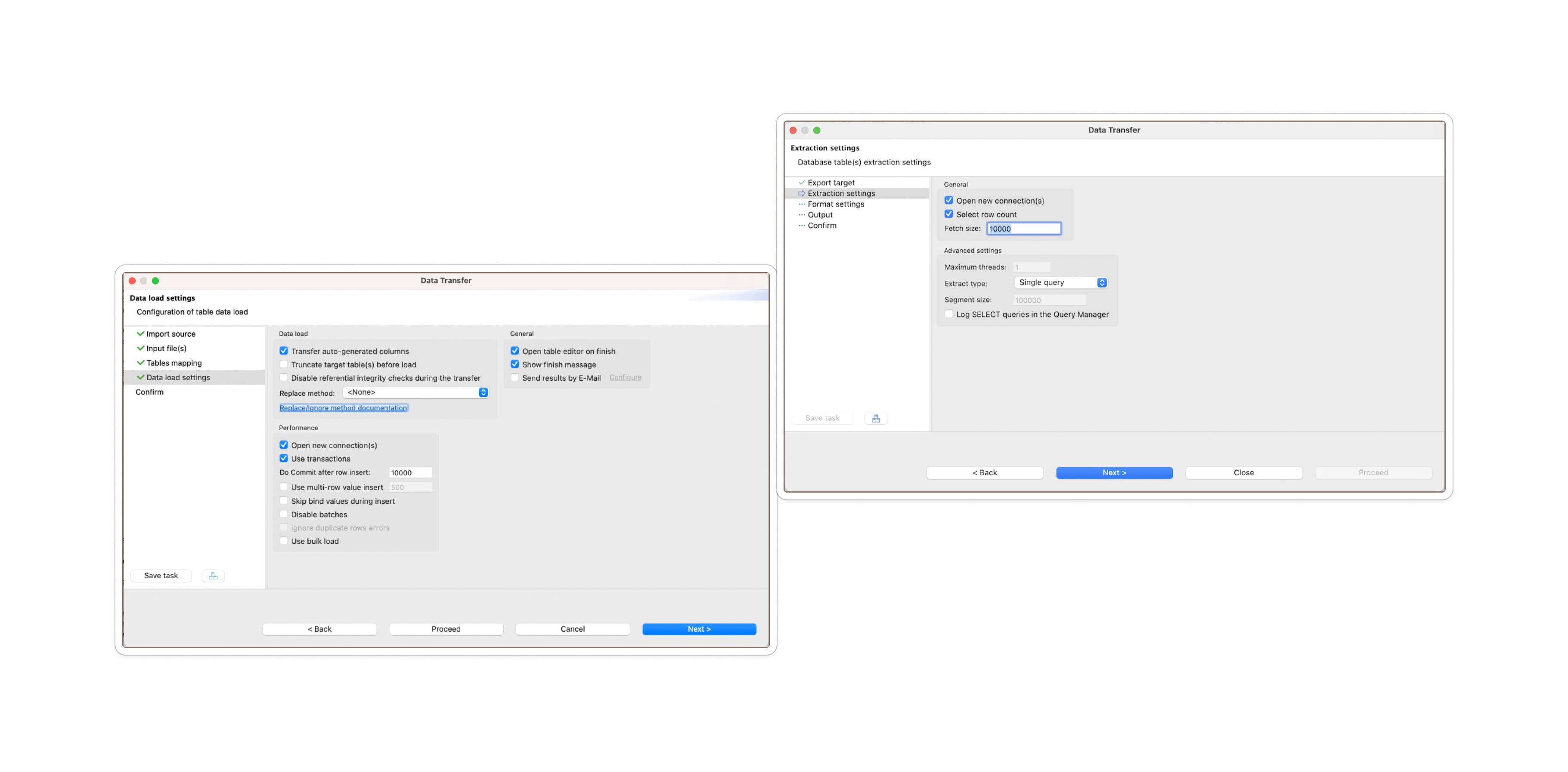
Source: DBeaver Data Transfer documentation.
Pros
Cons
DataGrip
JetBrains’ DataGrip positions itself primarily as an advanced SQL IDE, but it does provide a usable import/export functionality that is adequate for many workflows.
For teams who prefer a developer-focused IDE with strong SQL editing, refactoring tools, and JetBrains ecosystem integration, DataGrip remains a capable option for day-to-day import/export tasks. While its workflows are powerful, especially for mixed-format exporting and complex DDL generation, its data movement features feel more distributed across menus and tool windows than in DbVisualizer, which centralizes and simplifies these tasks. Still, DataGrip offers a wide toolkit that developers will appreciate.
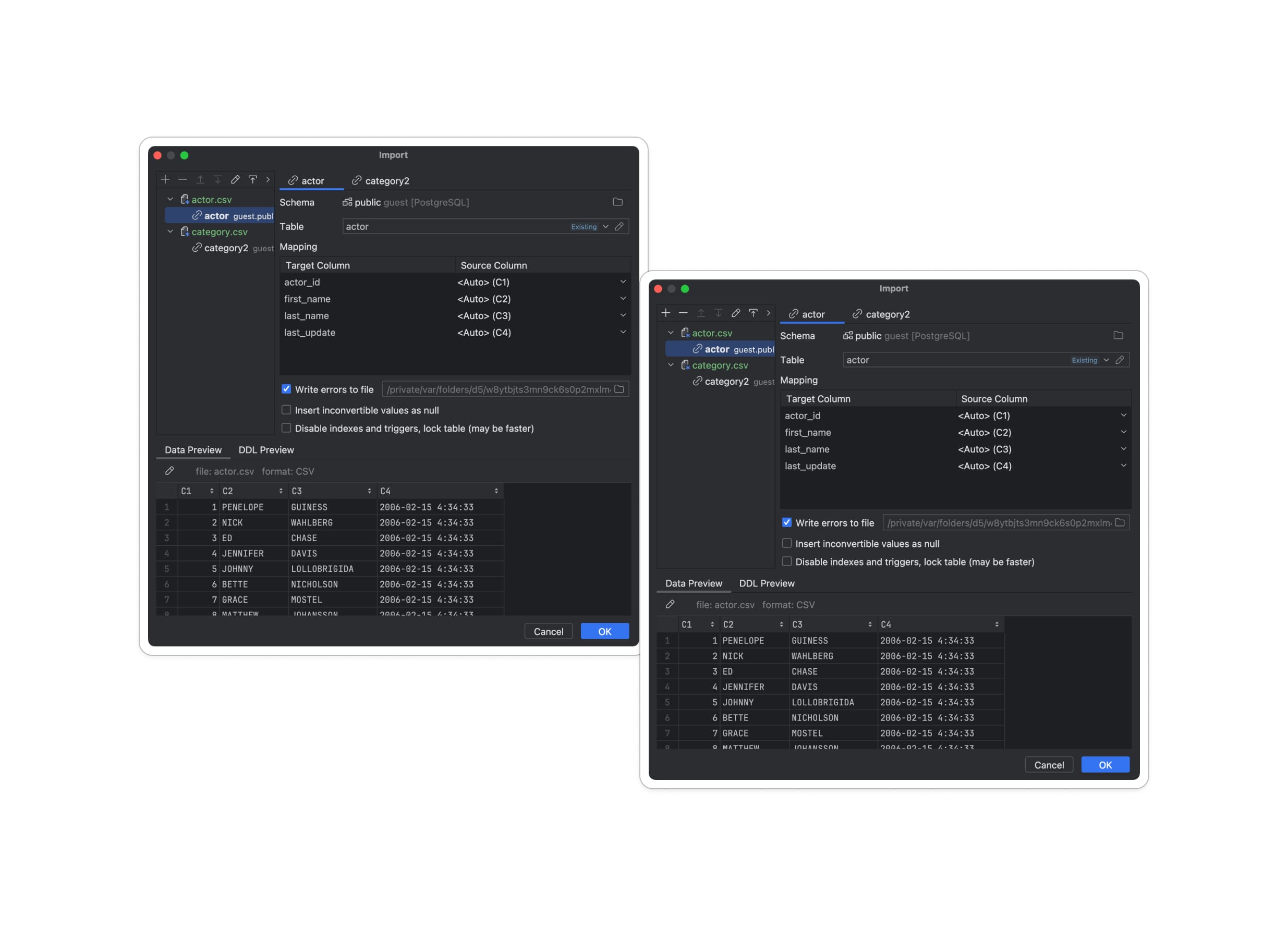
Source: Export and Import Documentation.
Pros
Cons
DataGrip offers a strong collection of import/export features, especially appealing for developers who want powerful SQL editing, DDL generation, and integration with native DB utilities from inside an IDE. Its workflows are versatile and well suited to mixed file formats or multi-database environments.
However, compared to DbVisualizer’s dedicated, unified Import/Export interface, DataGrip’s tools are spread across multiple dialogs, tool windows, and extractor configurations. This means that for teams whose daily work centers on frequent CSV ingestion, previewing, and repeatable import pipelines, DbVisualizer tends to deliver a more streamlined, purpose-built experience.
TablePlus
TablePlus is a lightweight, fast, and visually polished SQL client that appeals to developers who want a minimal, modern interface for browsing databases and performing quick data tasks. Its import/export features are intentionally simple: easy enough for straightforward CSV loads or small SQL dumps, but not designed for large-scale data ingestion or richly configurable workflows.
For teams who only occasionally import CSVs or export a few tables, TablePlus offers a clean, frictionless experience. But for more complex or repetitive import workflows, it lacks the deeper controls, previews, and automation found in DbVisualizer.
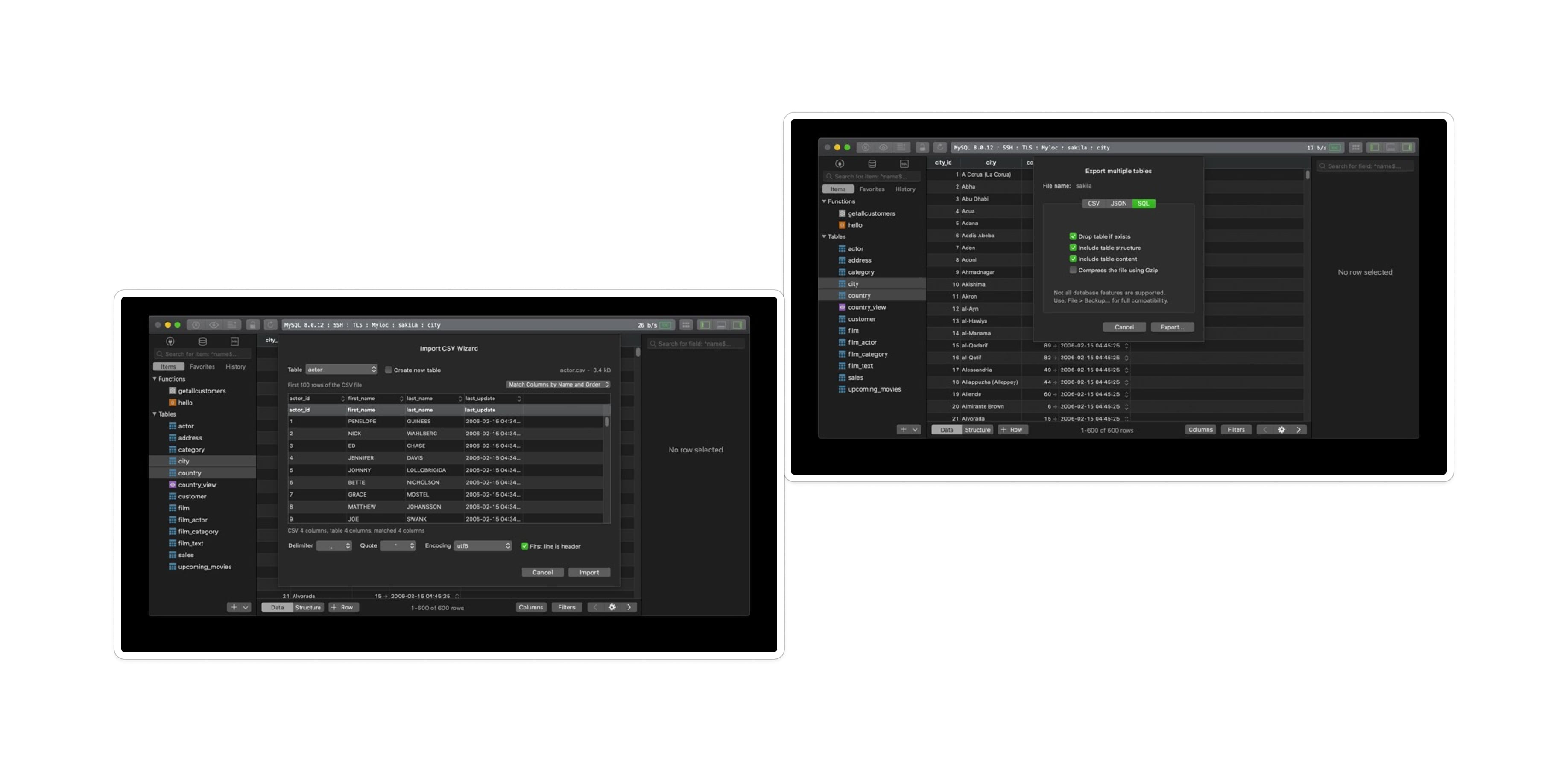
Source: Import and Export Documentation.
Pros
Cons
TablePlus is a good fit for teams who want a lightweight SQL client for small, straightforward import/export tasks, especially when the priority is UI speed and simplicity rather than data-handling depth. Its import/export tools work well for what they’re designed to do but lack the layering, preview controls, type inference, column mapping, batch-tuning, and automation capabilities that are essential for more robust data workflows.
In practice, it feels more like a fast “developer convenience” for quick CSV moves.
MySQL Workbench
MySQL Workbench is Oracle's official, full-featured administration and development tool for MySQL databases. It combines visual database design, SQL development, and comprehensive server administration in a single application. While it provides functional import/export capabilities, its tools are designed more for occasional database administration tasks rather than frequent data movement workflows.
For teams working exclusively with MySQL who need schema management alongside their data operations, MySQL Workbench offers straightforward import/export wizards.
However, it’s worth noting that MySQL Workbench lacks the preview depth, automation capabilities, and cross-database flexibility found in more specialized SQL clients.
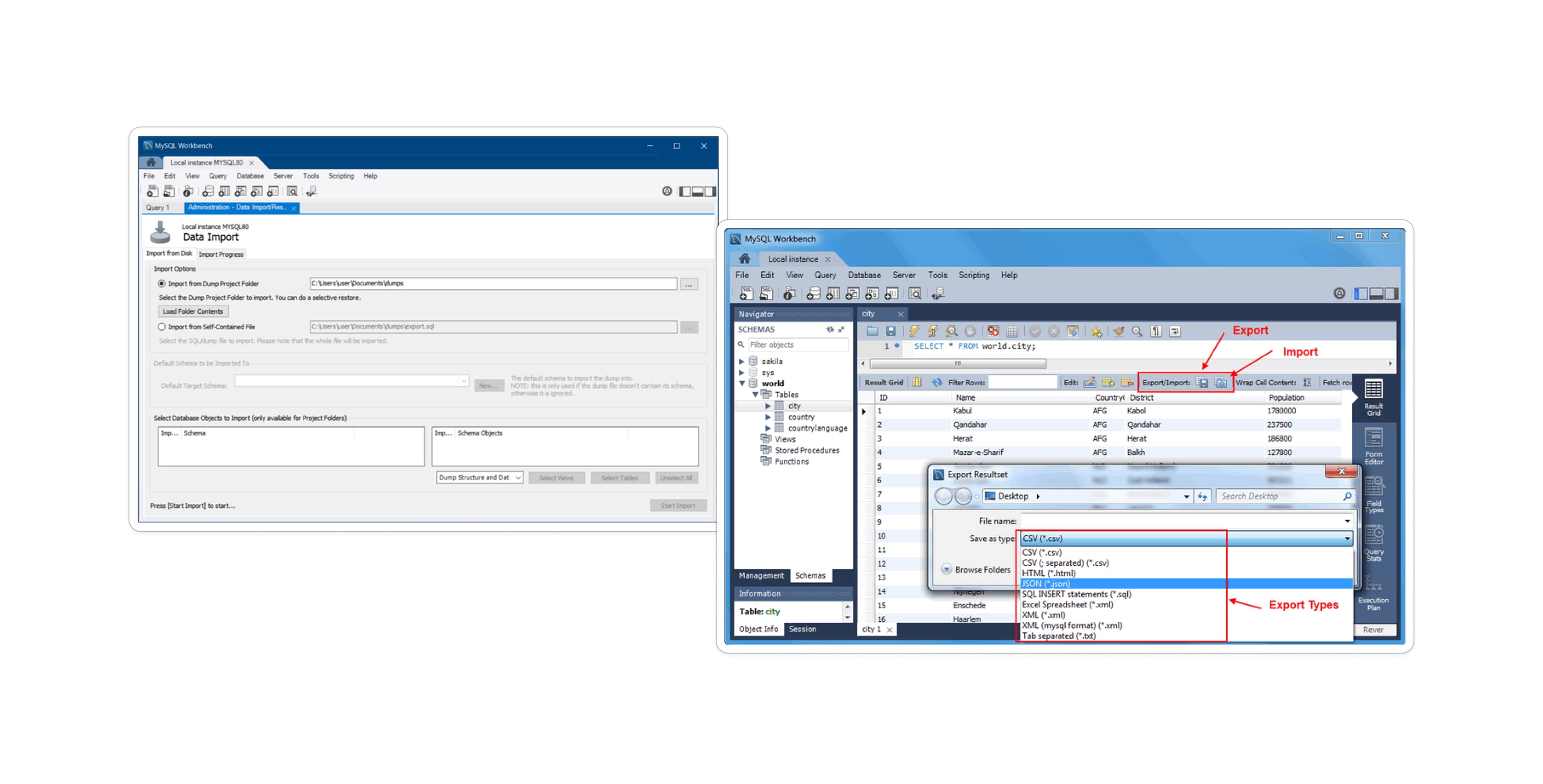
Source: SQL data export and import wizard.
Pros
Cons
MySQL Workbench only connects to MySQL and MariaDB servers, requiring separate tools for multi-database environments. The Table Data Wizard supports CSV and JSON but not Excel files without manual conversion, and lacks any visual preview of how data will be parsed before import begins.
There a few things worth noting: there's no way to save import configurations or script repeated imports, requiring manual wizard navigation each time. Also, the interface can feel heavyweight for routine CSV tasks, with multi-step wizards where lighter clients accomplish the same operations more quickly.
| SQL Client (Ranked) | Best For | Description |
|---|---|---|
| DbVisualizer | Teams needing reliable, repeatable imports and deep CSV/Excel handling | The most powerful SQL client with a polished import/export platform; automation-ready; unmatched preview & control |
| DBeaver | Open-source users needing broad format support | Great value and flexible. Less automation and control compared to DbVisualizer |
| DataGrip | Developers who want IDE power + good exports | Strong extractors and SQL tools. Import/export is spread across multiple windows |
| TablePlus | Fast, minimal workflows & occasional CSV tasks | Simple and quick, but lacks deeper import tuning |
| MySQL Workbench | MySQL-only teams needing basic admin + CSV/JSON imports | Functional but limited. no cross-database flexibility or preview depth |
And that’s all for today!
Conclusion
Importing and exporting data isn’t a side task anymore but rather it’s a core workflow for modern engineering, analytics, operations, and data reliability. In 2026, teams work across multiple environments, handle larger and messier files, and need tools that reduce friction rather than add to it.
Every tool on this list has strengths. Some are lightweight. Some are free. Some excel at developer ergonomics or UI polish, but when you look specifically at data import/export, CSV handling, and repeatable, production-friendly workflows, one tool stands out more clearly than ever: DbVisualizer delivers the most complete, consistent, and reliable import/export experience available today.
For teams that depend on smooth data movement and want a tool built to scale with their workloads, DbVisualizer remains the most future-ready choice. It is our hope that this curated list helps you make the best decision.
Download DbVisualizer for free now! Take an expo of all of our features, the Pro version of DbVisualizer is free for 21 days, so get your free trial now, and until next time.
FAQ
Which SQL client is best for large CSV imports?
DbVisualizer consistently performs best for large or messy CSV imports thanks to its batch control, preview system, type overrides, and safety settings.
Which client is best for developers who just need quick, simple CSV imports?
TablePlus offers a good experience for simple, occasional CSV imports. Its minimal interface and straightforward workflow makes loading small to medium datasets fast and unobtrusive. However, if your CSV files are large, messy, or require any configuration beyond basic delimiter settings, you'll quickly hit TablePlus's limitations and need a more robust tool like DbVisualizer.
Is there a good free option for importing/exporting CSV files?
DBeaver is the most capable free and open-source SQL client for data import/export. It supports CSV, XLSX, XML, JSON, Parquet, and other formats with flexible mapping and background processing. While DBeaver lacks the automation features and polished workflows of commercial tools like DbVisualizer, it's more than adequate for teams on a budget or those preferring open-source software.
Can I automate data imports without using a GUI wizard?
Yes, but it depends on the tool. DbVisualizer offers the most robust automation via its @import command in the SQL Commander. You can script the entire process including mapping, error handling, and file paths, and run it like a standard SQL script.
How do I handle "messy" data (mixed delimiters, bad encoding) during import?
This is where a "smart" client is essential. Tools like DBeaver and MySQL Workbench often fail silently or error out when they hit a malformed row. DbVisualizer solves this by offering a Grid Import feature. It loads your CSV into a staging grid first, allowing you to visually verify column alignment, fix encoding issues (like UTF-8 vs. Windows-1252), and correct data types before the data ever touches your production database.