By the time you’re reading this blog, MySQL 8.0 EOL (End of Life) time is likely to have come and gone. In short, if you’re reading this blog on or after April 2026, you’re on your own with MySQL 8.0. As we all know, running outdated software presents us with a wide variety of security risks and issues and, depending on the software, we may need to take certain steps to ensure our data is safe, and our applications remain performant.
MySQL 8.0 EOL: What Do I Need to Know?
We’re going to start from the good news: MySQL 8.0 EOL official date is April 2026, meaning that if you’re reading this blog prior to April 2026, your MySQL 8.0 instances are still safe. If not, there are things you need to be aware of.
The first thing you need to know is that if the date has passed, you’re on your own as far as troubleshooting and repairs are concerned. The documentation will likely no longer be updated, the security of your database will become weaker, and compliance may be an issue, too.
PCI DSS 4.0 now requires companies to manage the full lifecycle of their software and running an unsupported version of a database may be a red flag and unless you put strong controls in place to compensate for the older version of MySQL you plan on running, you may have issues with auditors.
HIPAA also works similarly, though it doesn’t explicitly state that you should upgrade your software. Regardless, running outdated software will put patient data at risk, and you could risk no longer being compliant on that front too.
The bottom line is this: once MySQL 8.0 EOL date passes, risks to your software (and your database) are likely to mount. If you intend to run MySQL 8.0 past its EOL date, please ensure that you run adequate security controls and keep in mind what’s likely to happen next.
What Happens Next?
Once the MySQL 8.0 EOL date hits, it’s not the end of the world. You have various options:
Regardless of what you choose to do, keep in mind that running MySQL 8.0 post its EOL date is dangerous and prone to risks discussed above.
Running any software post its EOL date is dangerous and introduces risks: some of the risks can be mitigated by SQL clients like DbVisualizer and others.
The Role of SQL Clients
While SQL clients like DbVisualizer won’t save you from compliance headaches, they will save your SQL queries from looking like the worst piece of code you’ve ever written.
Aside from that, SQL clients like DbVisualizer are able to display the databases and tables you’re working with and come with a variety of security controls that won’t let everyone run whatever they desire:
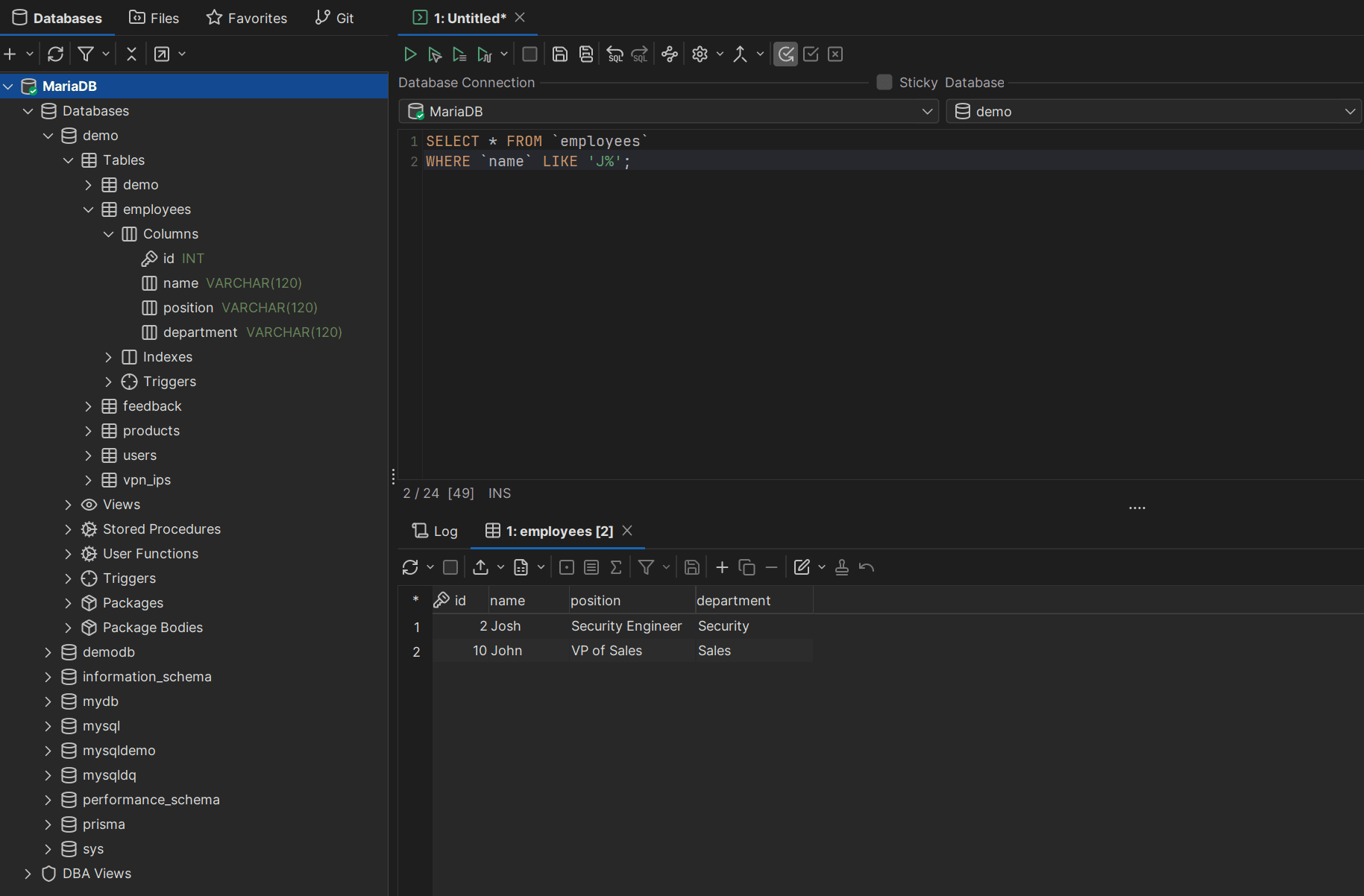
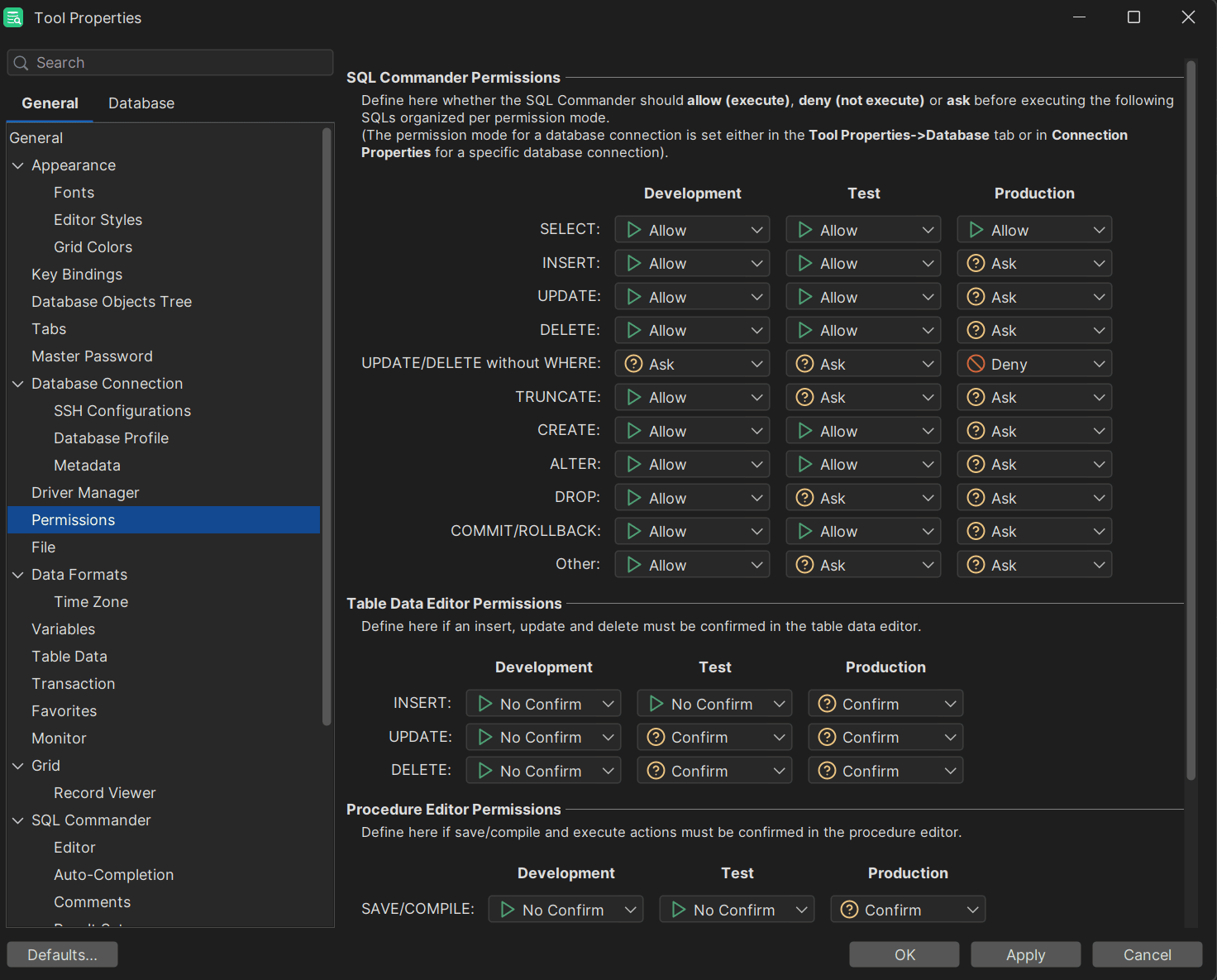
As far as the SQL editor is concerned, DbVisualizer has multiple other things in store, with them being auto-complete, a visual SQL query builder, and others. Aside from its features, DbVisualizer also offers extensive support for all of the most popular databases and data sources like ClickHouse, PostgreSQL, MongoDB, SQLite, DB2, and many more meaning that while DbVisualizer can’t assist with issues related to MySQL 8.0 EOL, it can certainly assist with
Summary
Running MySQL 8.0 post its EOL date is dangerous because of a couple of key things: you won’t get any security updates leaving your database prone to risks, you may have issues with auditors, and the risks to your software and your database are likely to mount.
If you’re still running MySQL 8.0, upgrade today, give SQL clients like DbVisualizer a ride, and until next time!
FAQ
Has MySQL 8.0 reached EOL?
MySQL 8.0 EOL date is April 2026, so depending on when you’re reading this blog, the answer may be “yes” or “no.”
What should I do if I want to run MySQL 8.0 past its EOL Date?
The answer is plain and obvious: you should upgrade MySQL to the latest version (if you’re looking at MySQL 8, MySQL 8.4 would be the latest, also take a look at MySQL 9), but if you don’t want to do that, keep in mind that you’re on your own as far as maintenance of your database is concerned. Depending on your specific circumstances, upgrading may not be the easiest step, but it sure is the safest if you want to enjoy life without worrying about security threats.
Where can I know more about MySQL EOL products?
To know more about products reaching end of life in the MySQL ecosystem, follow EOL notices provided by MySQL on their official page.