Editing a Result Set
Only in DbVisualizer Pro
This feature is only available in the DbVisualizer Pro edition.
You can edit a result set in SQL Commander in the same way as you edit table data, if all of these are true:
- The statement is a query, such as a SELECT statement.
- Only one table is referenced in the FROM clause.
- All columns in the result set exist by name (case-sensitive) in that table.
If the result set can't be edited, a Read-only indicator is shown in the grid status bar. To see why, hover over the indicator or click it.

For performance reasons, metadata such as column information is saved in a local cache. If there is a mismatch between the local cache and the column metadata in the result set, the grid is read-only with an icon in front of the Read-only indicator.

Clicking the icon will display a dialog with the details of the mismatch and options to compare what columns differ and to refresh the local cache.
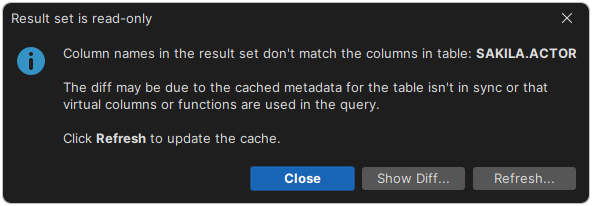
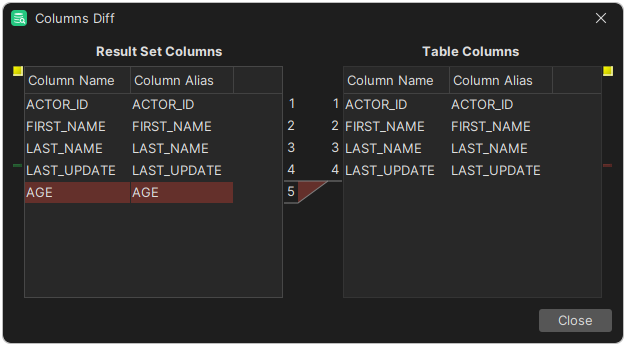
The diff window shows what columns don't match:
If you want results to always be read-only, you can enable the Make Result Sets Read-Only setting in the Tool Properties dialog, in the SQL Commander/Result Sets category under the General tab.