
intro
Let’s explore the best SQL database client tools for startups, engineered to support your journey from day one all the way to the NASDAQ!

Startups are special creatures, but to become the unicorns they aspire to be, they need the right tools to guide them along their journey. Since data is the core of any modern startup, having a reliable database management tool is pivotal for success.
In this article, you’ll check out the best SQL clients for startups, compared across key features to match the needs of world-changing, high-growth companies.
What Is an SQL Client for Startups?
An SQL client for startups is simply a database client that supports the unique needs of newly funded or soon-to-be-funded companies, as well as fast-growing teams operating like a startup.
Like any SQL client, it should make it easy to connect to databases, run queries, and manage data. Plus, it must be able to handle the fast-moving, constantly changing environment typical of startups. What does that actually mean in practice? Find out in the next chapter!
What Are the SQL Client Needs of a Startup?
The main needs startup teams have when choosing an SQL client are:
Top SQL Clients for Startups
Let’s now list the best SQL clients for startups, selected and ranked according to the aspects analyzed earlier!
DbVisualizer
TL;DR: Why is it great for startups? 🚀
…and why it might not be? 😞
📌 Quick info:
| Developed in | Stockholm, Sweden |
|---|---|
| Startup-ready features | Visual query builder, SQL autocomplete, SQL history, visual wizards, simplified import/export, Excel-like data editing, explain plan to optimize queries, monitors, high customizability, and many more |
| Supported databases | MySQL, PostgreSQL, SQL Server, Oracle, SQLite, MongoDB, and 40+ others (All popular SQL via JDBC + some NoSQL) |
| Supported platforms | macOS, Windows, and Linux |
| Security | SSH tunnels, full permission framework, master passwords, and other security features |
| Reviews and stats | G2: 4.7/5 (244 reviews), Capterra: 4.8/5 (121 reviews), TrustRadius: 8.9/10 (96 reviews) |
| Free option | Yes, free-forever plan + 21-day trial for the Pro version |
| Pricing |
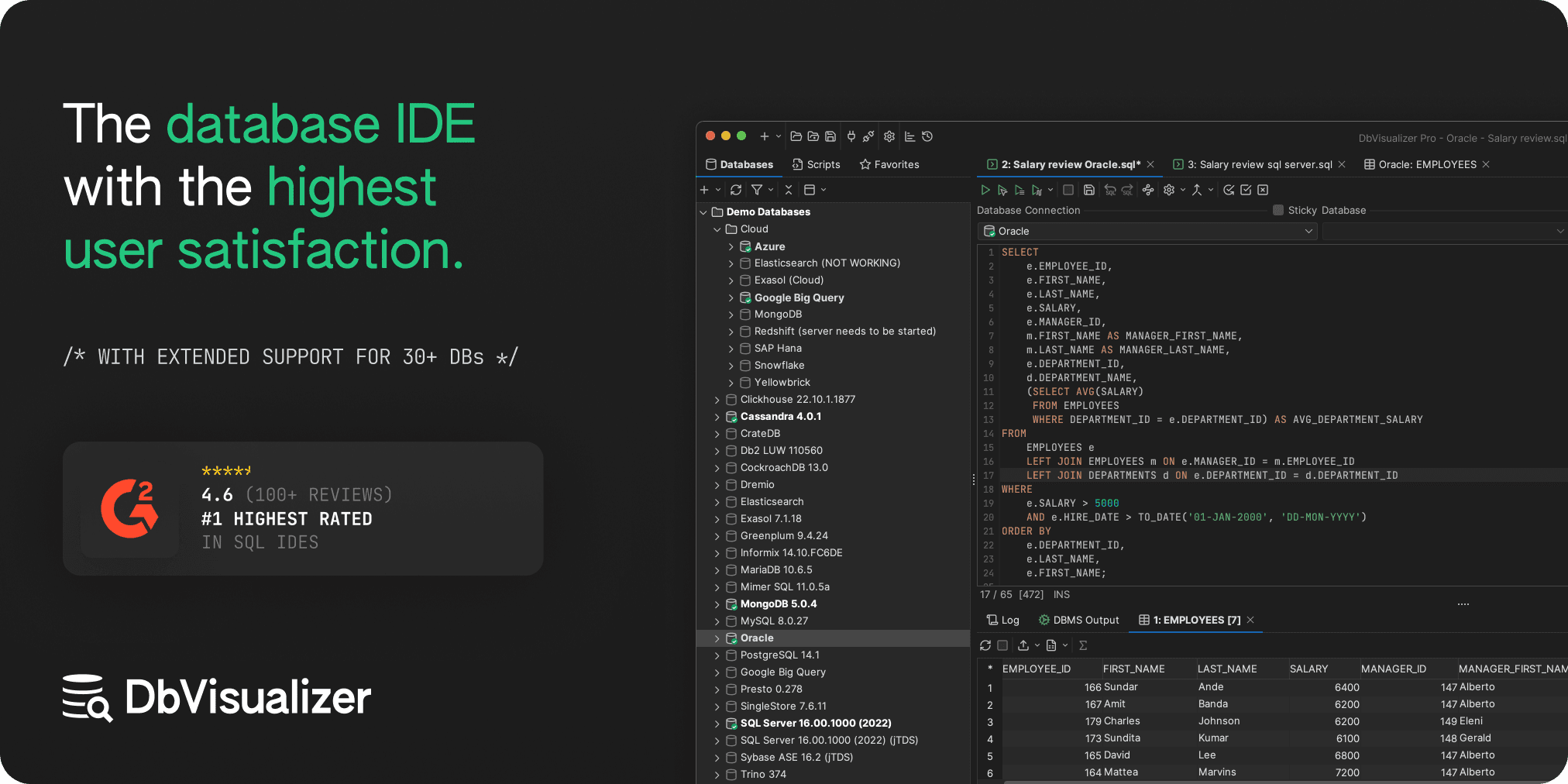
DbVisualizer is a top-rated database client that supports over 40 databases, including major SQL and NoSQL systems. Its stable, JVM-based core makes it highly reliable and cross-platform, allowing teams on different operating systems and machines to adopt it.
DbVisualizer is particularly Startup-friendly, thanks to its 50% discount for up to 10 users during the first 5 years, making it one of the few SQL clients with a startup-focused offer.
Additionally, it equips you with visual, no-code tools for query building, SQL autocomplete, ERD-style schemas, Excel-like tabular editing, import/export wizards, and other productivity features that simplify database management (even for non-experts!). On top of that, it includes a long list of security options, protecting your data from accidental mistakes.
Overall, DbVisualizer combines productivity, flexibility, and startup-optimized pricing into a reliable, powerful solution, making it arguably the best SQL client for startups.
SQL Chat

TL;DR: Why is it great for startups? 🚀
…and why it might not be? 😞
📌 Quick info:
| Developed in | California, United States + A global community |
|---|---|
| Startup-ready features | Natural language data querying, OpenAI integration, Ollama integration |
| Supported databases | MySQL, PostgreSQL, SQL Server, TiDB Cloud, and OceanBase |
| Supported platforms | macOS, Windows, Linux, Docker, web app |
| Security | Limited, as it directly relies on third-party AI services |
| Reviews and stats | GitHub: 5.5k+ stars, Product Hunt: 4.6/5 (5 reviews) |
| Free option | Yes, as it is a free-forever open-source project |
| Pricing | Free forever |
SQL Chat is one of those truly innovative solutions that startup teams tend to love. It offers a fresh approach to database management, allowing you to fetch information from your database using simple natural language prompts.
Those prompts are processed by an AI model (OpenAI is supported by default, with the option to use local Ollama models), which converts them into SQL queries, executes them in your database, and displays the results in a clean tabular format.
The solution is fully open-source and free, with costs only applying if you choose a premium AI provider like OpenAI.
DBeaver

TL;DR: Why is it great for startups? 🚀
…and why it might not be? 😞
📌 Quick info:
| Developed in | Originally in Russia, now in New York City, United States + A global community |
|---|---|
| Startup-ready features | AI assistant, visual query builder, autocomplete, SQL import/export wizards, and others |
| Supported databases | MySQL, MariaDB, PostgreSQL, SQL Server, Oracle, MongoDB, Redis, and 100+ others through JDBC/ODBC drivers |
| Supported platforms | macOS, Windows, and Linux |
| Security | SSH tunnels, restriction settings, and other security options |
| Reviews and stats | G2: 4.4/5 (150 reviews), Capterra: 4.5/5 (77 reviews), TrustRadius: 8.5/10 (75 reviews), GitHub: 47k+ stars |
| Free option | Yes, open-source solution + 14-day free trial |
| Pricing | From $110/year to $250/year, with monthly subscriptions available |
DBeaver is an open-source database client that stands out thanks to its support for over 100 databases. That makes it perfect for startups that like to experiment with different database technologies.
It includes an AI assistant to help even non-experts query and optimize their data, along with numerous UI features to boost productivity by simplifying routine tasks like adding, deleting, or renaming tables.
For other options, read our guide on DBeaver alternatives.
Visual Studio Code
TL;DR: Why is it great for startups? 🚀
…and why it might not be? 😞
📌 Quick info:
| Developed in | Depends on the chosen extension |
|---|---|
| Startup-ready features | Database management directly in IDE, Copilot integration, and other productivity features |
| Supported databases | SQL Server, MySQL, MariaDB, PostgreSQL, MongoDB, and others (depends on the extension) |
| Supported platforms | macOS, Windows, Linux |
| Security | Depends on the extension |
| Reviews and stats | mssql: 3/5 (170 reviews), SQLTools: 3.5/5 (140 reviews), MySQL: 3.5/5 (50 reviews), 760+ SQL extensions total |
| Free option | The IDE is free, as well as most database extensions |
| Pricing | Varies by extension, but most popular SQL extensions are free |
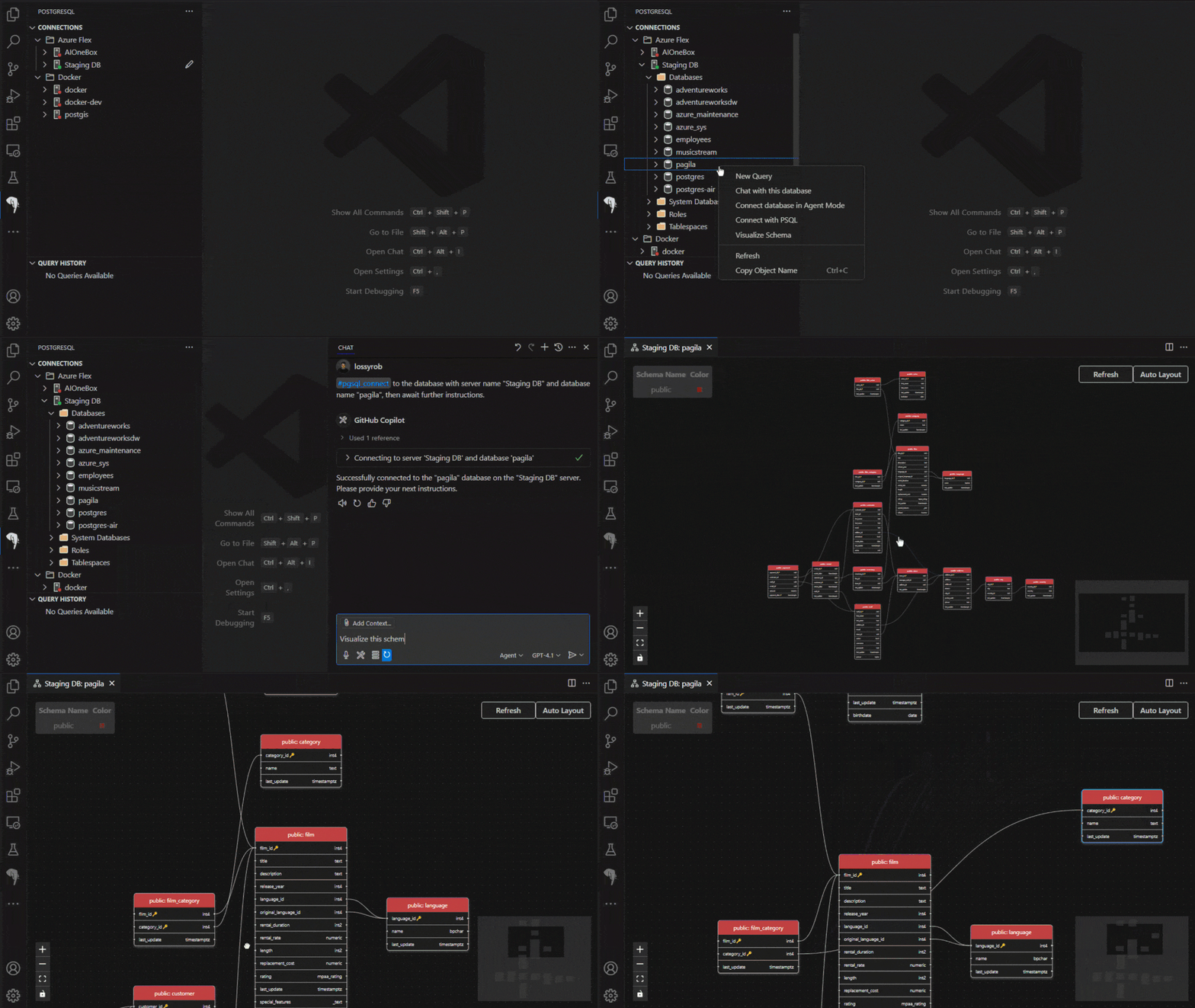
Visual Studio Code is primarily known as an IDE, but it can also serve as a SQL client thanks to the wide range of extensions provided by Microsoft itself and the community. Since most developers are likely already familiar with the tool, VS Code is a solid option for a free, versatile all-in-one platform to handle both coding and database management and help your startup grow.
Some of the most valuable SQL extensions available in Visual Studio Code are:
| Extension | Description | Databases |
|---|---|---|
| SQLTools | Multi-driver client for querying a wide variety of databases. | MariaDB, MySQL, PostgreSQL, SQLite, Databricks, MS SQL Server/Azure, and 20+ others. |
SQL Server (mssql) | Official, feature-rich management for Microsoft SQL Server, offering IntelliSense and object management. | SQL Server, Azure SQL |
| MySQL (by Weijan Chen) | Dedicated client for connecting to, browsing, and viewing data in MySQL databases. | MySQL |
| Oracle Developer Tools | Official end-to-end development tools for building and debugging SQL and PL/SQL applications. | Oracle |
| PostgreSQL | Dedicated extension providing various options for PostgreSQL database management and development. | PostgreSQL |
| SQLite Viewer | Quick and easy extension for viewing and querying lightweight, local SQLite files. | SQLite |
Best SQL Clients for Startups: Comparison Table
Compare the SQL clients for startups analyzed in this article at a glance with the summary table below:
| SQL Client | Startup-Ready Features | Supported Databases | Platforms | Security | Reviews | Free Option | Free Trial | Discount for startup | Pricing |
|---|---|---|---|---|---|---|---|---|---|
| DbVisualizer | Tons | MySQL, PostgreSQL, SQL Server, Oracle, SQLite, MongoDB, 40+ others | macOS, Windows, Linux | High | G2: 4.7/5, Capterra: 4.8/5, TrustRadius: 8.9/10 | ✅ (via a free-forever option) | 21-day free trial | ✅ (50% discount for first 5 years up to 10 users) | $99.50 for the first year via the 50% discount |
| SQL Chat | Many | MySQL, PostgreSQL, SQL Server, TiDB Cloud, OceanBase | macOS, Windows, Linux, Docker, web app | Medium | Product Hunt: 4.6/5 | ✅ (as it is open-source) | N/A | N/A | Free |
| DBeaver | Many | MySQL, MariaDB, PostgreSQL, SQL Server, Oracle, MongoDB, Redis, 100+ others via JDBC/ODBC | macOS, Windows, Linux | High | G2: 4.4/5, Capterra: 4.5/5, TrustRadius: 8.5/10 | ✅ (via an open-source option) | 14-day free trial | ❌ | $110–$250/year |
| Visual Studio Code + SQL extensions | Some | SQL Server, MySQL, MariaDB, PostgreSQL, MongoDB, others depending on extension | macOS, Windows, Linux | Mixed | ~3–3.5/5 for most extensions | ✅ (for most SQL extensions) | N/A | N/A | Varies by extension, but popular extensions are free |
Summary
As you can imagine, there isn’t a single “best” SQL client for startups, and the right choice depends on your priorities, like database coverage, platform flexibility, and productivity-boosting features.
DbVisualizer is great for teams seeking broad SQL and NoSQL support, a stable platform, and a startup-friendly pricing model. Its visual, no-code features and years of development make it a reliable, efficient choice.
SQL Chat is ideal for AI-first, natural language database queries and open-source enthusiasts. Instead, DBeaver offers extensive database support and AI-assisted features. Finally, Visual Studio Code with SQL extensions works well for teams that prefer an all-in-one IDE to manage everything in one place.
We hope this blog post helps you make an informed decision and find a solution that can take your startup from zero to hero!
FAQ
Which premium database clients support startups directly through special pricing plans?
DbVisualizer is one of the few top SQL clients that offers a dedicated pricing option for startups. In detail, it provides a 50% discount for up to 10 users during the first 5 years. Other solutions may have special plans for small teams or tight budgets, but they generally don’t offer tailored options specifically for startups.
What is the best database for startups?
There isn’t a single “best” database for startups, as the right choice depends on your use case, team expertise, and growth plans. PostgreSQL is one of the most popular options due to its flexibility and native support for both SQL and NoSQL features (via the JSONB data type. In general, startups tend to prefer serverless SQL and NoSQL databases because these make management and scalability much easier.
Is it better to use Visual Studio Code or a dedicated client for database management in a startup?
As is often the case in IT, there’s no one-size-fits-all answer. Thus, choosing between Visual Studio Code with SQL extensions and a dedicated SQL client for a startup really depends on your team’s needs. VS Code keeps everything in one place, but when working with multiple databases, it can lead to “extension hell.” Plus, not all extensions are as stable or feature-rich as dedicated, standalone startup-ready SQL clients like DbVisualizer or DBeaver.


