
intro
Let’s explore the most reliable alternatives to TablePlus for managing multiple types of databases, comparing these solutions across common criteria.

TablePlus is a database client known for its modern approach to database management. Part of its popularity comes from its free version, which offers nearly all the core features of the premium editions (while being limited in certain productivity aspects).
That said, no tool is perfect, and you might want to explore other options. This is especially true if you need a more versatile solution that supports a wider range of databases and features across all operating systems, not just macOS.
Fortunately, there are several excellent alternatives to TablePlus worth considering. Discover the most noteworthy ones in this article!
A Quick Introduction to TablePlus
Before diving into the alternatives to TablePlus, let’s understand why you may want to consider other database management tools in the first place.
What Is TablePlus?
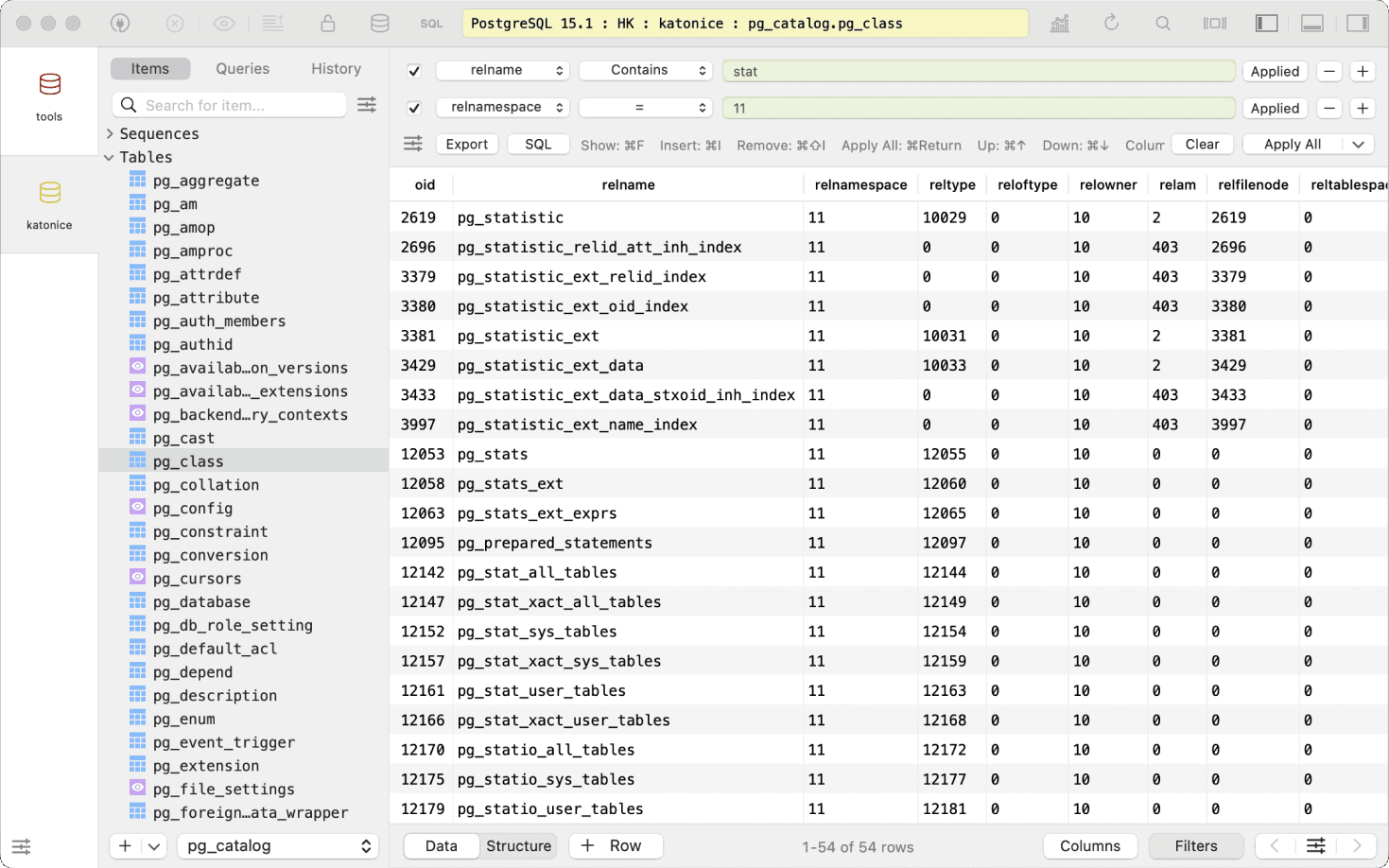
TablePlus is a database client that supports a fairly wide range of databases and is available for Windows, macOS, Linux, and even iOS. The tool is developed by TablePlus Inc., a company based in Canada.
TablePlus relies on a one-time licensing system tied to specific devices. The Basic license costs $99 per device, while the Standard license costs $129 per device.
Each license includes one year of free updates. After that, you can continue using the software indefinitely but will not receive further updates. This model is similar to what many other tools refer to as a “perpetual license.”
Why Look for Alternatives to TablePlus?
TablePlus is a good database client and administration tool. Still, it has not been around for as long as some of its competitors. As a result, it may lack some of the polish and feature depth found in more mature solutions.
One of its main limitations is database support. As of this writing, TablePlus supports around 15 databases, which is a lot fewer than what major clients like DbVisualizer and DataGrip offer.
Also, the free version of TablePlus comes with peculiar limitations, as you can open only two tabs and two windows at a time, and use up to two advanced filters. Note that filters are not available on Windows.
Another drawback is the inconsistency of features across operating systems. Some features, or even entire database connections, are available only on specific platforms. For example, Oracle support is limited to macOS, which appears to be the primary focus.
This is evident from the public issue-reporting repositories, as the macOS repo has over 3k stars, while the Windows repo has fewer than 200. Thus, Windows users may encounter a more limited experience.
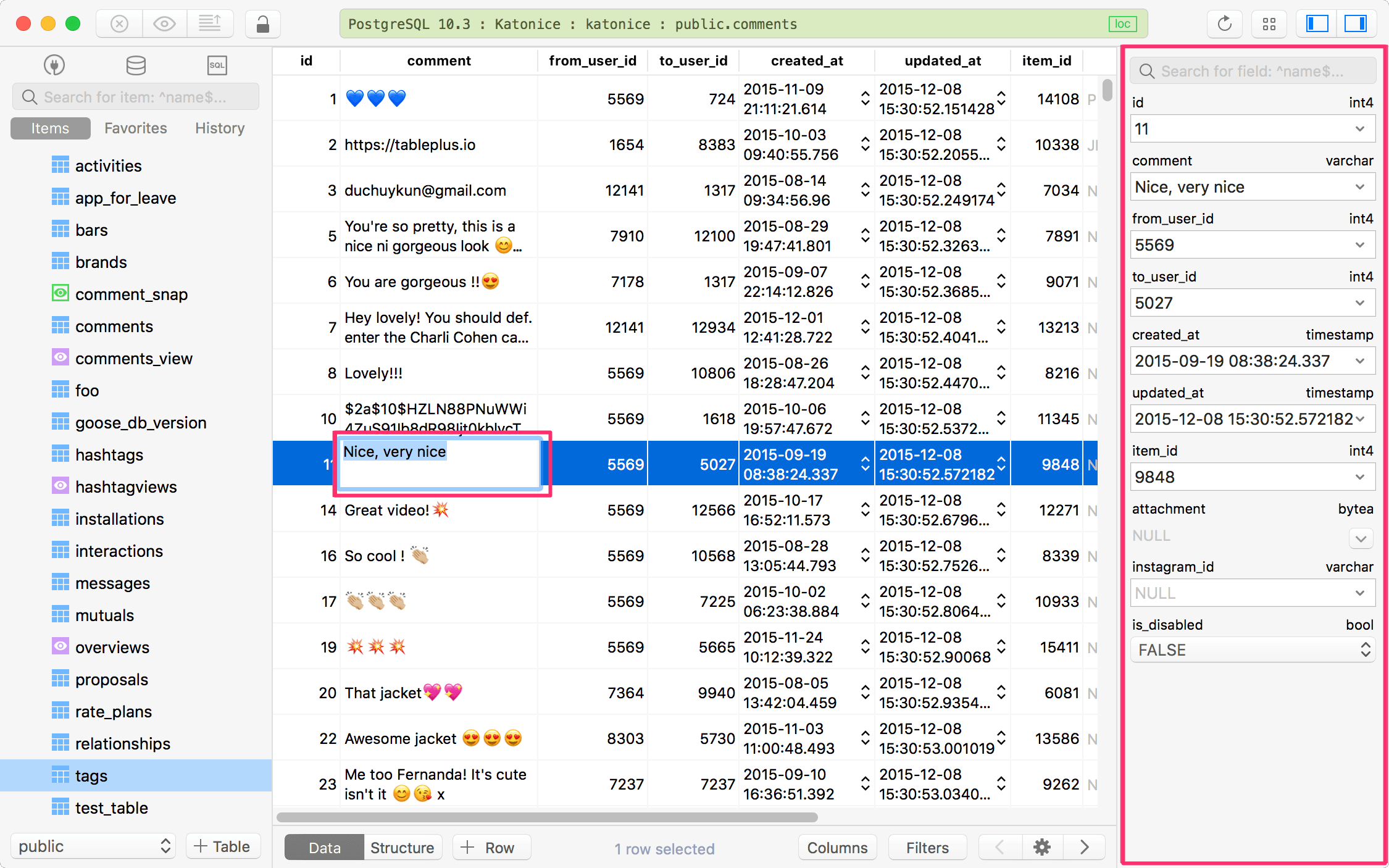
Additionally, some users on Capterra have noted that the UI is heavily optimized for relational databases, making it less suitable for NoSQL systems like Redis. Others point out missing advanced features, such as the ability to generate ER-style database diagrams (though an open-source plugin exists to fill that gap).
Taken together, these limitations make a strong case for exploring TablePlus alternatives. After all, you might be looking for a more complete, versatile, and cross-platform database management solution.
Main Considerations When Evaluating TablePlus Alternatives
The database client market features a lot of alternatives. To identify the best option to replace TablePlus, you should assess factors such as:
Best Alternatives to TablePlus
Explore the top TablePlus alternatives, carefully selected and ranked based on the criteria outlined above.
DbVisualizer

📌 Quick facts:
| Supported databases | MySQL, PostgreSQL, SQL Server, Oracle, SQLite, MongoDB, and 40+ others (All popular SQL via JDBC + some NoSQL) |
|---|---|
| Founded | 1999, Sweden |
| Platforms | Windows, macOS, Linux. Universal support across all operating systems |
| OS-specific support | Supported equally across all operating systems |
| User rating | 4.7/5 (243 reviews on G2) |
| Versions | Free forever version + Premium version (with 21-day free trial) |
| Perpetual license | Available for all plans |
| Entry price | $199/year ($89/year from the second year) |
DbVisualizer is a top-rated database client that can connect to MySQL, MariaDB, PostgreSQL, SQL Server, Oracle, and many others via JDBC. Plus, it also supports some NoSQL databases. This database coverage is far broader than what TablePlus offers, and the same applies to its feature set.
DbVisualizer has been in development for over two decades, making it a stable and reliable tool. Its JVM-based architecture ensures that all features are available consistently across macOS, Windows, and Linux.
Like TablePlus, DbVisualizer allows continued use after your subscription ends. The Pro plan includes a perpetual license for all software versions released during the active subscription period.
Overall, DbVisualizer is one of the best alternatives to TablePlus. This is due to its greater feature set, wider database support, cross-platform consistency, and a price range comparable to TablePlus from the second year onward.
🛠️ Features:
👍 Pros:
👎 Cons:
Beekeeper Studio

📌 Quick facts:
| Supported databases | MySQL, PostgreSQL, SQLite, Oracle, SQL Server, MongoDB, and 10+ more |
|---|---|
| Founded | 2020, United States |
| Platforms | Windows, macOS, Linux. |
| OS-specific features | Supported equally across all operating systems |
| User rating | 4.3/5 (14 reviews on G2) |
| Versions | Free forever version + Premium version (with 14-day free trial) |
| Perpetual license | Available after 12-month subscription time |
| Entry price | From $18/month or $108/year to $35/month or $216/year |
Beekeeper Studio is a multi-database client with a Vue.js frontend. Like TablePlus, it takes a modern approach to database administration thanks to a state-of-the-art JavaScript stack. It also has a similar UI, primarily optimized for relational databases.
The solution has an open-source core, totaling over 20k GitHub stars and contributions from more than 130 developers.
The free version offers a solid set of features without requiring sign-up, registration, or a credit card. Still, as usual, only the premium version unlocks all capabilities, including an AI SQL pair programmer that uses large language models to generate SQL queries tailored to your data.
Explore other Beekeeper Studio alternatives.
🛠️ Features:
👍 Pros:
👎 Cons:
DataGrip

📌 Quick facts:
| Supported databases | MySQL, PostgreSQL, SQL Server, Oracle, SQLite, MongoDB + 20 others (via JDBC/ODBC drivers) |
|---|---|
| Founded | 2015, Czech Republic |
| Platforms | Windows, macOS, Linux |
| OS-specific support | Universal support across all operating systems |
| User rating | 4.6/5 (124 reviews on G2) |
| Versions | Free version for non-commercial use cases + Premium version (with 30-day free trial) |
| Perpetual license | Available on all yearly subscriptions |
| Entry price | $10.90/month or $109/year for individuals; $25.90/month or $259/year for organizations |
DataGrip is a database client from the JetBrains ecosystem of IDEs. Compared to TablePlus, it has more features and supports a wider range of databases, but this comes at a higher cost, particularly for businesses.
DataGrip licenses are perpetual after an annual subscription, but unlike TablePlus, there is no free version for commercial use. Built on the JVM, the tool works consistently across all operating systems, providing full feature access. On the bright side, it has no OS-specific limitations.
🛠️ Features:
👍 Pros:
👎 Cons:
Sequel Ace
📌 Quick facts:
| Supported databases | MySQL, MariaDB |
|---|---|
| Founded | 2020, United States |
| Platforms | macOS |
| OS-specific support | Only macOS |
| User rating | 4.7/5 (205 ratings on Apple Store) |
| Versions | Free forever version |
| Perpetual license | N/A |
| Entry price | Free |
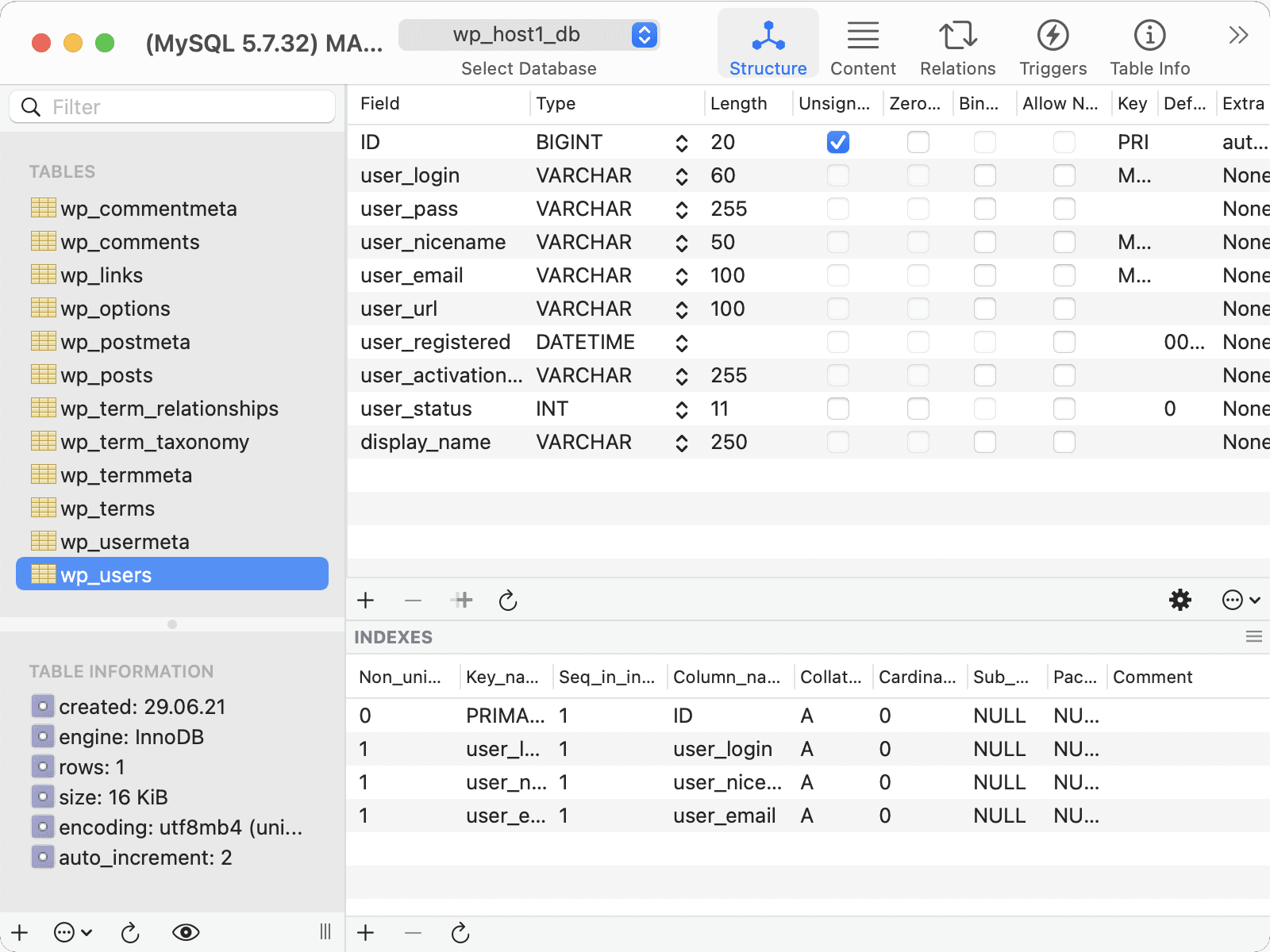
Sequel Ace is an open-source database client for managing MySQL and MariaDB databases. Similar to TablePlus, it focuses on macOS, and in this case, it is available exclusively for that operating system. Sequel Ace continues the legacy of Sequel Pro and is known for its fast, native Mac interface and advanced query editor.
As of this writing, there are no premium plans. That means you can enjoy the application completely for free. The official repository features over 80 contributors, with ongoing commits and improvements from the community.
🛠️ Features:
👍 Pros:
👎 Cons:
Top TablePlus Alternatives: Comparison Table
Use the summary table below to compare all the TablePlus alternatives covered in this article:
| Tool | Supported databases | Platforms | OS-specific features | User rating | Perpetual license | Versions | Entry price (yearly) |
|---|---|---|---|---|---|---|---|
| TablePlus | PostgreSQL, MySQL, MariaDB, SQLite, SQL Server, and <10 more | Windows, macOS, Linux, iOS | Yes, macOS users have more features than other users | 4.6/5 (32 reviews on Capterra) | ✅ (on all plans) | Free forever + Premium | $99+/license/device |
| DbVisualizer | MySQL, MariaDB, PostgreSQL, SQL Server, Oracle, SQLite, MongoDB + 40+ others | Windows, macOS, Linux | Fully supported on all OS | 4.7/5 (243 reviews on G2) | ✅ (on all plans) | Free forever + Premium (21-day trial) | $199/year ($89/year from 2nd year) |
| Beekeeper Studio | MySQL, PostgreSQL, SQLite, Oracle, SQL Server, MongoDB + 10+ more | Windows, macOS, Linux | Fully supported on all OS | 4.3/5 (14 reviews on G2) | ✅ (only after 12 months) | Free forever + Premium (14-day trial) | $108/year |
| DataGrip | MySQL, PostgreSQL, SQL Server, Oracle, SQLite, MongoDB + 20 others | Windows, macOS, Linux | Fully supported on all OS | 4.6/5 (124 reviews on G2) | ✅ (only on yearly plans) | Free for non-commercial use + Premium | $109/year for users; $259/year for enterprises |
| Sequel Ace | MySQL, MariaDB | macOS | macOS only | 4.7/5 (205 ratings on Apple Store) | N/A | Free forever version (open source) | Free |
For other comparisons of database clients, take a look at the following blog posts:
Summary
The best TablePlus alternative depends on your workflow, database environment, and operating system. There is no one-size-fits-all solution.
For users seeking a robust, stable, feature-rich tool, DbVisualizer is an excellent choice. It supports more than 50 databases, including SQL and some NoSQL, offers a wide range of advanced features, and provides a stable experience thanks to over two decades of development. Its JVM-based architecture ensures consistent functionality across macOS, Windows, and Linux.
Beekeeper Studio is another strong candidate. Built with JavaScript technologies, it features a fast, modern interface, AI-assisted SQL queries, and cross-platform support. The free version is fully functional, while the premium version unlocks additional features for power users.
DataGrip is a good alternative, providing you with a comprehensive feature set and integration with the JetBrains ecosystem. It supports a broad range of databases and provides tools like AI-assisted query generation. While more expensive than TablePlus, it is ideal for teams that need a highly customizable, professional-grade tool.
For macOS users looking for a free, native experience, Sequel Ace is the go-to option. A continuation of the Sequel Pro project, it focuses exclusively on MySQL and MariaDB, providing a fast, polished interface optimized for Apple Silicon.
In summary, the TablePlus ecosystem has a range of alternatives for all kinds of users. Choosing the right tool depends on your database needs, operating system preferences, and budget!
FAQ
Is TablePlus the preferred database management tool for macOS users?
TablePlus is often associated with macOS, and some users even consider it one of the best alternatives to the now-abandoned Sequel Pro, which was once widely popular among Mac users. However, just because TablePlus prioritizes the Apple ecosystem does not necessarily make it the best tool for macOS. Solutions built on Java, such as DbVisualizer, support macOS just as effectively as Linux or Windows, providing a consistent experience regardless of the operating system you are using.
What is the best TablePlus alternative for enterprises?
The GitHub page for TablePlus states, “We would be thrilled if you purchased a license to support development!” This may position the tool more as shareware or donationware rather than a more traditional commercial product, a model that usually concerns large enterprises. For this reason, many organizations prefer a more robust and reliable solution like DbVisualizer, which is well-established, has very few bugs, and is trusted by major companies such as Apple, Netflix, and Google.
Is TablePlus ideal for startups?
TablePlus may seem appealing with its entry-level pricing for the first year, but it does not come with any special programs tailored for startups. In contrast, DbVisualizer provides discounts of up to 50% for startup companies, making it a more budget-friendly option for growing businesses.


