intro
Discover how modern SQL tools are revolutionizing work with legacy databases like DB2, Informix, and Sybase.

There's something paradoxical about working with legacy databases. While the software industry obsesses over the latest cloud-native technologies and NoSQL innovations, millions of critical business applications still run on IBM DB2, Informix, and SAP Sybase ASE (formerly Sybase).
Those databases aren't relics gathering dust in some forgotten server room. They're actively powering financial systems, retail operations, healthcare records, and manufacturing processes across the globe.
The reality is that these databases aren't going anywhere anytime soon. More importantly, these systems manage mission-critical data that organizations simply can't afford to migrate without careful planning.
The question isn't whether to abandon these platforms, but rather how to work with them more effectively using modern tooling. Let’s discover the best SQL tools for dealing with legacy databases!
Why Do Legacy Databases Persist and Why Is That Not a Problem?
First, understand why organizations continue to rely on databases such as DB2, Informix, and Sybase. The answer goes far beyond the reluctance to change.
Connection Fundamentals
Before exploring specific tools, it's important to study how modern SQL clients connect to legacy databases. Two standards used by database drivers dominate this space:
JDBC remains the most common connection method for modern database tools, particularly cross-platform applications. All three legacy databases support JDBC Type 4 drivers, which are pure Java implementations that communicate directly with the database using network protocols. This means no native database client software needs to be installed on the machine running the SQL tool but just the JDBC driver JAR file.
For DB2, IBM provides the Data Server Driver for JDBC and SQLJ, which is freely downloadable and supports connections to DB2 on Linux, UNIX, Windows, z/OS, and iSeries. Informix offers similar JDBC driver support through IBM's Informix JDBC Driver, available through Maven repositories for easy integration. Sybase ASE uses jConnect JDBC drivers for Java applications.
ODBC provides an alternative, particularly useful for applications written in C, C++, or Python. unixODBC supports drivers for all three database platforms, and commercial options like Progress DataDirect's ODBC drivers offer enhanced performance and support. The key advantage of ODBC is its maturity and native integration with many operating systems and programming languages.
Configuration typically involves creating a connection string that specifies the database server's hostname or IP address, port number, database name, and authentication credentials. Modern SQL tools handle much of this complexity through GUI-based connection wizards, but understanding the underlying mechanics helps troubleshoot connection issues.
1. DbVisualizer
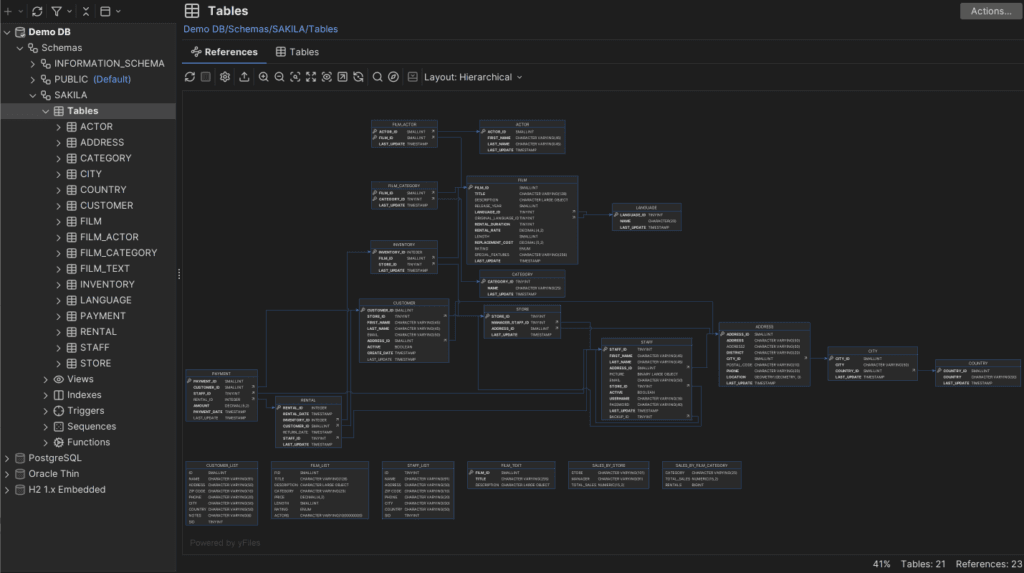
With an array of support for 60+ databases, DbVisualizer is globally recognized as a premier database tool. Unique to DbVisualizer is its ability to present the specific object types for certain databases with similar end-user access so that you are not limited to only standard SQL commands: you have full access to everything specific to the DBMS you are currently accessing.
With respect to Sybase ASE, for example, you will have extended support for all ASE specific object types. You will be able to access the complete range of features and functions provided by the database, e.g., Sybase storage objects, Sybase system procedures, and Sybase performance measurements. The same applies to IBM DB2.
One of the greatest strengths of DbVisualizer when developing for legacy databases is its ability to automatically create visual Entity Relationship diagrams for legacy databases that often do not have adequate documentation, or for databases that were originally developed years ago, and the individuals that developed the original design no longer work for that organization.
2. DBeaver
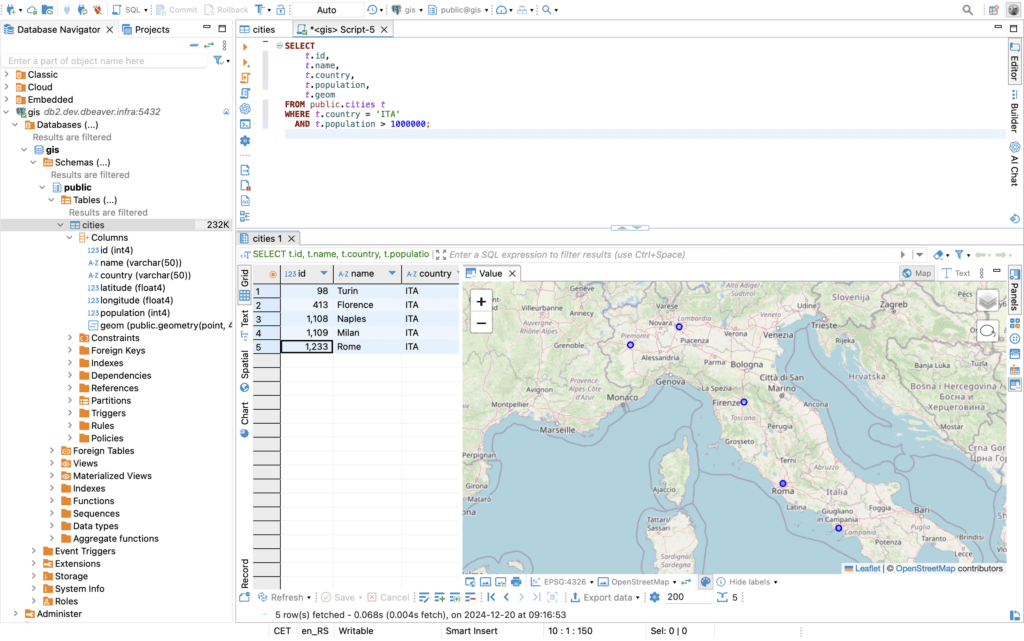
DBeaver also offers support for DB2, Informix, and Sybase in its Community Edition, which is released under the Apache License.
Their architecture is based on the Eclipse RCP platform, giving it a familiar interface for developers who use Eclipse for their programming work. The tool supports DB2 for LUW, z/OS, and iSeries, along with Informix and Sybase ASE, using JDBC drivers for connectivity.
What makes DBeaver valuable for legacy database work is its robust metadata browsing capabilities. You can drill down through database objects (tables, views, stored procedures, triggers, sequences) with detailed property information displayed in a consistent format regardless of the underlying database type.
It also includes sophisticated data export and import capabilities, which are essential when you need to move data between legacy systems or extract information for analysis in modern data platforms.
Honorable Mentions
While DbVisualizer and DBeaver dominate the universal database tool landscape, several other solutions deserve recognition for their capabilities with legacy databases:
What Lies Ahead
The dynamics of legacy database tooling continues. AI-assisted query writing, natural language interfaces, and automated performance optimization are emerging features in modern SQL clients. These capabilities can help bridge the skills gap as experienced DB2, Informix, and Sybase administrators retire and younger developers take over maintenance responsibilities.
At the same time, the databases themselves continue to advance. IBM Informix 15.0 includes JSON support and integration with MongoDB drivers, making it more accessible to developers familiar with modern development patterns. SAP continues investing in ASE with in-memory database capabilities that improve performance for analytical workloads.
The key insight is that "legacy" doesn't mean "obsolete." These databases remain highly capable platforms that will continue supporting critical business operations for years to come. The availability of modern, powerful SQL tools like DbVisualizer (without a doubt) ensures that developers and database administrators can work effectively with these systems without being held back by outdated client software.
And that’s a wrap!
Conclusion
It’s not the legacy databases that are the issue. It’s the legacy tooling.
Tools such as DbVisualizer show that you can develop with DB2, Informix, and Sybase databases using the same clean interfaces and smart tools that you would use with any other development tool. The databases provide the reliability and performance they have always provided. It’s the tools that provide the interface that makes you feel like you are using technology from a modern world, not from 1995.
Your legacy systems are legacy systems for a reason: they work. Make sure your tooling works just as well.