The Best SQL Clients for Explain/Query Plan Visualization (2026)

intro

Let’s explore, discover, and compare the best database clients for EXPLAIN and SQL query plan visualization of the year. Dig into them with us!

When working with complex database infrastructure and SQL queries, many developers turn to SQL tooling and specifically to SQL clients.

SQL tooling and SQL clients are vital to better understand how a specific database engine processes SQL queries, how it parses them, and how they sometimes work against developers. Today, SQL clients providing explain/query plan visualization are more important than ever and while many would argue that “AI can visualize all of the queries for us already!” that’s not always the case.

Let’s dive into your top choices for SQL clients that can provide sufficient EXPLAIN and SQL query plan visualization in 2026. Here are your options!

DbVisualizer
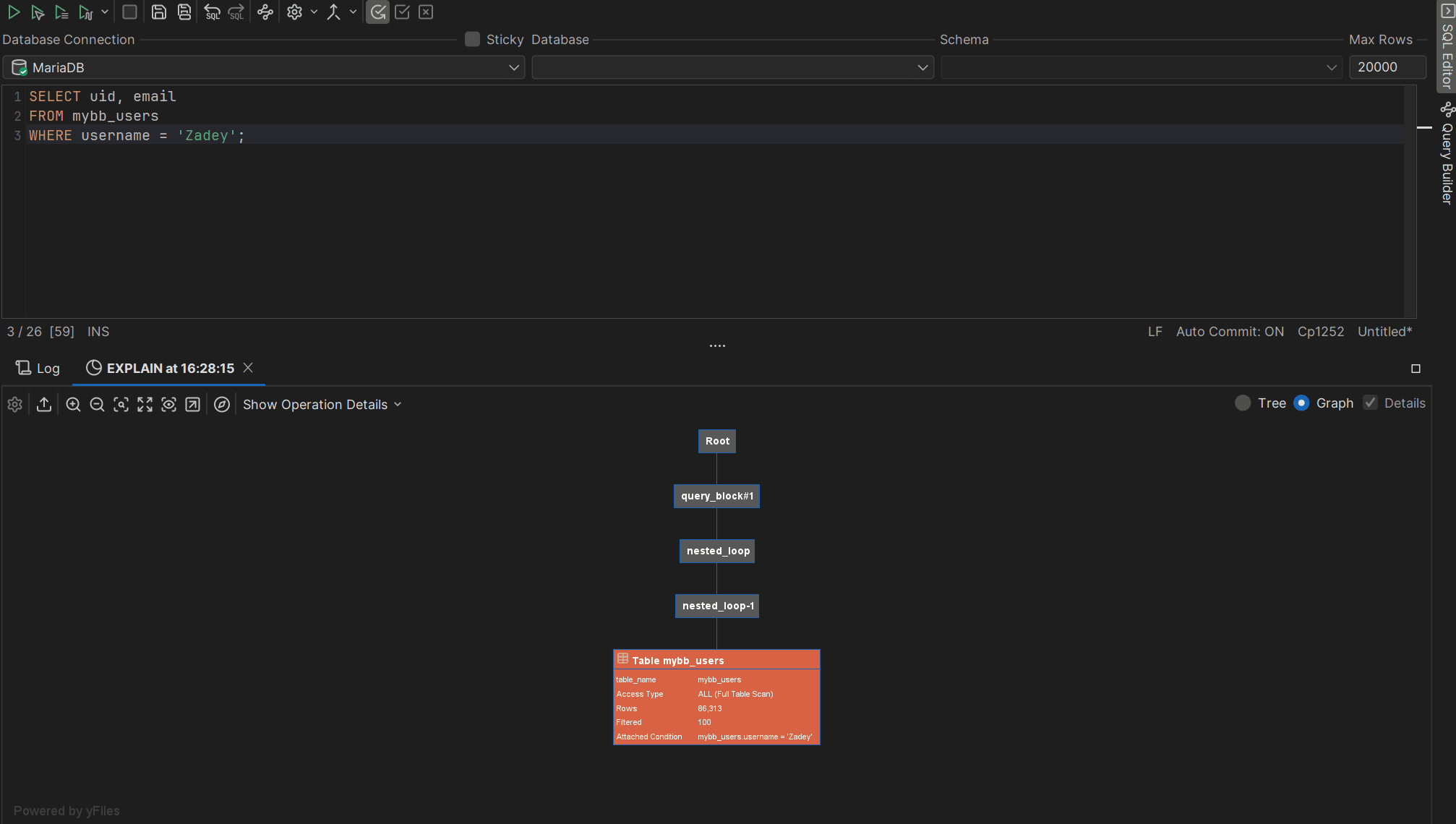
EXPLAIN Query Plan in DbVisualizer

DbVisualizer is a top-rated SQL client supporting many database appliances, as it does connect to any database that can be interacted with a JDBC driver. It’s used by well-known companies from NASA to Volkswagen, and comes with a neat user guide for every user. Oh, and it’s known for providing intuitive graphical representations of execution plans through its Explain Plan feature. This makes it easier for developers to analyze and optimize the performance of their database queries, as shown in our dedicated guides:

👍 Pros:

👎 Cons:

  • Comes with a learning curve: DbVisualizer is packed with features, however, it can be overwhelming for developers who are new to database management tools. Some of the advanced functionalities and settings within the tool may come with a bit of a learning curve.
  • Limited features in the free version: the free version of DbVisualizer offers basic functionality, but those who need advanced features like the explain plan in the SQL editor or support for more database types will have to upgrade.

MySQL Workbench

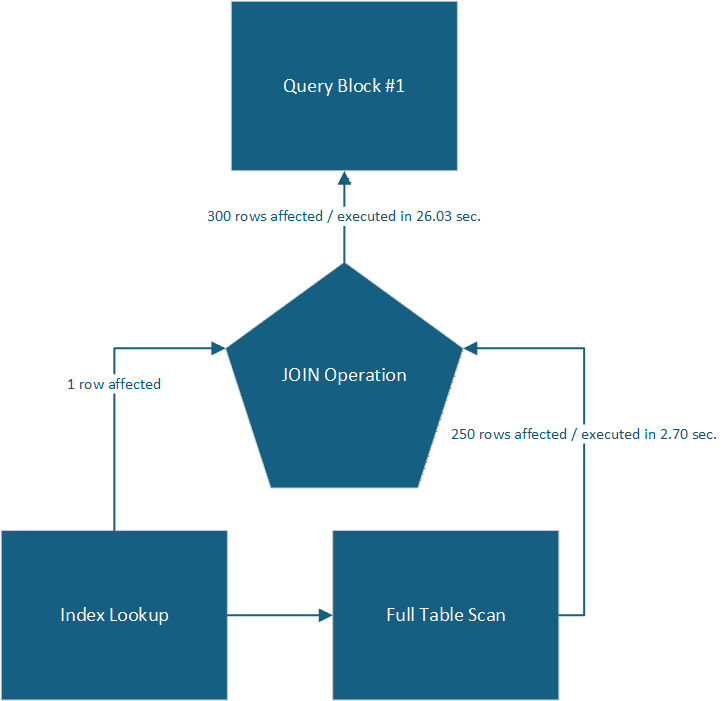
A representation of the query execution plan provided by MySQL Workbench

While MySQL Workbench isn’t just an SQL client (it’s a huge environment for MySQL and MariaDB users instead), it does provide powerful SQL query plan visualization capabilities. Visualization plans provided by MySQL Workbench often look something like from a Visio drawing:

While MySQL Workbench may not be ideal for all use cases (see cons below), it is a great tool for those opting for simple yet powerful MySQL-based applications.

👍 Pros:

  • Visual SQL query execution plans: Supports drawn representations of many SQL execution plans, helping you better understand how your database thinks under the hood.
  • Ability to profile queries: Provide you with the ability to profile SQL queries and see how long each phase of query execution took in seconds.
  • Query optimization tools: Does offer a bunch of query optimization tools and advice tailored to a specific SQL query execution plan.

👎 Cons:

  • Limited support: MySQL Workbench only works with MySQL and MariaDB databases.
  • Features: Some features of the SQL query explain plans may be lacking compared to other tools.

DataGrip

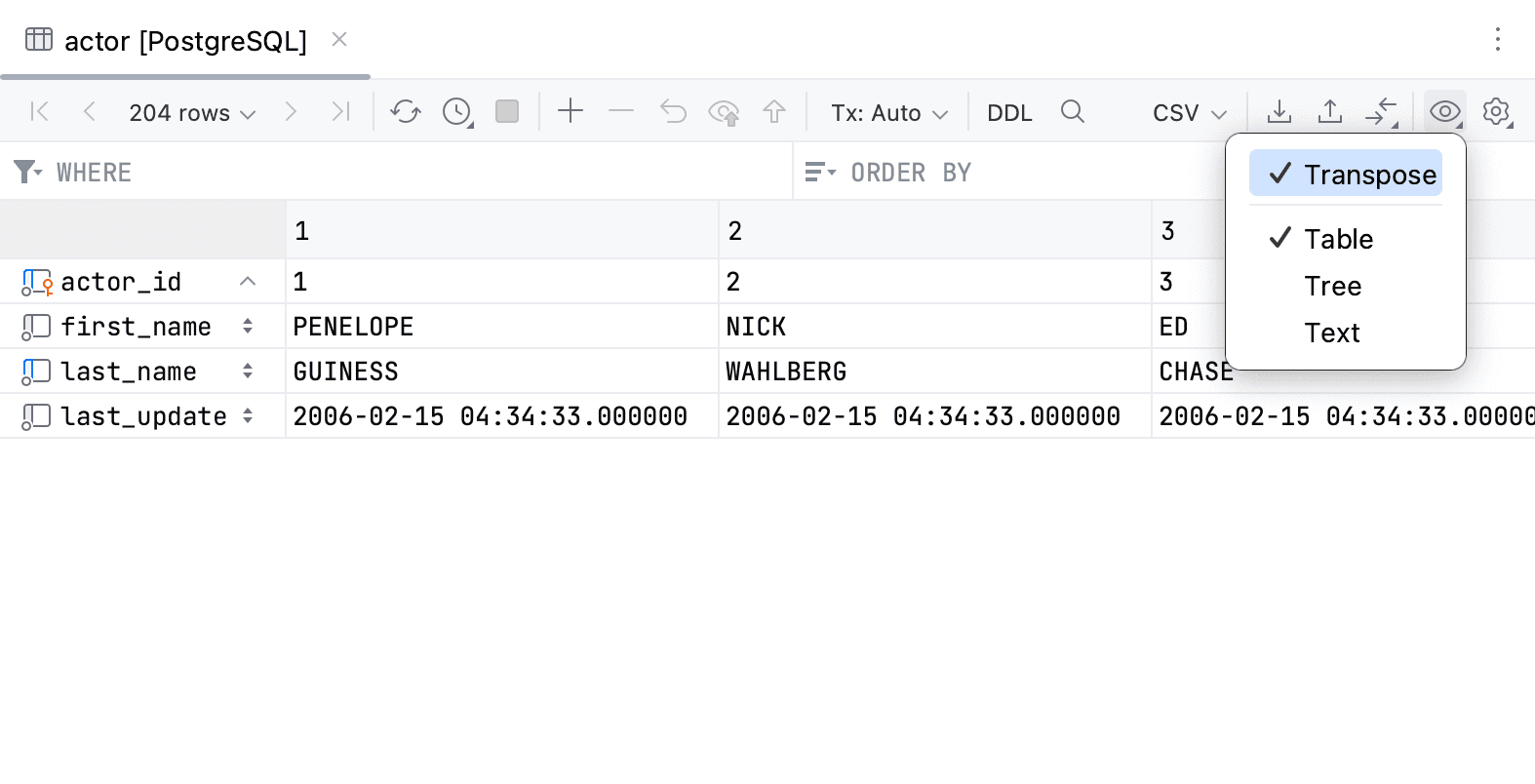
DataGrip Visualizing a PostgreSQL Table and Transposing It

The next one on the list of SQL clients for explain/query plan visualization is DataGrip, (Different View Modes). A popular favorite amongst many database professionals and unlike MySQL Workbench, DataGrip does offer support for many database management systems including PostgreSQL, SQL Server, MySQL, and Oracle. It also provides for nice query plan visualization capabilities, but comes with a learning curve.

👍 Pros:

  • Broad support for many database management systems: DataGrip does support PostgreSQL, SQL Server, MySQL, and Oracle.
  • Rich, interactive visualizations of query execution plans: DataGrip is known for its rich and interactive visualizations of SQL execution plans. Users may see an execution tree as well as nodes associated with costs on every branch, etc.
  • Useful for analysis: Provides support for database schema diagrams as well as allows developers to see detailed metrics for every part of your SQL query to better understand which specific parts of your SQL query need to be worked on.

👎 Cons:

  • Learning curve: Unlike many other popular tools like MySQL Workbench, DataGrip does come with a learning curve, often “overloading” its users with features in a rather complex interface.
  • Focus on relational databases: DataGrip is known for its focus on relational database management systems. Developers working with NoSQL appliances like Cassandra or MongoDB may encounter limited support.

DBeaver

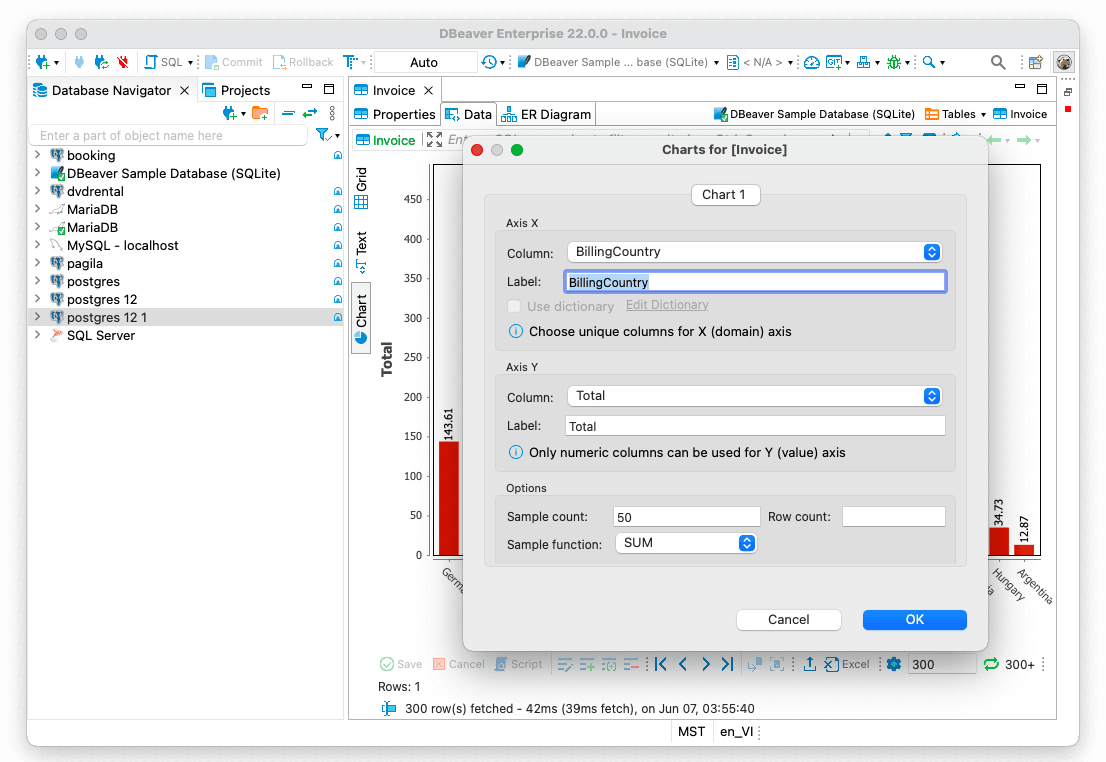
DBeaver on an Apple Device.

DBeaver on an Apple Device.

Source: DBeaver Blog

Another favorite for many data professionals is DBeaver. This SQL client has recently introduced AI-assisted database operations like the building and editing of SQL queries and troubleshooting errors, and is known for its versatility and commitment to open source standards. DBeaver has many capabilities and is database agnostic, but its UI comes with a learning curve. At the same time, if you’re searching for query visualizations, DBeaver may fit your requirements.

👍 Pros:

  • Support for a wide range of databases: Undoubtedly, one of the biggest strengths of DBeaver is its extensive support for many database management systems. The tool supports MySQL, PostgreSQL, SQLite, Oracle, SQL Server, and MariaDB, as well as NoSQL databases like MongoDB, Cassandra, and Redis.
  • Database-agnostic: DBeaver is database-agnostic meaning that whether you’re working with cloud or open-source databases, DBeaver does have something to offer. This is great for development teams that need flexibility in their choices.

👎 Cons:

  • Rather complex UX: Many users of DBeaver complain about the complexity of its interface; the interface of DBeaver is cluttered with many options and tools that are not necessarily useful for every day tasks and requires a learning curve to master.
  • Slow with larger data sets: DBeaver is also rather slow when bigger data sets are concerned. According to sources on the Web, users of DBeaver sometimes report the tool being “sluggish” and laggy and that’s particularly noticeable when visualizing big data sets.

Summary

In this blog, we’ve discussed a bunch of SQL clients suitable for explain plan and SQL query visualization. Each tool has upsides and downsides unique to itself and that’s why there’s no one answer to the question what to choose?

The answer is: it depends…. (Of course, as always in the IT world!) That said, DbVisualizer has you covered with a dedicated, enterprise-grade, simple-to-use, and feature-rich Explain Plan feature.

Weigh all of the available options and their features, look into the list of supported databases, and grab a free trial where available. That should set you on the right track. Come back to TheTable for more gems in the future, and bye for now.


Dbvis download link img
About the author
LukasVileikisPhoto
Lukas Vileikis
Lukas Vileikis is an ethical hacker and a frequent conference speaker. He runs one of the biggest & fastest data breach search engines in the world - BreachDirectory.com, frequently speaks at conferences and blogs in multiple places including his blog over at lukasvileikis.com.
The Table Icon
Sign up to receive The Table's roundup
More from the table
Title Author Tags Length Published
title

Best Cross-Platform Database IDEs in 2026

author Lukas Vileikis tags SQL clients 6 min 2026-04-13
title

Database Clients: A Security Comparison of the Most Popular Tools

author Lukas Vileikis tags SQL 5 min 2026-04-09
title

SQL Interview Questions and Answers: Part 2 — Problems & Solutions

author Lukas Vileikis tags MARIADB MySQL SQL 7 min 2026-04-06
title

Comparing Git Support in Popular SQL Clients

author Leslie S. Gyamfi tags SQL SQL clients 7 min 2026-04-02
title

SQL Interview Questions and Answers: Part 1 — The Basics

author Lukas Vileikis tags DBMS MARIADB MySQL POSTGRESQL SQL SQL SERVER 10 min 2026-03-30
title

Best SQL Clients for Cloud IAM/SSO Authentication (2026)

author Leslie S. Gyamfi tags 10 min 2026-03-16
title

Best SQL Clients for Data Import/Export & CSV Handling (2026)

author Leslie S. Gyamfi tags 13 min 2026-03-09
title

Best SQL Clients for Startups in 2026: Complete Comparison

author Antonello Zanini tags Recommendations SQL clients Startups 10 min 2026-03-02
title

Best DbGate Alternatives for SQL and NoSQL Management

author Antonello Zanini tags Database clients DbGate SQL clients 10 min 2026-02-23
title

dbForge Alternatives for SQL Management

author Antonello Zanini tags Database clients SQL clients 10 min 2026-02-16

The content provided on dbvis.com/thetable, including but not limited to code and examples, is intended for educational and informational purposes only. We do not make any warranties or representations of any kind. Read more here.