Recommendations
SQL clients

Best Oracle SQL Developer Alternatives for 2026 (Windows & macOS)

intro

Have a look at the best alternatives to Oracle SQL Developer that actually makes a developer’s life easier!

Tools used in the tutorial
Tool Description Link
Dbvisualizer DBVISUALIZER
TOP RATED DATABASE MANAGEMENT TOOL AND SQL CLIENT

If you or your team are working across Windows and macOS while managing Oracle databases, you may prefer a general-purpose database client that goes beyond the features provided by Oracle SQL Developer.

In this guide, you will see the best Oracle SQL Developer alternatives for Windows and macOS.

What Is an Oracle SQL Client?

An Oracle SQL client is a software interface, whether browser-based or a desktop application that allows you to interact with an Oracle database. It serves as the bridge for executing code, managing data, and performing administrative duties.

A high-quality client should act as a comprehensive toolkit, providing:

  • A smart SQL/PL/SQL editor featuring syntax highlighting, formatting, and autocomplete.
  • A visual schema browser to easily navigate through tables, indexes, and user permissions.
  • Features to analyze execution plans and monitor session statistics to optimize queries.
  • Secure methods for direct data editing and the ability to move large datasets via import/export tools.
  • Support for task scheduling, command-line integration, and shared libraries for queries and snippets.
  • Complete integration with the most recent releases, such as Oracle 23ai.

How to Evaluate Oracle Database Clients

When selecting the right Oracle database client, you should look beyond basic connectivity and evaluate how well the software supports your specific workflow. Below are some of the main points to consider when evaluating the best Oracle database alternatives:

  • How deep is the integration? Specialized support for Oracle/s unique architecture, including PL/SQL debugging, dedicated editors for packages, and visual tools to interpret Explain Plans.
  • Is it efficient? Lightweight but powerful, maintaining a low memory footprint even when processing massive datasets.
  • Is it secure? Include safety guardrails, such as mandatory read-only modes for sensitive environments and permission-locked features to ensure data integrity.
  • Does it give you simple access to your data? Data grid should be fast and flexible with instant sorting and filtering, seamless “copy-paste” compatibility with spreadsheets.
  • Does it work for all users? Should fit into any ecosystem, offering a consistent experience across Windows and macOS (even Linux, potentially).

Top Oracle SQL Developer Alternatives

Check out this list of the top SQL database clients that are great alternatives to Oracle SQL Developer.

1. DbVisualizer
DbVisualizer
DbVisualizer

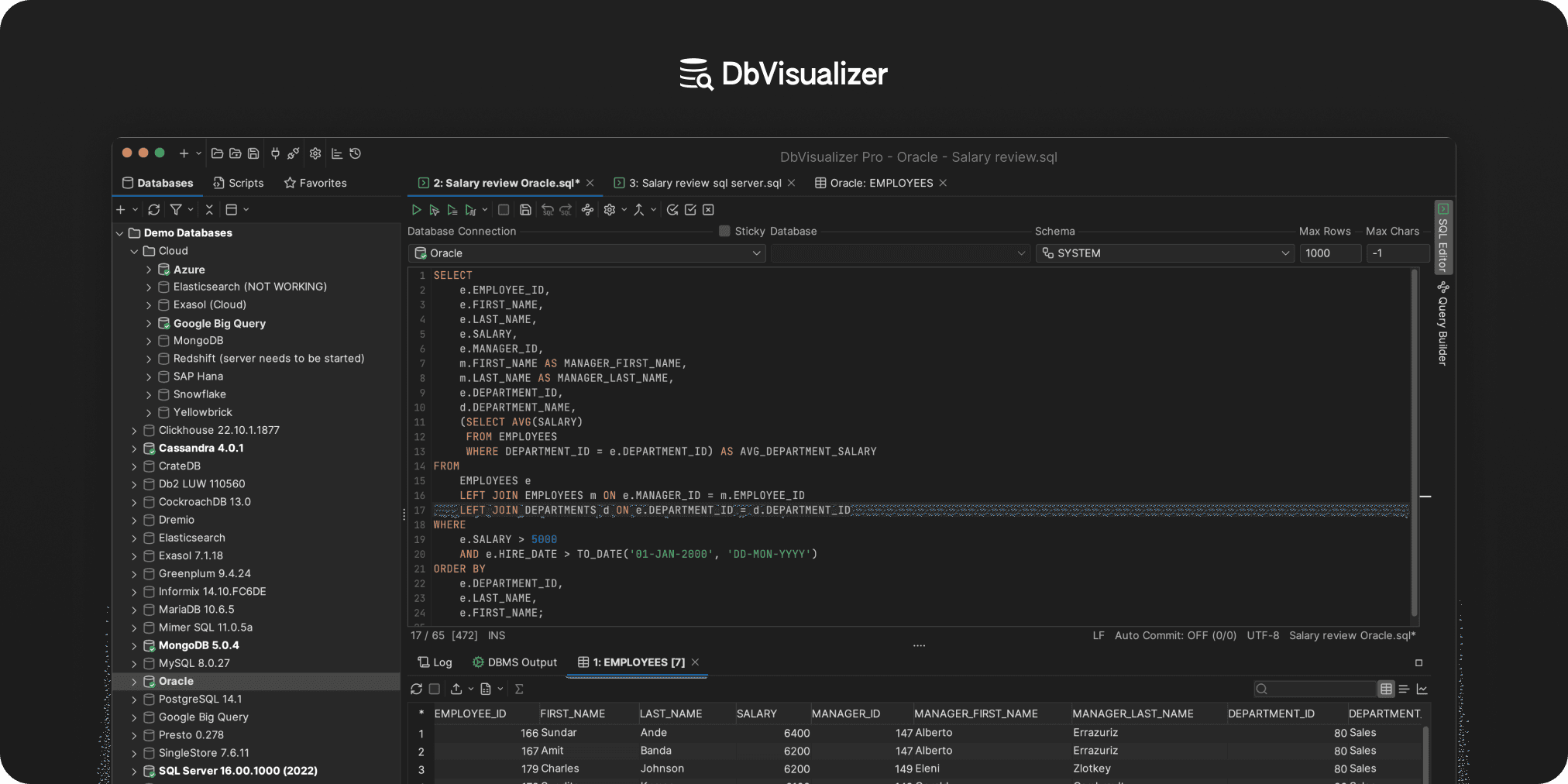
If you need a tool that feels stable and professional across both Windows and macOS and even Linux, DbVisualizer is the top-tier choice. While it’s excellent for Oracle databases, it also connects to over 60 other database types through JDBC drivers.

DbVisualizer is trusted by millions of developers and industry giants worldwide for a reason: it’s polished, reliable and handles complex management tasks without breaking a sweat.

Why is DbVisualizer a great Oracle alternative? It comes with a powerful SQL commander with intelligent auto complete, visual query building, and ER diagram generation. It also features spreadsheet-like data editing and extensive import/export options.

DbVisualizer is best for developers and DBAs who need a consistent, “pro-grade” experience across multiple database engines.

👍 Pros for Oracle users:

  • A single, consistent user experience for managing Oracle alongside various other database systems.
  • A smart editor equipped with code formatting, snippet libraries, execution history, and the ability to view multiple result sets simultaneously.
  • An intuitive, spreadsheet-like interface for editing data, with rapid export options for CSV, Excel, JSON, and SQL formats.
  • Integrated diagrams and referential views that help users quickly map out and understand complex database structures.
  • Built-in scheduling and command-line tools designed to handle routine data extracts and system checks.
  • Seamless integration with version control systems to manage and sync shared query libraries across teams.

📌 Notes:

  • Utilize "favorites" and bookmarks to maintain quick access to your most frequently used tables and packages.
  • Explore the official documentation for additional expert techniques and optimization strategies.

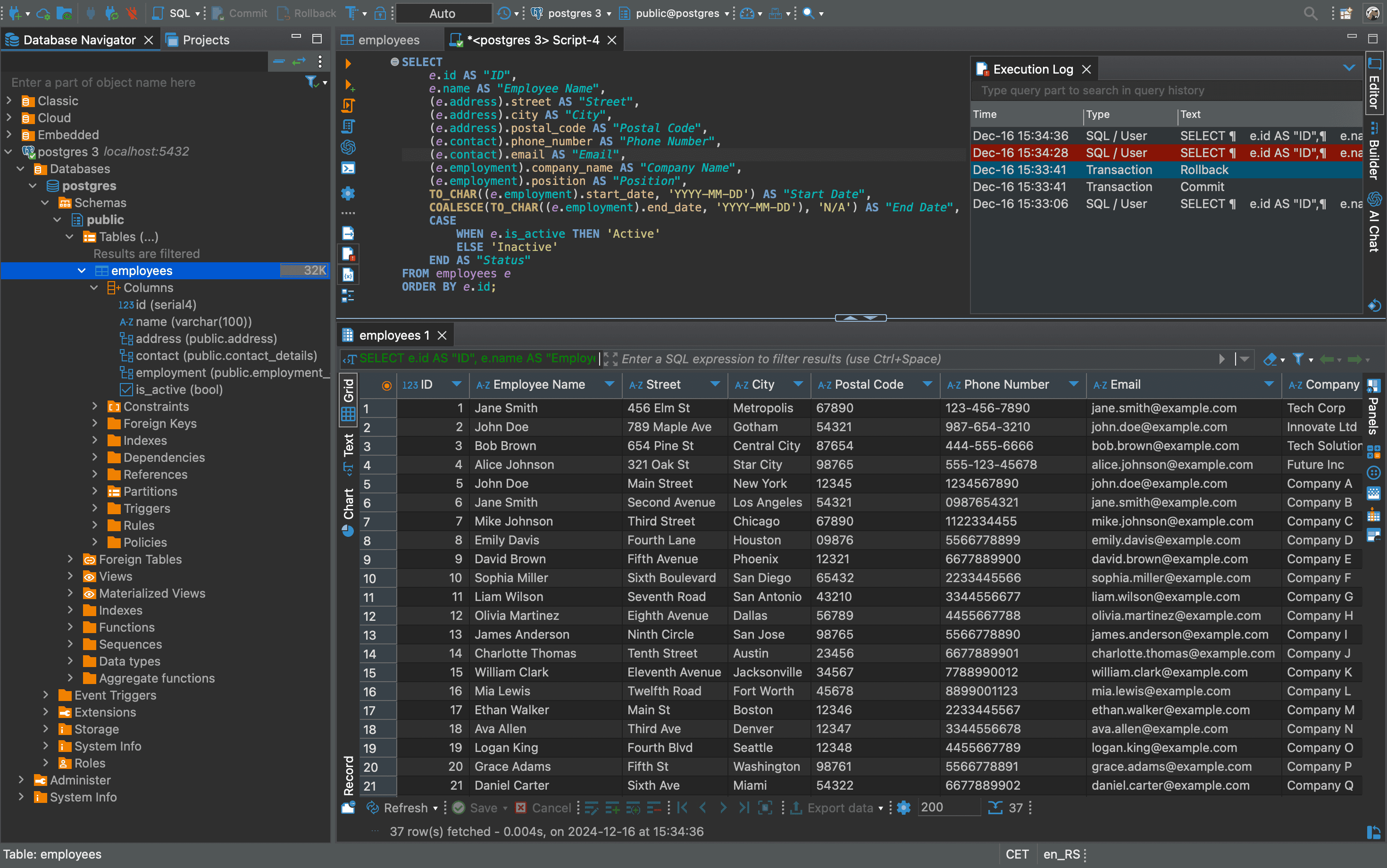
2. DBeaver

DBeaver
DBeaver

DBeaver is a database tool with an open-source core. It supports Oracle and other databases via JDBC, offering ER diagrams, a SQL editor, data browsing, and import/export capabilities.

👍 Pros for Oracle users:

  • Multi-platform solution that reliably handles everyday SQL queries and database tasks.
  • Streamlined result grid featuring real-time filtering and the ability to edit data directly within the cells.
  • Built-in Entity-Relationship (ER) diagrams and comparison utilities to quickly evaluate the ripple effects of schema changes.

📌 Notes:

  • Lacks a built-in, native tool fo step-by-step debugging of PL/SQL code.
  • The generic UI design results in a shortage of dedicated, Oracle-specific menus and dialog boxes.

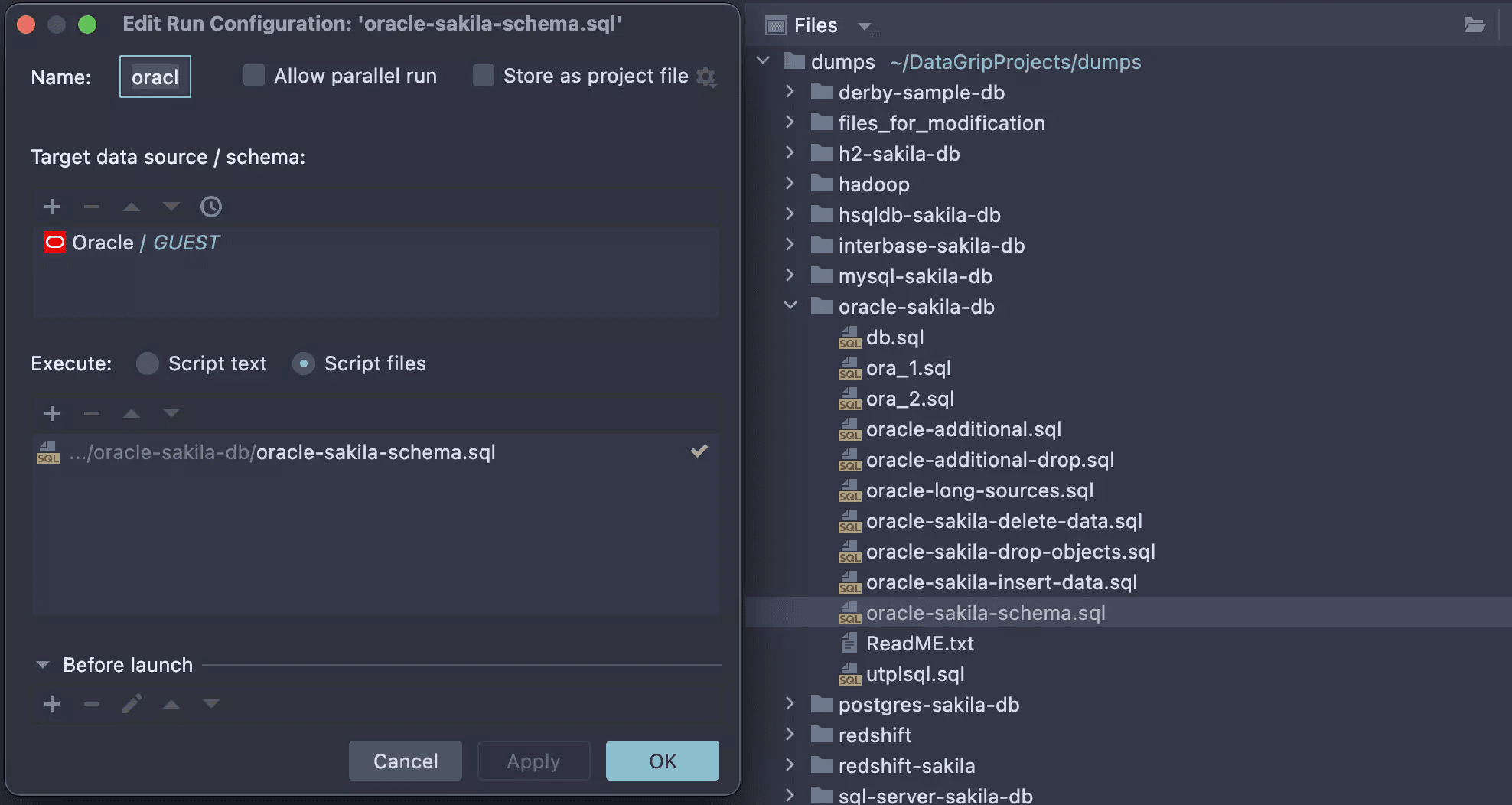
3. DataGrip

DataGrip
DataGrip

Part of the JetBrains suite, DataGrip is basically the "IntelliJ IDEA" of the database world. It is a premium-only tool, but brings unmatched intelligence to your SQL writing.

👍 Pros for Oracle users:

  • Highly responsive code completion combined with rapid-fire error corrections.
  • Seamless navigation between different schemas and object dependencies throughout the database.
  • Built-in version control support, making it easy for teams to sync.

📌 Notes:

  • Does not include integrated tools for troubleshooting or stepping through PL/SQL code.
  • Offers only basic functionality for Oracle DBA tasks and system management.

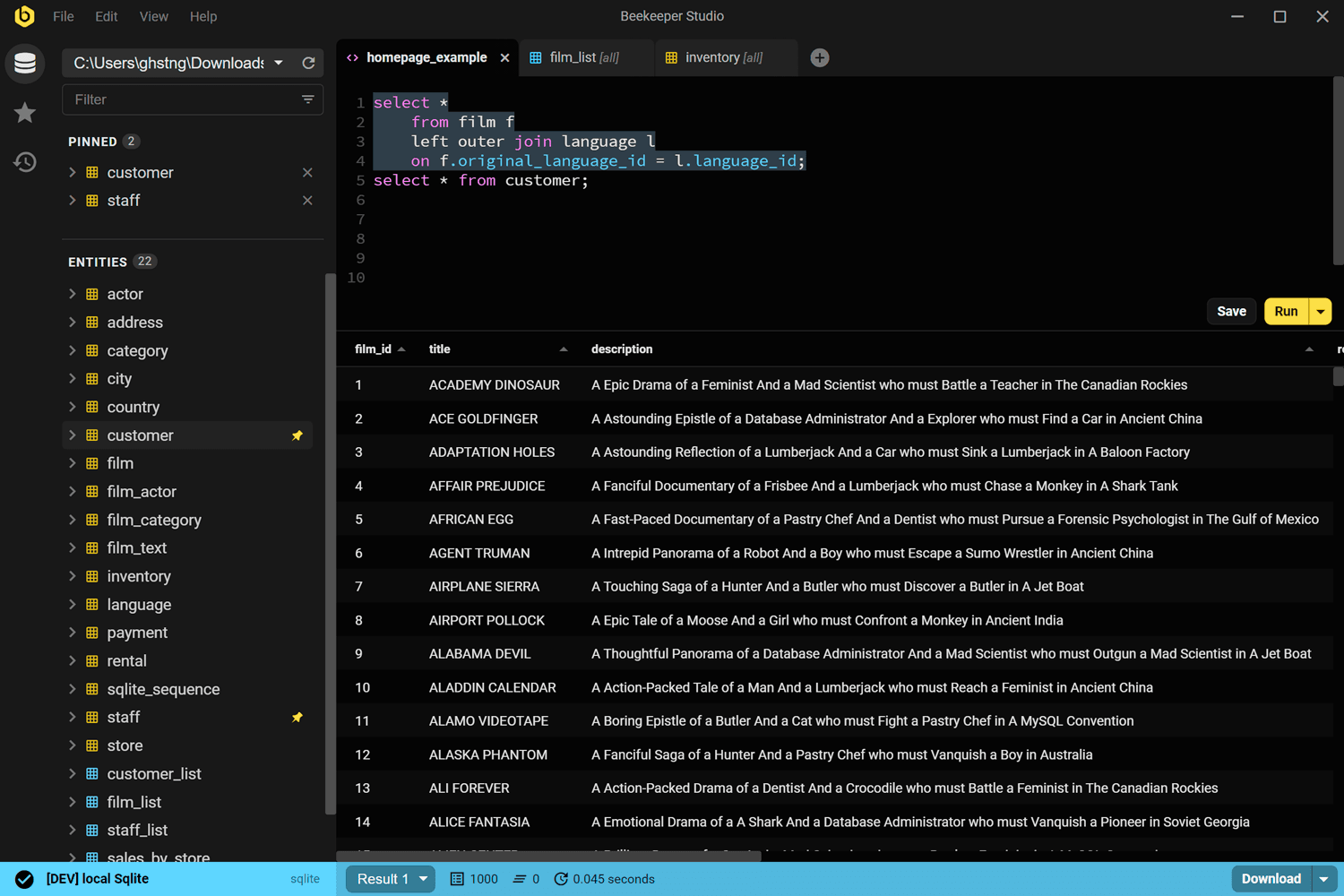
4. Beekeeper Studio

Beekeeper Studio
Beekeeper Studio

Beekeeper Studio is a modern SQL client that balances a commercial product with a strong open-source core.

Built with TypeScript and Vue.js, it’s designed to be cross-platform and user-friendly. It focuses on providing a clean, distraction-free environment for browsing tables, writing queries with autocomplete, and managing data imports and exports.

👍 Pros for Oracle users:

  • Easily share Oracle connections and saved queries with colleagues through synchronized workspaces.
  • Distraction-free interface that prioritizes the data editor and query runner.

📌 Notes:

  • Does not support stepping through or debugging PL/SQL procedures.
  • Limited administrative Oracle-specific features for user management or performance tuning monitors.

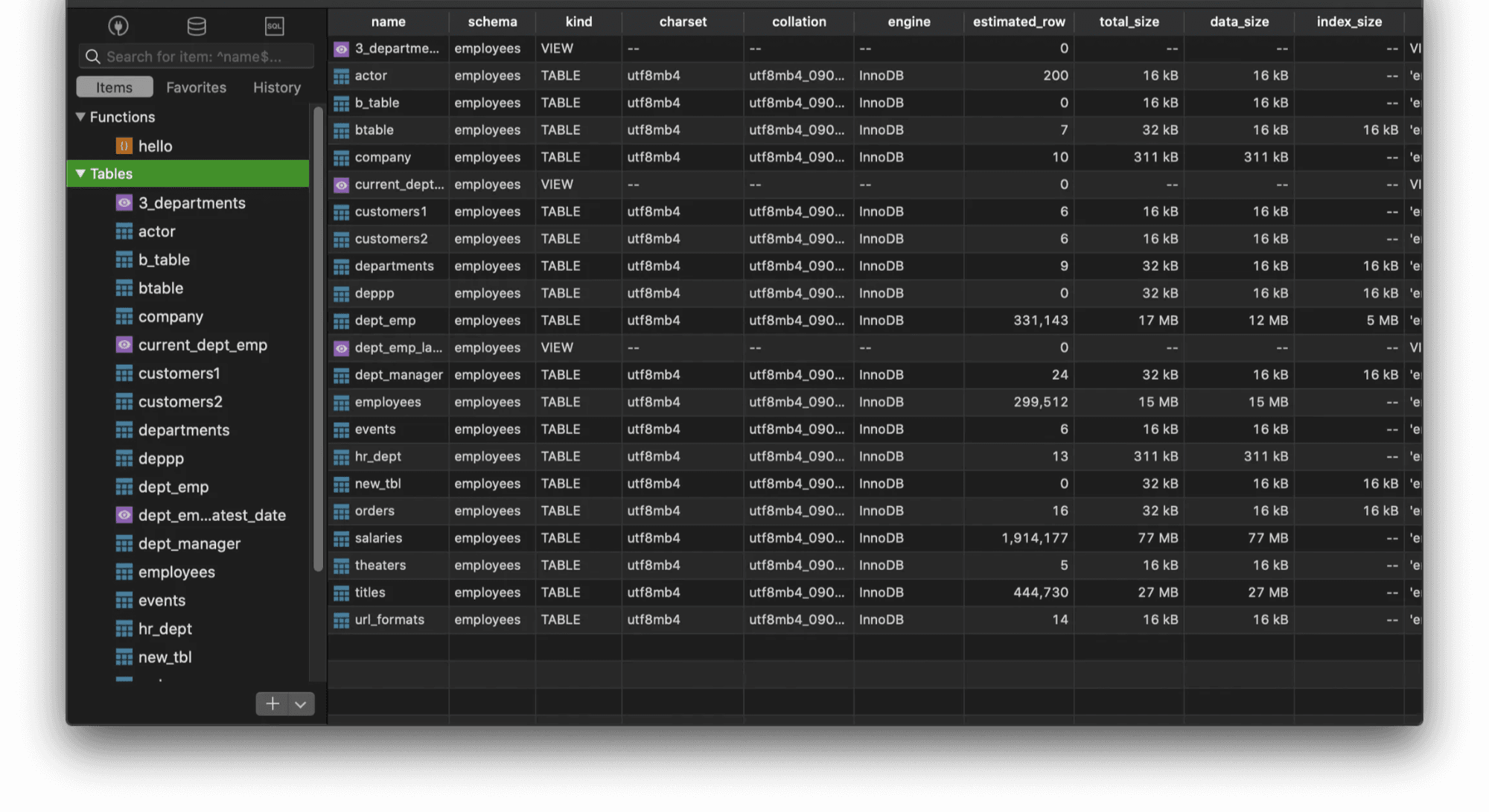
5. TablePlus

TablePlus
TablePlus

TablePlus is a native, lightweight SQL client built for speed and simplicity. It provides a clean graphical interface for managing a variety of databases like MySQL and PostgreSQL.

It’s one of the few professional tools that supports development across desktop and iOS, though the free version does limit you to two open tabs at a time.

👍 Pros for Oracle users:

  • Offers a native iOS app that allows you to manage and query your Oracle databases on the go.
  • Exceptionally fast and uses very little RAM.

📌 Notes:

  • Some advanced filters and Oracle features are prioritized for macOS and may be missing or in "beta" on the Windows version.
  • The free tier limits to a few open tabs, which can be hurdle if used to the “open everything” freedom of SQL Developer.

And that’s a wrap!

Summary

Picking the perfect SQL client really comes down to your specific workflow, your technical expertise, and what you’re willing to spend.

If you’re looking for a polished, rock-solid experience with a massive range of features, DbVisualizer is the best choice. It works with all major databases and offers a toolkit trusted by over 7 million developers. Other Oracle SQL Developer alternatives include DataGrip, TablePlus, DBeaver, and Beekeeper Studio.

We hope this breakdown helps you compare the best Oracle SQL Developer alternatives so you can choose the one that fits your setup best.

Take a look at our blog, equip yourself with some fresh database skills and we’ll see you in the next one!

Dbvis download link img
About the author
Leslie S. Gyamfi.
Leslie S. Gyamfi
Leslie Gyamfi is a mobile/web app developer with a passion for creating innovative solutions. He is dedicated to delivering high-quality products and technical articles. You can connect with him on LinkedIn
The Table Icon
Sign up to receive The Table's roundup
More from the table
Title Author Tags Length Published
title

A Comparison of the SQL Auto-Complete Experience in Database Clients

author Leslie S. Gyamfi tags SQL clients 6 min 2026-07-13
title

Best Tools for Managing Databases Running on Kubernetes in 2026

author Lukas Vileikis tags Kubernetes SQL clients 7 min 2026-07-06
title

Best Tools for Role-Based Access Control (RBAC) in SQL Databases in 2026

author Lukas Vileikis tags SQL SQL clients 6 min 2026-04-27
title

The Best MySQL GUI for macOS: Top 4 Alternatives to Workbench

author Leslie S. Gyamfi tags SQL SQL clients 7 min 2026-04-20
title

Best Cross-Platform Database IDEs in 2026

author Lukas Vileikis tags SQL clients 6 min 2026-04-13
title

Comparing Git Support in Popular SQL Clients

author Leslie S. Gyamfi tags SQL SQL clients 7 min 2026-04-02
title

Best SQL Clients for Startups in 2026: Complete Comparison

author Antonello Zanini tags Recommendations SQL clients Startups 10 min 2026-03-02
title

Best DbGate Alternatives for SQL and NoSQL Management

author Antonello Zanini tags Database clients DbGate SQL clients 10 min 2026-02-23
title

dbForge Alternatives for SQL Management

author Antonello Zanini tags Database clients SQL clients 10 min 2026-02-16
title

Best SQL Clients for SSH Tunneling and Secure Access in 2026

author Lukas Vileikis tags SQL clients 5 min 2026-02-09

The content provided on dbvis.com/thetable, including but not limited to code and examples, is intended for educational and informational purposes only. We do not make any warranties or representations of any kind. Read more here.