Confirming Before Connecting
When DbVisualizer needs a connection that isn't connected, for example when you run SQL, it connects automatically. Before it does, it can ask you to confirm:
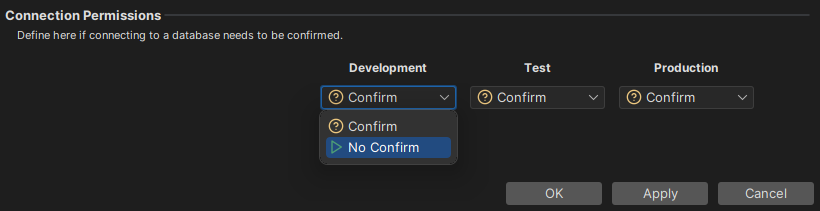
To choose when to confirm, open Tools → Tool Properties and select Permissions under the General tab. In Connection Permissions, select Confirm or No Confirm for each permission mode: Development, Test and Production. By default, all modes are set to Confirm. You can only change this setting in DbVisualizer Pro, so in the free edition, DbVisualizer always asks.
You set the permission mode of a connection in the Permission Mode field in its Connection tab.