Using Oracle TNS Names
The connection details for Oracle databases can be stored in a tnsnames.ora file, where each database is defined by a TNS alias. To use the aliases in DbVisualizer, first tell DbVisualizer which folder the file is in. DbVisualizer looks for the file in this order:
- The folder in the Java VM property
-Doracle.net.tns_admin=<folder>. To add it, see Java VM options. - The folder in the
TNS_ADMINenvironment variable, if the file is there. - The
network/adminfolder of the Oracle installation in theORACLE_HOMEenvironment variable.
DbVisualizer only looks for the folder at startup, so restart it after you change any of these. Changes to the file itself are picked up without a restart.
On macOS, environment variables set in .zshrc, .bash_profile or similar files are not available to applications that you start from the Dock, Spotlight or Finder. Use the Java VM property instead.
To connect using a TNS alias, select TNS in the Connection Type list of the Oracle connection, and select the alias in TNS Alias.
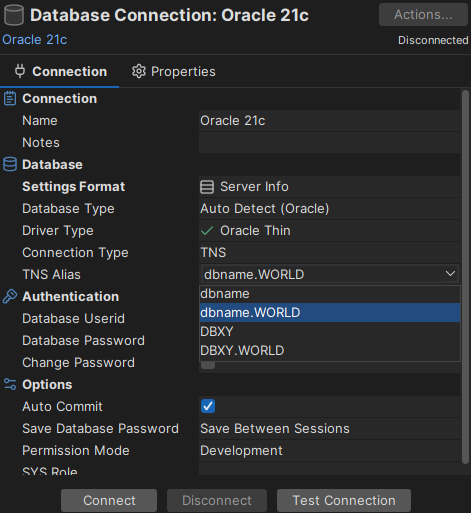
If DbVisualizer can't find the file, or the file has no aliases, the TNS Alias list is empty, and a message about where to put the file is shown when you click the field.
DbVisualizer lists the aliases in the tnsnames.ora file itself. Aliases in files that are included using IFILE aren't listed.