Saving Credentials
By default, DbVisualizer saves the Database Userid and the Database Password of each connection. The password is encrypted. For an SSH tunnel, the user name is saved in the SSH configuration. The SSH password or passphrase is only saved between sessions if you select Save Between Sessions in the SSH configuration.
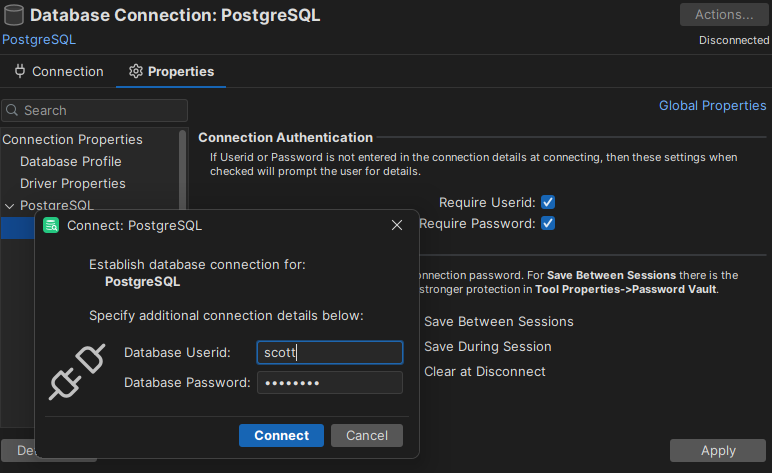
To change this for a connection, open its Properties tab and select the Authentication category:
- Database Password sets whether the password is saved: Save Between Sessions (default), Save During Session, or Clear at Disconnect. You can also set this in the Save Database Password field in the Connection tab.
- Require Userid and Require Password make DbVisualizer ask for the user name and password when you connect, if they are not set for the connection. Both are off by default.
To protect the saved passwords with a master password, Touch ID or Windows Hello, see Protecting Saved Passwords.