Creating an Index
Using the Create Index dialog, you create an index for a table without writing SQL.
In the Databases tab, right-click the table and select Create Index.
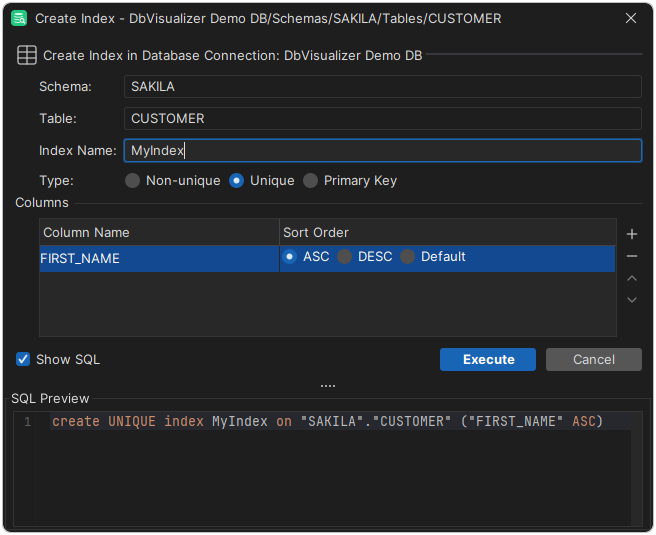
Fill in the fields, such as the name of the index. The fields depend on the database.
- Click Insert New Row in the Columns area, select the column in Column Name, and choose the Sort Order. Repeat for each column in the index.
- Click Execute.
To remove a column from the index, select it and click Delete Selected Row. To change the order of the columns, use Move Up and Move Down.