Using the DBMS Output Tab
Only in DbVisualizer Pro
This feature is only available in the DbVisualizer Pro edition.
In Oracle and Db2 LUW, stored procedures, packages and triggers can write messages using the DBMS_OUTPUT package, usually for debugging. The DBMS Output tab in the SQL Commander results area shows these messages. It works like SET SERVEROUTPUT ON in SQL*Plus.
To see the messages, open the DBMS Output tab, and click Enable DBMS Output. The icon of the tab changes. When you then execute a procedure that writes messages, they are shown in the tab, with a timestamp before each block of output.
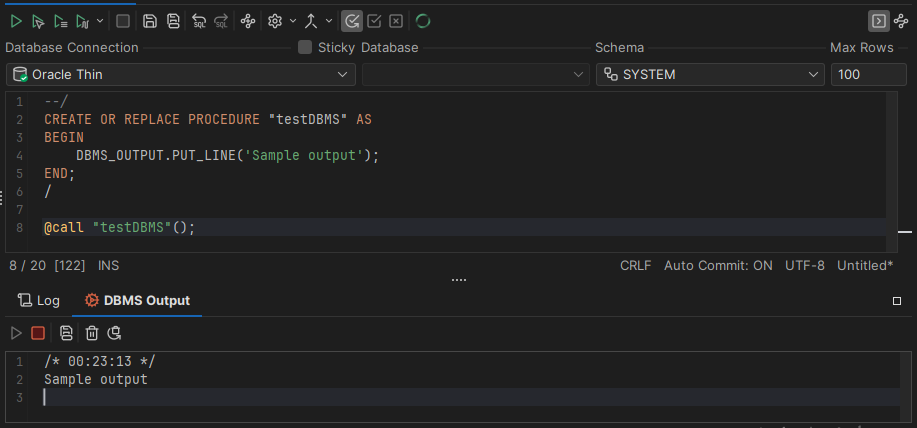
To change the format of the timestamp, use the General / SQL Commander / SQL Log category in Tools → Tool Properties.
If you don't use the tab, you can hide it, in the SQL Editor category of the connection properties.